Actor Model Overview ArkTS utilizes the Acter model for concurrent execution. In this architecture, computation is divided into independent actors. Each actor encapsulates its own state and behavior, communicating exclusively through asynchronous message passing. This isolation eliminates shared mem...
Day One Initialize a new NPM project (follow the prompts): npm init Install TypeScript, TSLint, and Node.js type definitions: npm install -s typescript tslint @types/node Create a file named tsconfig.json in the root directory and add the following configuraton: { "compilerOptions": { &quo...
Using the GPIO Interface to Register Interrupt Handlers for USER Button Response (Input) Set the internal pull-up/down state with IoSetPull (if no external pull-up resistor is present, it must be enabled to reliably detect falling edges). Register the interrupt handler using GpioRegisterIsrFunc. Ref...
Overview The Button component serves as a fundamental interactive element in HarmonyOS applications, enabling users to trigger actions and submit data. This guide covers the essential features and implementation patterns for working with Button components in ArkUI. Core Functions The Button componen...
Navigation Overview Introduction to Navigation Navigation serves as the root view container for routing navigation and typically acts as the root container for page components (@Entry). It supports three display modes: stack, split, and auto. The Navigation component handles intra-module and cross-m...
ArkUI provides several methods for building responsive user interfaces. This guide demonstrates three primary approaches using the classic "Hello World" example as a base. Using Grid and GridItem Components The Grid and GridItem components offer a straightforward way to create responsive g...
HTTP Data Requests Encapsulate the @ohos.net.http module to manage network requests efficiently. import http from '@ohos.net.http'; interface NetworkOptions { endpoint?: string; httpMethod?: HttpMethod; queryParameters?: Record<string, string>; payload?: string | Object | ArrayBuffer; headers?...
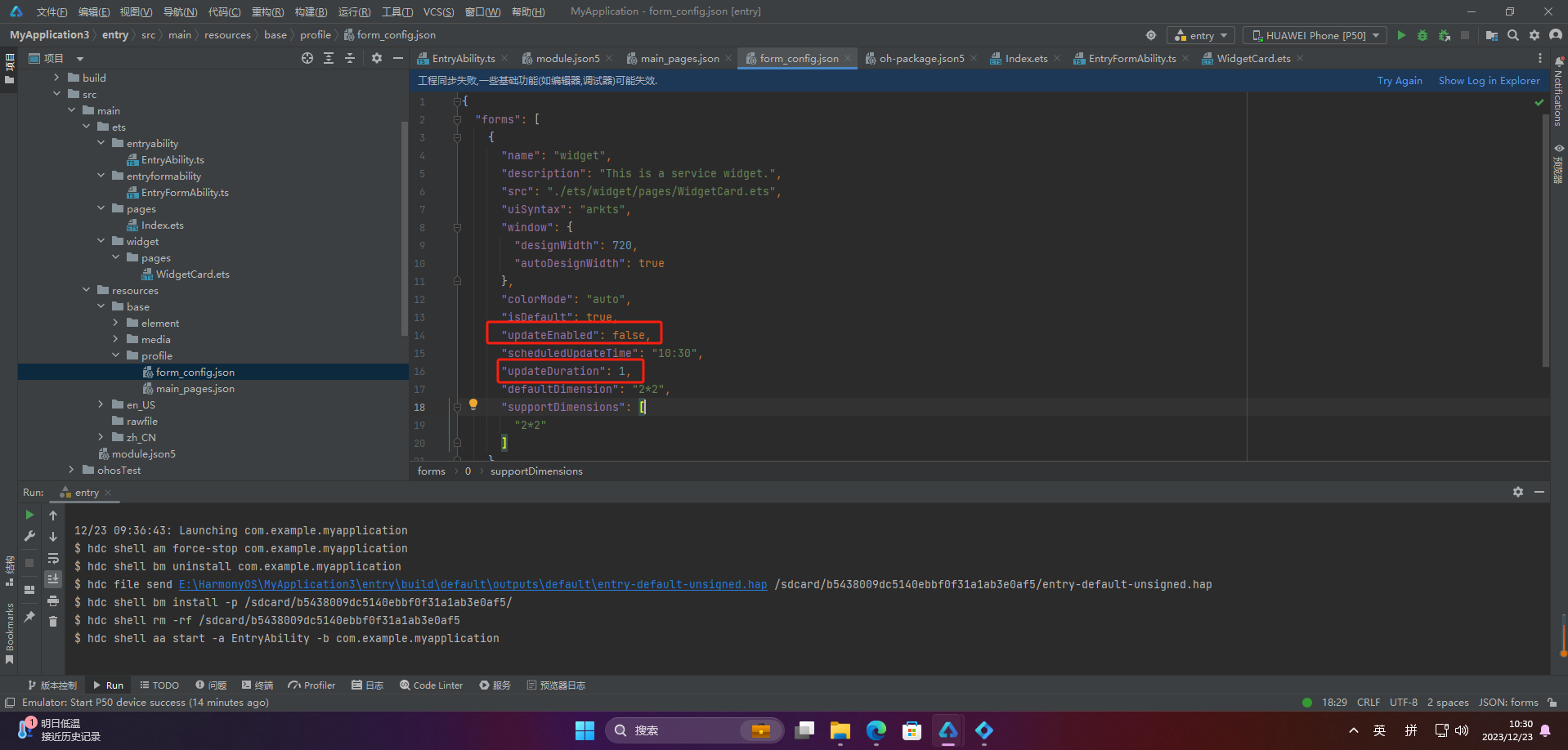
Through timed refresh and fixed-point refresh, developers can control the refresh frequency and timing of cards based on actual needs, thereby providing a better user experience. 2.1 Timed Refresh { "forms": [ { "name": "widget", "description": "This is a...
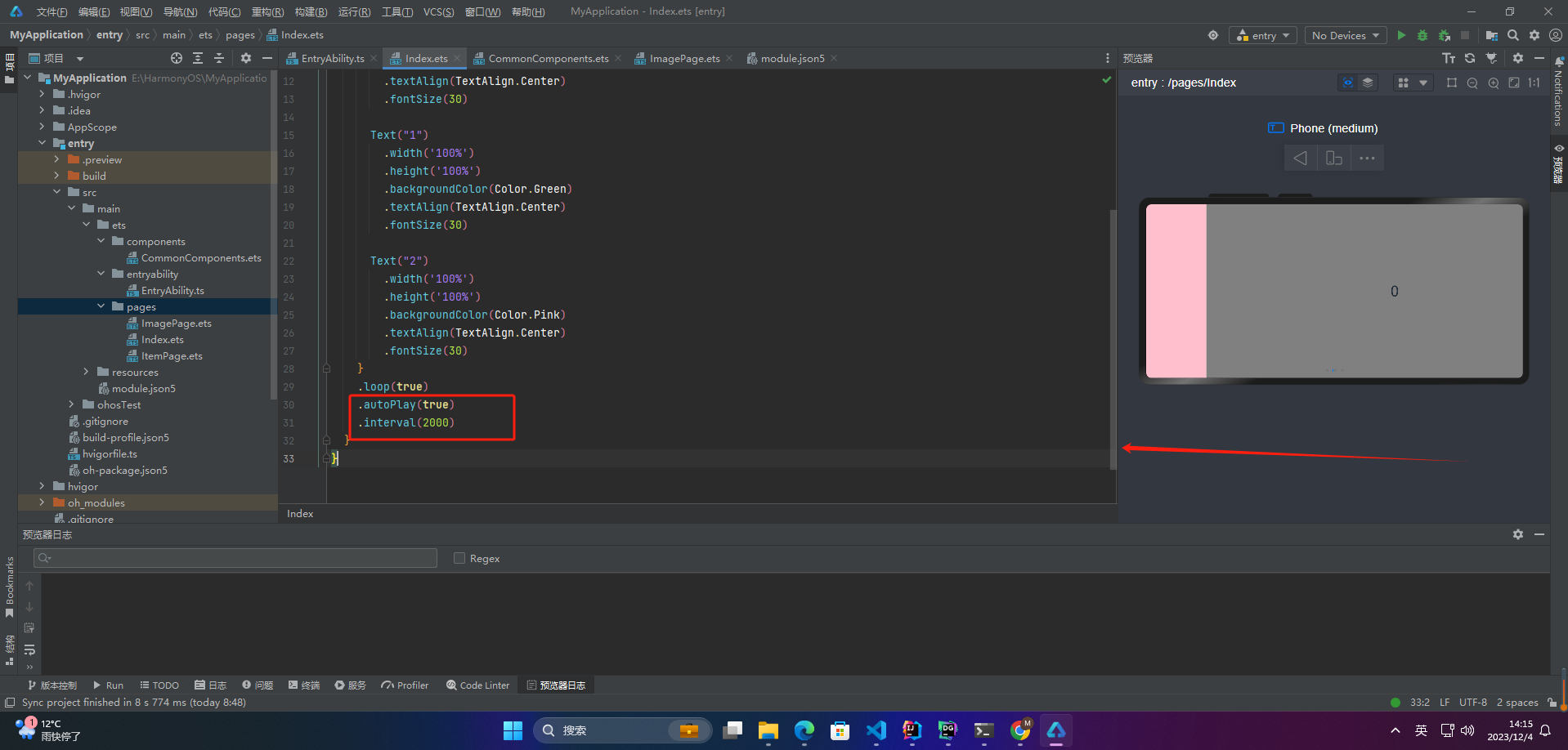
4. Auto Play When loop is set to true, you can continue swiping forward or backward even on the first or last page. If loop is false, swiping past the first or last page is disabled. @Entry @Component struct Index { private controller: SwiperController = new SwiperController() build() { Swiper(this....
Compilation ArchitectureHarmonyOS provides a distributed operating system environment, while Taro serves as a cross-platform framework enabling development with React or Vue. HarmonyOS JavaScript development aligns closely with Taro's paradigms, allowing Taro source code to be parsed and transformed...