Swiper Component in HarmonyOS ArkUI
4. Auto Play
When loop is set to true, you can continue swiping forward or backward even on the first or last page. If loop is false, swiping past the first or last page is disabled.
@Entry
@Component
struct Index {
  private controller: SwiperController = new SwiperController()
  build() {
    Swiper(this.controller) {
      Text("0")
        .width('100%')
        .height('100%')
        .backgroundColor(Color.Gray)
        .textAlign(TextAlign.Center)
        .fontSize(30)

      Text("1")
        .width('100%')
        .height('100%')
        .backgroundColor(Color.Green)
        .textAlign(TextAlign.Center)
        .fontSize(30)

      Text("2")
        .width('100%')
        .height('100%')
        .backgroundColor(Color.Pink)
        .textAlign(TextAlign.Center)
        .fontSize(30)
    }
    .loop(true)
    .autoPlay(true)
    .interval(2000)
  }
}
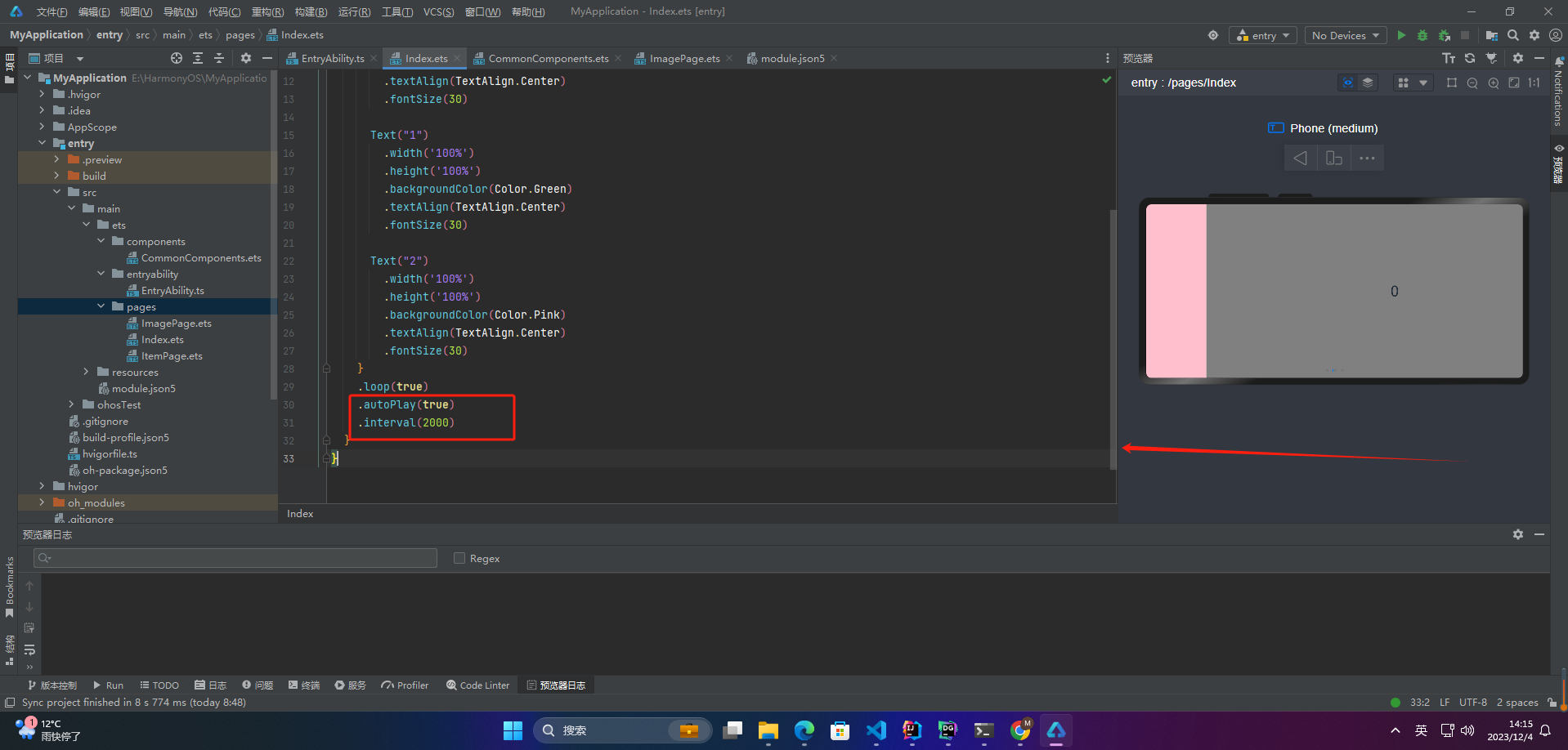
When autoPlay is true, the Swiper automatically switches between child components. The interval between switches is set by the interval property, which defaults to 2000 milliseconds.
5. Indicator Style
@Entry
@Component
struct Index {
  private controller: SwiperController = new SwiperController()
  build() {
    Swiper(this.controller) {
      Text("0")
        .width('100%')
        .height('100%')
        .backgroundColor(Color.Gray)
        .textAlign(TextAlign.Center)
        .fontSize(30)

      Text("1")
        .width('100%')
        .height('100%')
        .backgroundColor(Color.Green)
        .textAlign(TextAlign.Center)
        .fontSize(30)

      Text("2")
        .width('100%')
        .height('100%')
        .backgroundColor(Color.Pink)
        .textAlign(TextAlign.Center)
        .fontSize(30)
    }
    .indicatorStyle({
      size: 30,
      left: 0,
      color: Color.Red
    })
  }
}
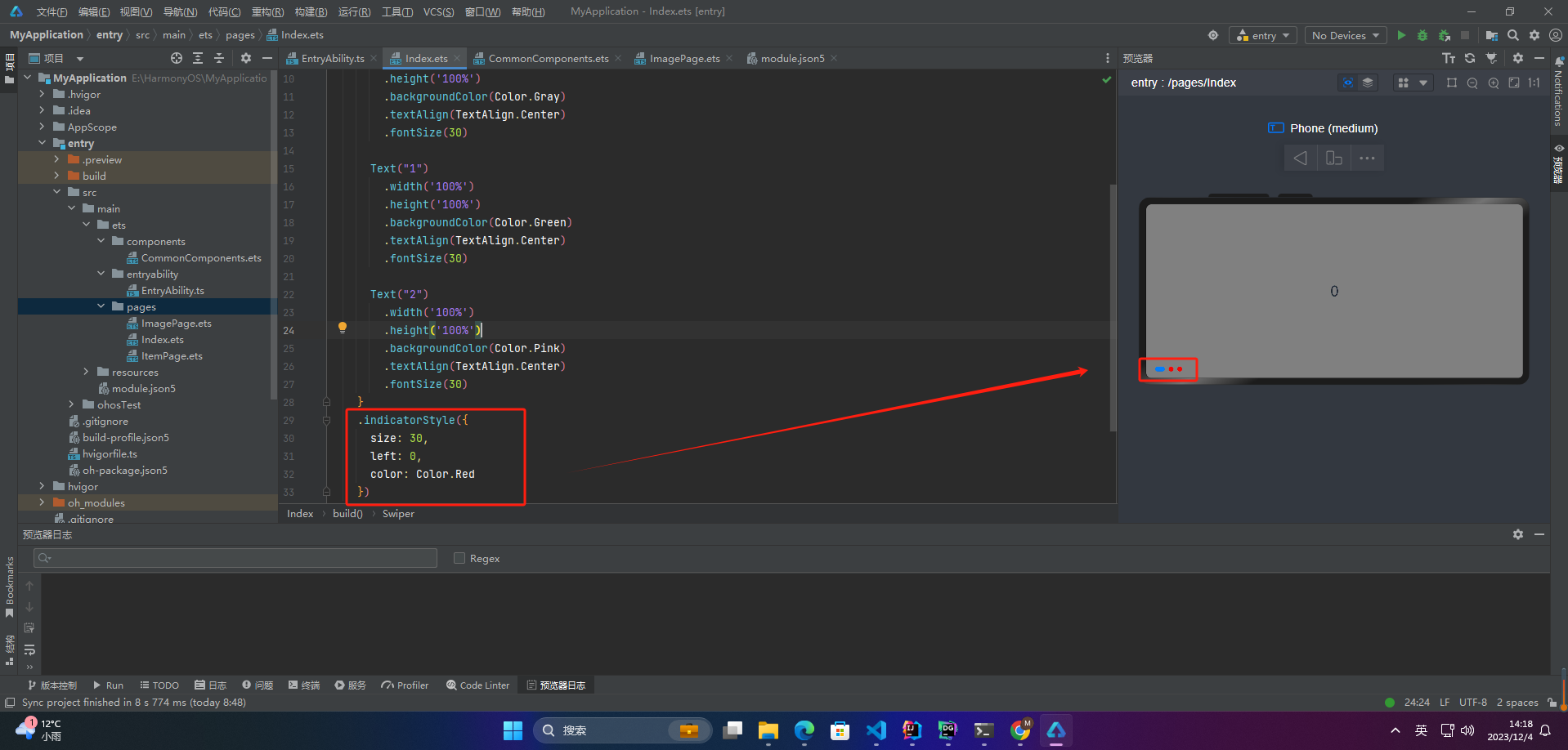
The indicatorStyle property allows you to set the position of the navigation dots reltaive too the Swiper component (top, bottom, left, right), as well as the size, color, and colors for selected and unselected dots.
6. Page Switching Methods
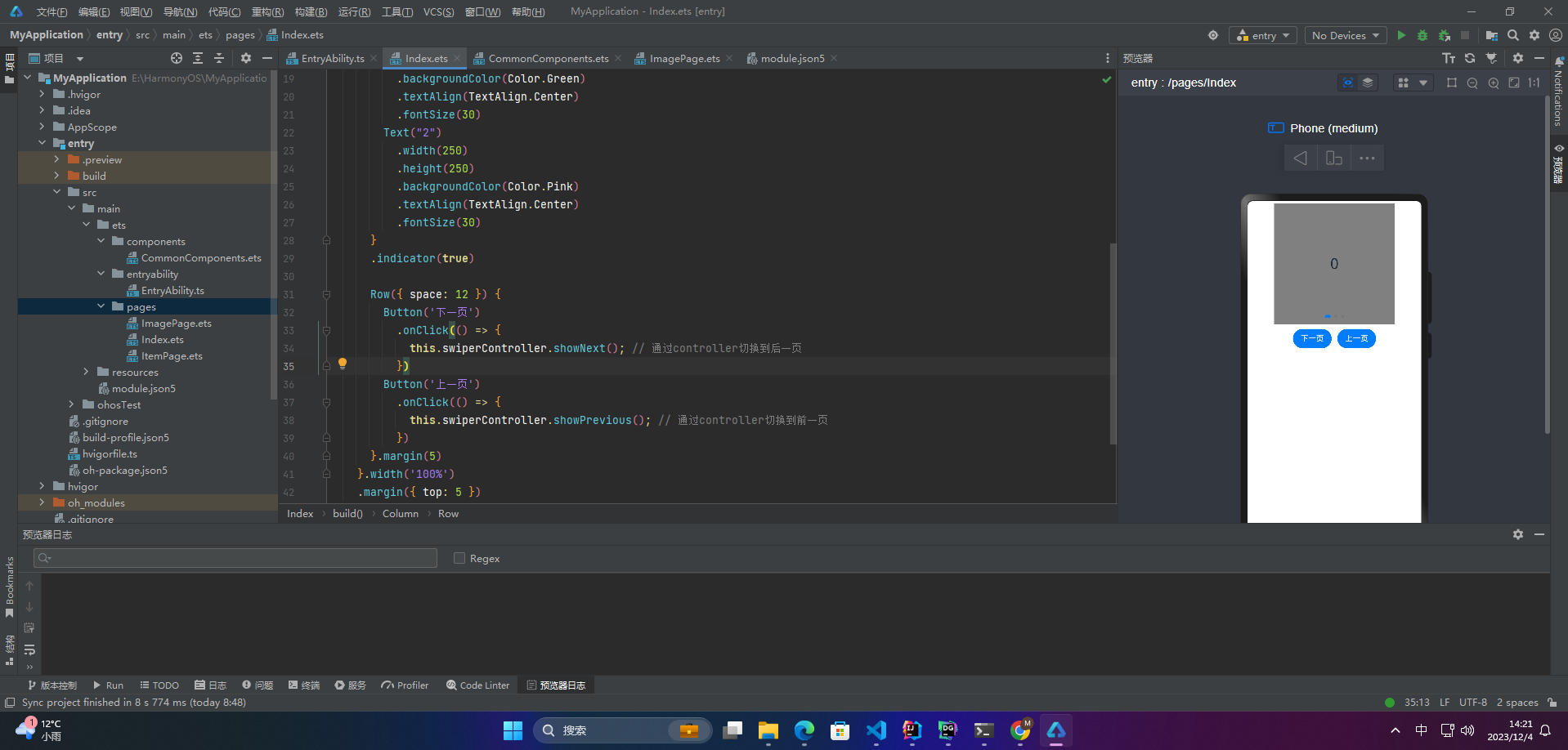
Swiper supports three page switching methods: finger swiping, tapping navigation dots, and using a controller.
@Entry
@Component
struct Index {
  private controller: SwiperController = new SwiperController();

  build() {
    Column({ space: 5 }) {
      Swiper(this.controller) {
        Text("0")
          .width(250)
          .height(250)
          .backgroundColor(Color.Gray)
          .textAlign(TextAlign.Center)
          .fontSize(30)
        Text("1")
          .width(250)
          .height(250)
          .backgroundColor(Color.Green)
          .textAlign(TextAlign.Center)
          .fontSize(30)
        Text("2")
          .width(250)
          .height(250)
          .backgroundColor(Color.Pink)
          .textAlign(TextAlign.Center)
          .fontSize(30)
      }
      .indicator(true)

      Row({ space: 12 }) {
        Button('Next')
          .onClick(() => {
            this.controller.showNext();
          })
        Button('Previous')
          .onClick(() => {
            this.controller.showPrevious();
          })
      }.margin(5)
    }.width('100%')
    .margin({ top: 5 })
  }
}
7. Swipe Direction
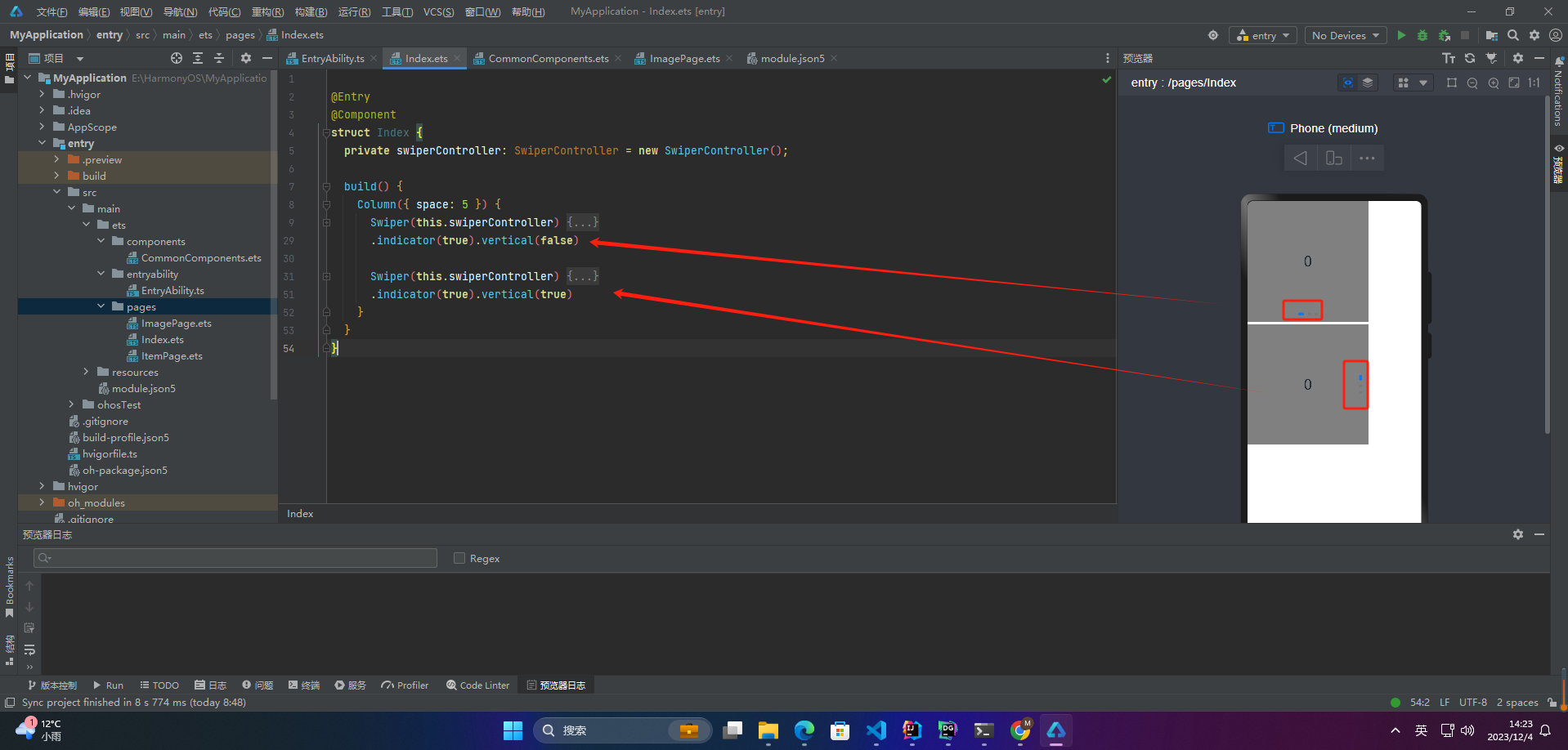
Set vertical to true for vertical swiping, or false for horizontal. The default is false.
@Entry
@Component
struct Index {
  private controller: SwiperController = new SwiperController();

  build() {
    Column({ space: 5 }) {
      Swiper(this.controller) {
        Text("0")
          .width(250)
          .height(250)
          .backgroundColor(Color.Gray)
          .textAlign(TextAlign.Center)
          .fontSize(30)
        Text("1")
          .width(250)
          .height(250)
          .backgroundColor(Color.Green)
          .textAlign(TextAlign.Center)
          .fontSize(30)
        Text("2")
          .width(250)
          .height(250)
          .backgroundColor(Color.Pink)
          .textAlign(TextAlign.Center)
          .fontSize(30)
      }
      .indicator(true).vertical(false)

      Swiper(this.controller) {
        Text("0")
          .width(250)
          .height(250)
          .backgroundColor(Color.Gray)
          .textAlign(TextAlign.Center)
          .fontSize(30)
        Text("1")
          .width(250)
          .height(250)
          .backgroundColor(Color.Green)
          .textAlign(TextAlign.Center)
          .fontSize(30)
        Text("2")
          .width(250)
          .height(250)
          .backgroundColor(Color.Pink)
          .textAlign(TextAlign.Center)
          .fontSize(30)
      }
      .indicator(true).vertical(true)
    }
  }
}
8. Display Multiple Items Per Page
Swiper can display multiple child components on the same page by setting the displayCount property.
@Entry
@Component
struct Index {
  private controller: SwiperController = new SwiperController();

  build() {
    Swiper(this.controller) {
      Text("0")
        .width(250)
        .height(250)
        .backgroundColor(Color.Gray)
        .textAlign(TextAlign.Center)
        .fontSize(30)
      // Additional items can be added here
    }
    .displayCount(2) // Show two items per page
  }
}
Note: The original code snippet for this section was incomplete; the above is a corrected example.
