Navigation Overview Introduction to Navigation Navigation serves as the root view container for routing navigation and typically acts as the root container for page components (@Entry). It supports three display modes: stack, split, and auto. The Navigation component handles intra-module and cross-m...
ArkUI provides several methods for building responsive user interfaces. This guide demonstrates three primary approaches using the classic "Hello World" example as a base. Using Grid and GridItem Components The Grid and GridItem components offer a straightforward way to create responsive g...
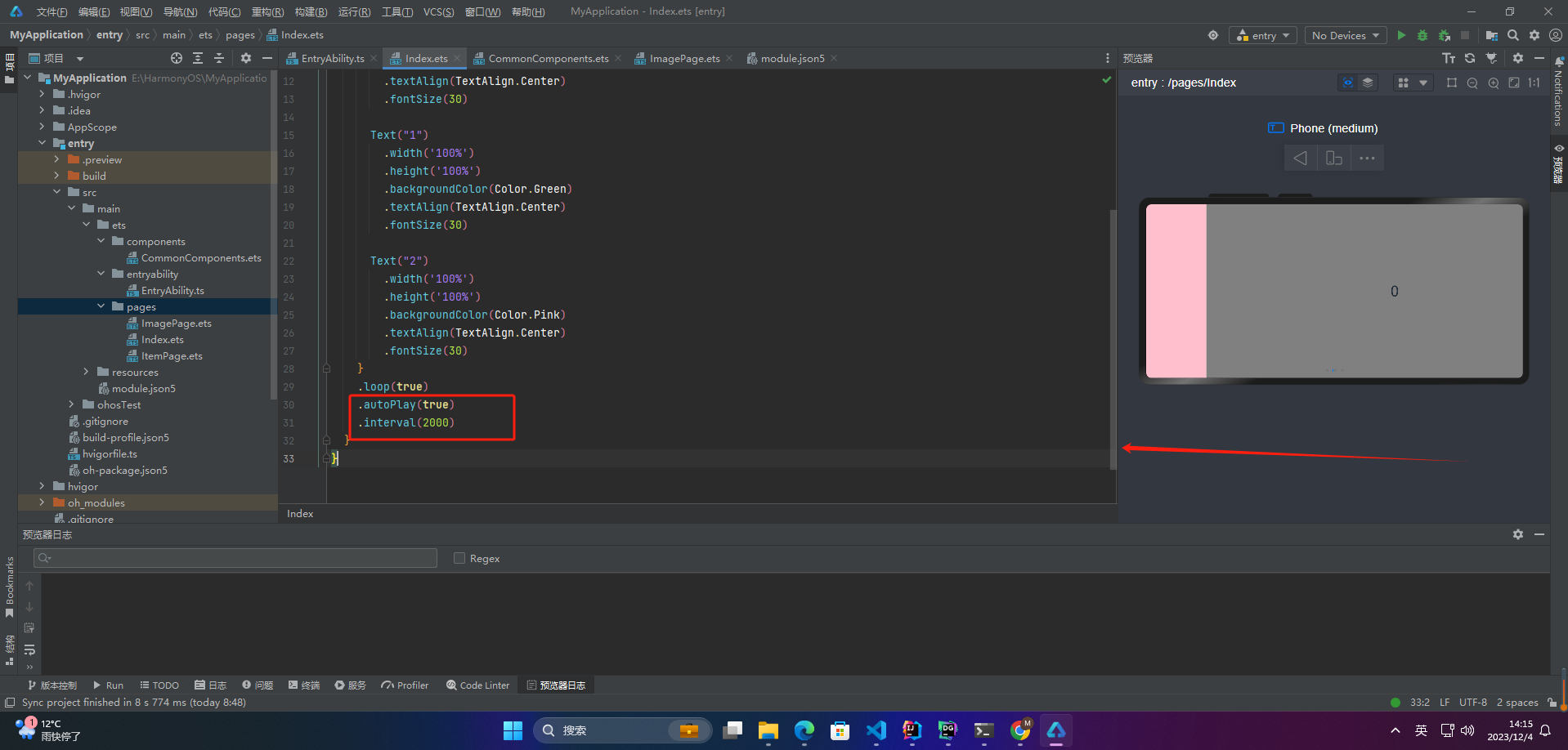
4. Auto Play When loop is set to true, you can continue swiping forward or backward even on the first or last page. If loop is false, swiping past the first or last page is disabled. @Entry @Component struct Index { private controller: SwiperController = new SwiperController() build() { Swiper(this....
Overview During application development with HarmonyOS, encapsulating ArkUI components becomes essential for business reuse. Based on practical migration scenarios, three typical component encapsulation patterns have emerged: Public Component Encapsulation: Wrapping system components to provide unif...
In HarmonyOS application development, routing and view switching are typically managed through state-decorated propertise and lifecycle-aware components. The following example demonstrates how to implement a tab-based interface using TabBar while isolating route state. @Entry @Component struct MainR...
This example demonstrates a multi-user restaurant ordreing application leveraging HarmonyOS’s distributed data capabilities. Users on different devices within the same network can collaboratively view and update an order in real time without requiring QR codes or external services. Project Structure...
In ArkUI's declarative paradigm, UIs are constructed by composing reusable components with clearly defined state and appearance. Below is an illustration using a minimal custom component. @Entry @Component struct MainView { @State labelTxt: string = "Initial Text" build() { Row() { Column(...