Download and install Pinia first: npm install pinia --save In Vue 3's main.js, initialize Pinia: import { createApp } from 'vue' import { createPinia } from 'pinia' import RootApp from './RootApp.vue' const storeInstance = createPinia() const vueApp = createApp(RootApp) vueApp.use(storeInstance) vue...
Modern web applications frequently require a persistent user interface layout where certain elements, such as a header, sidebar, or footer, remain constant while the main content area updates based on user interaction or routing. Vue Router in Vue 3 provides a straightforward mechanism to achieve th...
A Vue component is a self-contained, reusable Vue instance that encapsulates its own template, data, methods, and lifecycle hooks. This modular approach is one of the framework's most powerful features. Components extend HTML elements, allowing developers to encapsulate reusable code and decompose t...
Reactivity System Overhaul Vue 2's Approach Vue 2 implements two-way data binding using Object.defineProperty() to intercept property access combined with a publish-subscribe pattern. const vm = new Vue({ data: { counter: 0 }, // Internal transformation creates getters/setters // counter becomes rea...
Introduction In daily Vue projects, component libraries are often used to assist development, so the exposure to recursive components might not be very high. However, this doesn't mean recursive components are unimportant. This article will help you master the usage of recursive components in about...
Project Context: Developing a examination system using Vue 3 and Element Plus. Feature Scenario: In the question addition interface, question are categorized into objective and subjective types. Objective questions can be further divided into single-choice and multiple-choice types, which necesssit...
Important Note: The source code used in this article builds upon basic Vue 3 framework concepts, template syntax, and directives. Please ensure you are familiar with these fundamentals before proceeding. 1 Importing External Dependencies Vue leverages Node.js to import external dependencies, allowi...
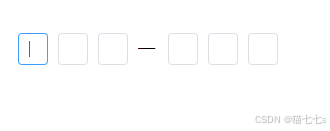
Template Section (<template>) <template> <div class="verification-code-container"> <div class="input-fields-wrapper" ref="inputWrapperRef"> <el-input v-for="(digit, idx) in verificationDigits" :key="idx" v-model="digit...
import { h, render } from 'vue'; import { ElTooltip } from 'element-plus'; const processOverflow = (el, binding) => { el.style.overflow = 'hidden'; el.style.textOverflow = 'ellipsis'; el.style.whiteSpace = 'nowrap'; // Determine if the textual content exceeds the container's width if (el.scrollWi...
1. Project Initialization Install Vue CLI 3: npm install -g @vue/cli Create a new project: vue create my-project Enstall the Composition API in the project: npm install @vue/composition-api --save Set up the Composition API in main.js using Vue.use(): import Vue from 'vue'; import VueCompositionApi...