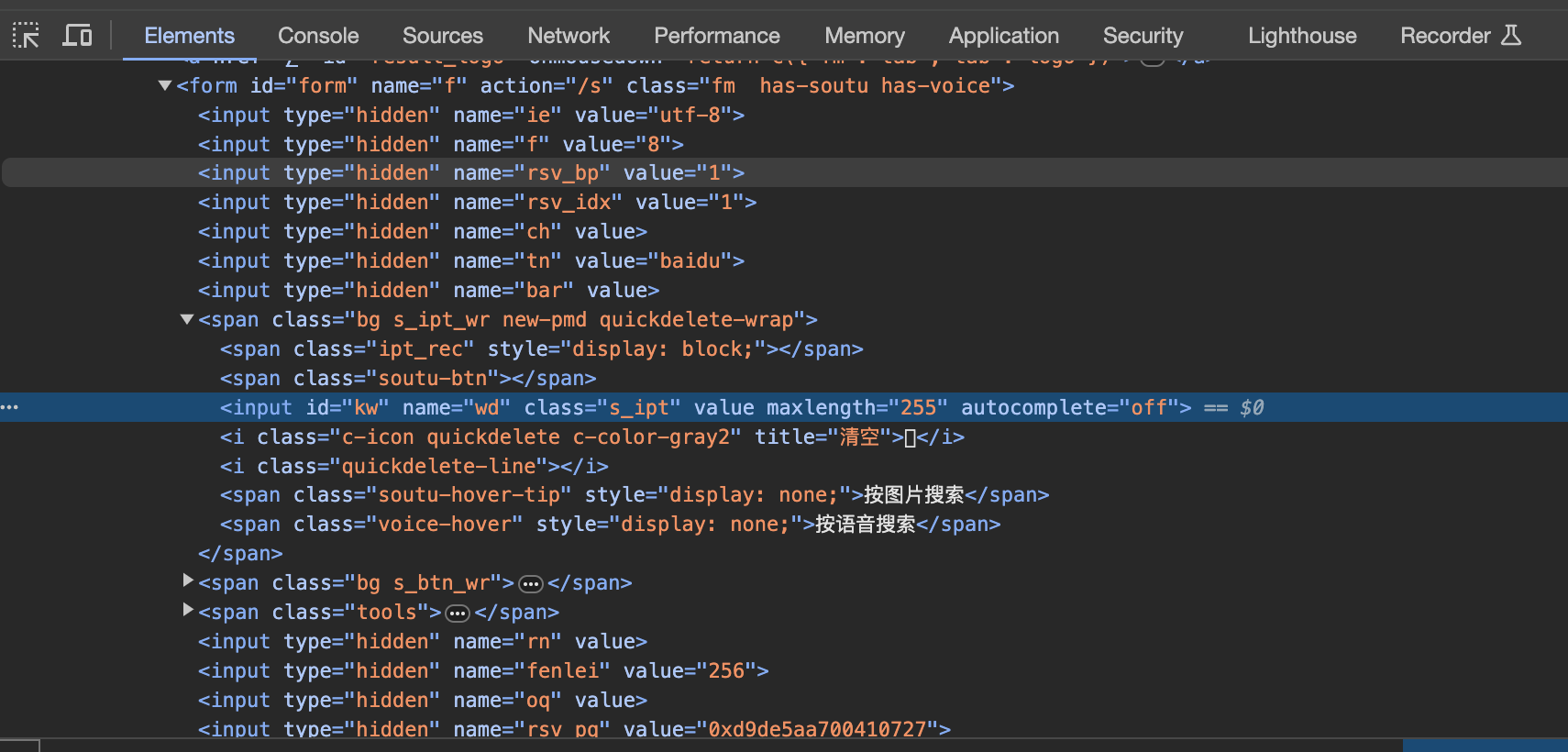
1.1 Basic Concepts of Elements Element: Consists of an opening tag, closing tag, and the text content between them. Element Information: The tag name and attributes of the element. Element Hierarchy: The nested structure of elements. Element Locating: Locating elements using their information or hie...
Background When using Selenium for browser rendering to scrape websites, the default is a clean Chrome browser. However, we often use browser extensions, proxies, or other customizations during normal browsing. Correspondingly, when scraping with Chrome, we may need to apply specific configurations...
WebDriver Common Properties Property Description driver.name Browser name driver.current_url Current page URL driver.title Current page title driver.page_source Current page HTML source driver.current_window_handle Current window handle driver.window_handles All window handles Browser Basic Operatio...
Installation and Core Concepts How Selenium Works Selenium is a web application automation framework that enables writing programs to interact with web interfaces and extract information from them. The automation workflow involves these steps: The automation script envokes Selenium client library me...
Handling dynamic web pages often requires interacting with JavaScript elements that load content only when visible in the viewport. Standard HTTP requests fail here because the DOM is populated asynchronously. Selenium WebDriver provides a solution by controlling a real browser instance, allowing fo...
Selenium is a widely used tool for autoamting web browser interactions, enabling the creation of efficient testing frameworks. This guide covers setting up a basic framework using Python and Selenium. Installation and Setup Install Selenium using pip: pip install selenium Download and configure a br...
To run the web scraping script on a Windows operating system, specific environment configurations are required. Begin by installing the Selenium bindings via the Python package manager. pip install selenium Verify the installation by attempting to import the module in a Python shell. No errors shoul...
Setting Up a UI Automation Test Framework Project directory structure: baiduTest/ ├── test_baidu.py ├── __init__.py ├── main.py └── __init__.py test_baidu.py implementation: import unittest import time from selenium import webdriver class SearchTest(unittest.TestCase): def setUp(self): self.browser...
This guide details the steps to deploy a Selenium Grid using Docker containers. The setup involves creating a network, launching a Hub, and connecting multiple browser Nodes. Prerequisites A cloud server (Ubuntu used in this example) with Docker installed. Access to the official Selenium Docker imag...
PhantomJS: custom request headers PhantomJS supports per-page custom headers via DesiredCapabilities. from selenium import webdriver from selenium.webdriver.common.desired_capabilities import DesiredCapabilities custom_headers = { "Accept": "text/html,application/xhtml+xml,application...