Web Element Locating Basics for UI Automation
1.1 Basic Concepts of Elements
- Element: Consists of an opening tag, closing tag, and the text content between them.
- Element Information: The tag name and attributes of the element.
- Element Hierarchy: The nested structure of elements.
- Element Locating: Locating elements using their information or hierarchical structure.
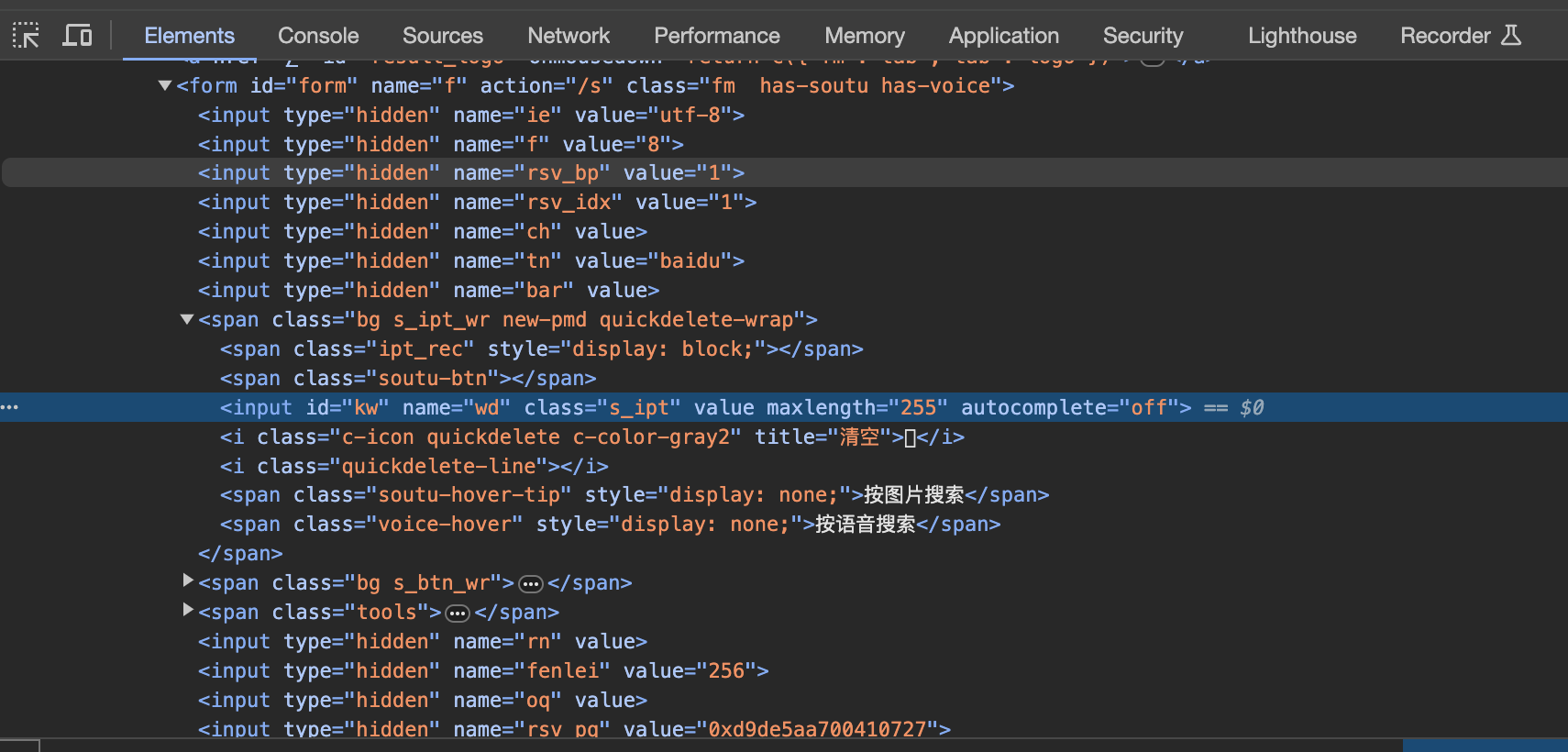
1.2 Browser Developer Tools
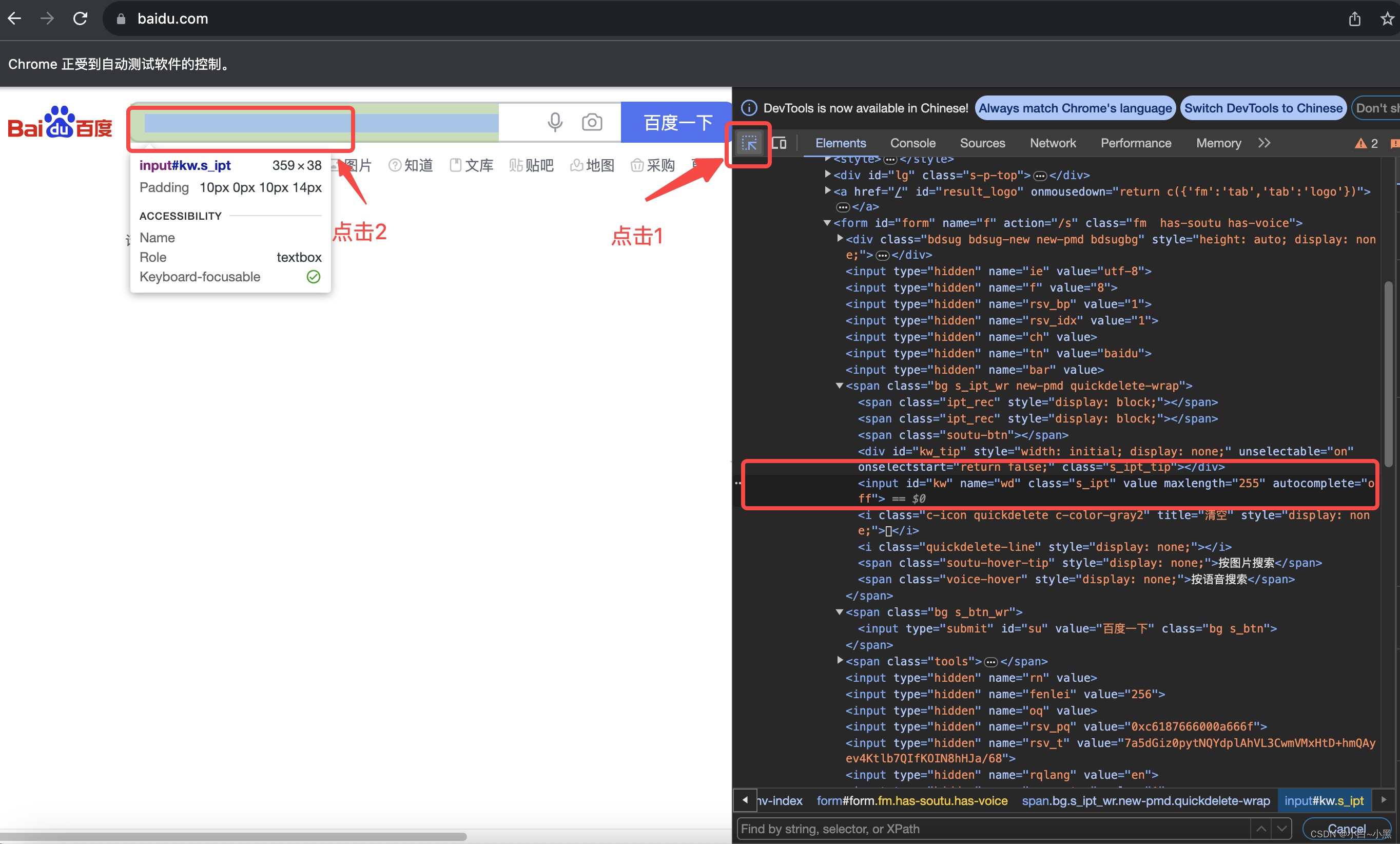
- Click the element inspector button at the top-left corner of the browser developer tools.
- Click the element you want to inspect.
1.3 Common Web Element Locating Methods
- By ID: Locate using the
idattribute. - By Name: Locate using the
nameattribute. - By Class Name: Locate using the
classattribute. - By Tag Name: Locate using the tag name.
- By Link Text: Locate anchor tags using the full link text.
- By Partial Link Text: Locate anchor tags using a portion of the link text.
- When exact information is insufficient, use XPath or CSS for precise locating.
- XPath: A language to locate nodes in XML/HTML documents using path expressions (e.g.,
/html/body/a). - CSS: Cascading Style Sheets can also select elements via selectors.
- XPath: A language to locate nodes in XML/HTML documents using path expressions (e.g.,
1.3.1 Locating by ID
- Elements with a unique
idattribute (IDs are unique in standard HTML). - Method:
find_element_by_id(id)–idis the attribute value.
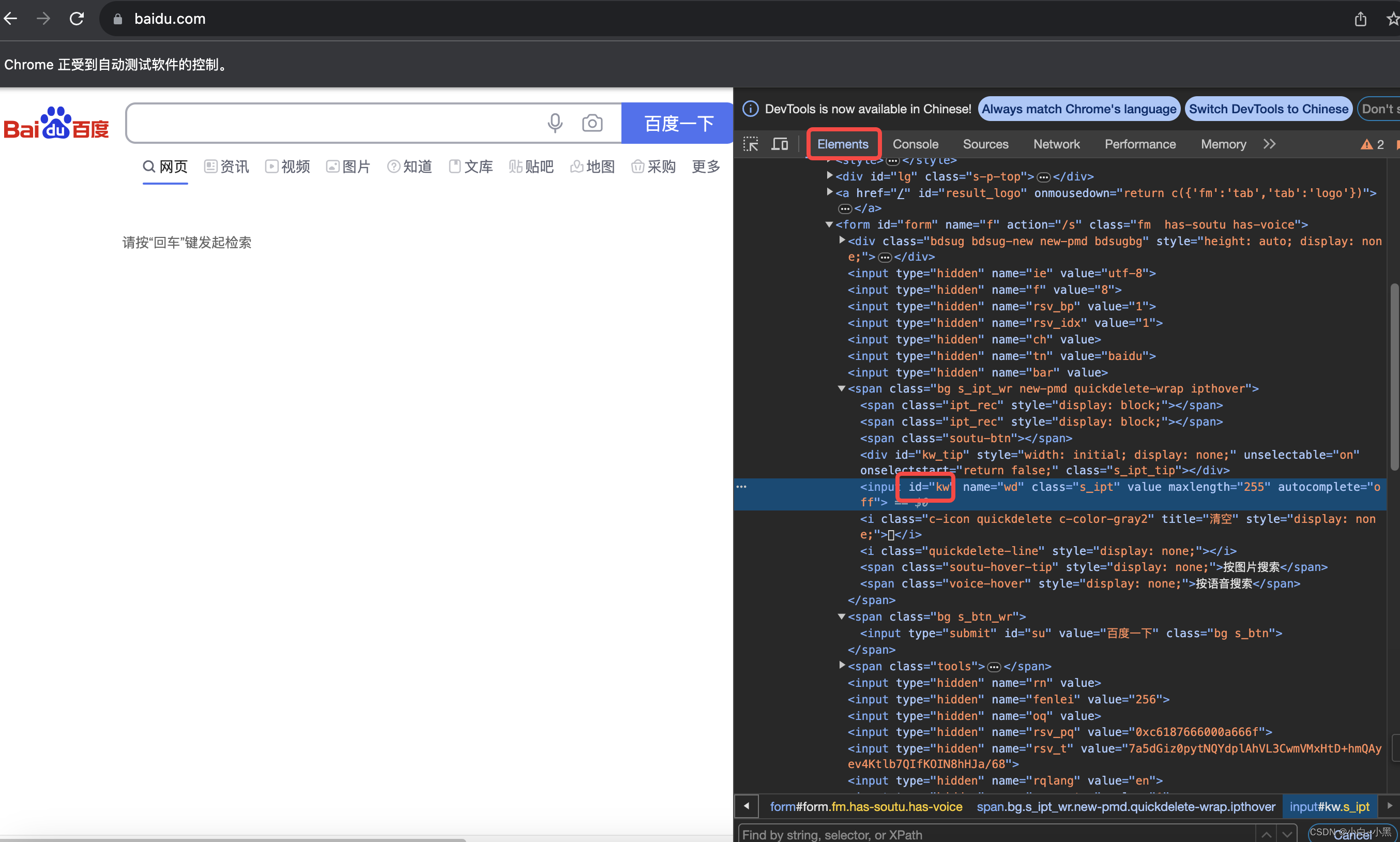
Code Example (by_id):
import time
from selenium import webdriver

browser = webdriver.Chrome()
browser.get("http://www.baidu.com")
browser.find_element_by_id("kw").send_keys("Baidu Search")
time.sleep(3)
browser.quit()
1.3.2 Locating by Name
- Elements with a
nameattribute (names can repeat in HTML). - Method:
find_element_by_name(name).
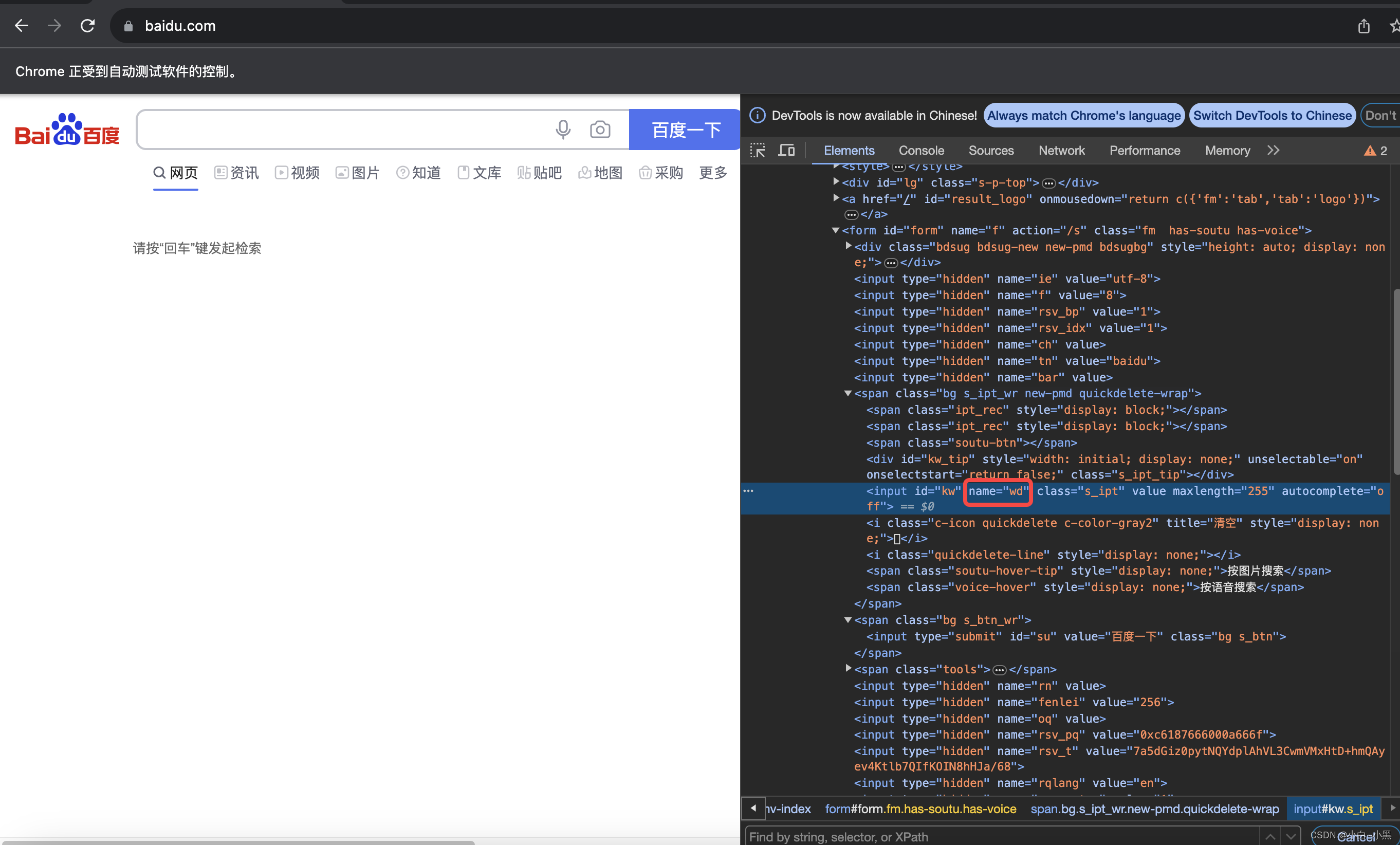
Code Example (by_name):
import time
from selenium import webdriver

browser = webdriver.Chrome()
browser.get("http://www.baidu.com")
browser.find_element_by_name("wd").send_keys("This is input located by name")
time.sleep(3)
browser.quit()
1.3.3 Locating by Class Name
- Elements with a
classattribute (classes can repeat). - Method:
find_element_by_class_name(class_name)–class_nameis one class value.
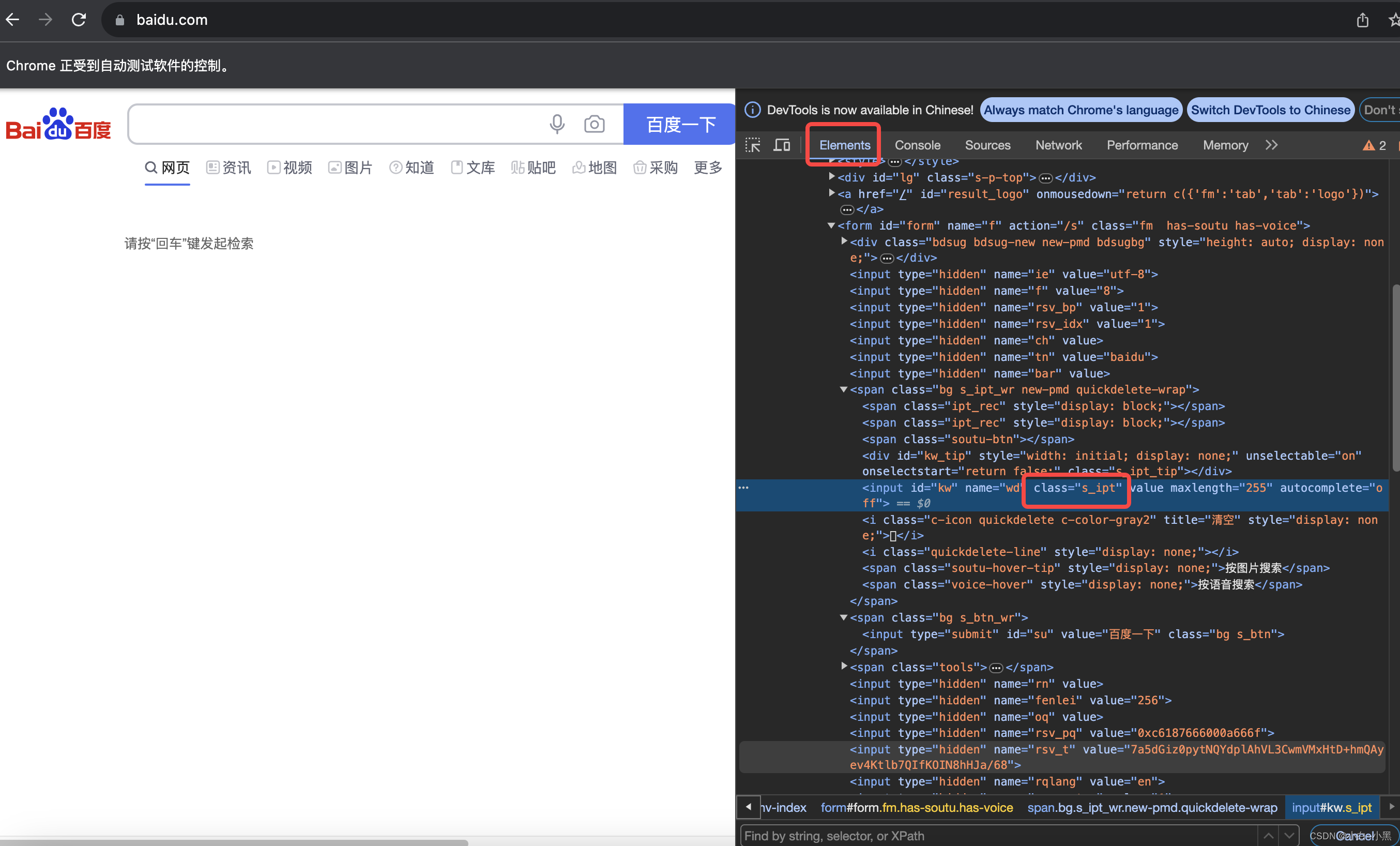
Code Example (by_class_name):
import time
from selenium import webdriver

browser = webdriver.Chrome()
browser.get("http://www.baidu.com")
browser.find_element_by_class_name("s_ipt").send_keys("Input located by class name")
time.sleep(3)
browser.quit()
1.3.4 Locating by Tag Name
- Many elements share the same tag in a page.
- Method:
find_element_by_tag_name(tag_name)– returns the first matching element. - Often combined with
find_elements_by_*(plural) to get a list and index the desired element (zero-based).
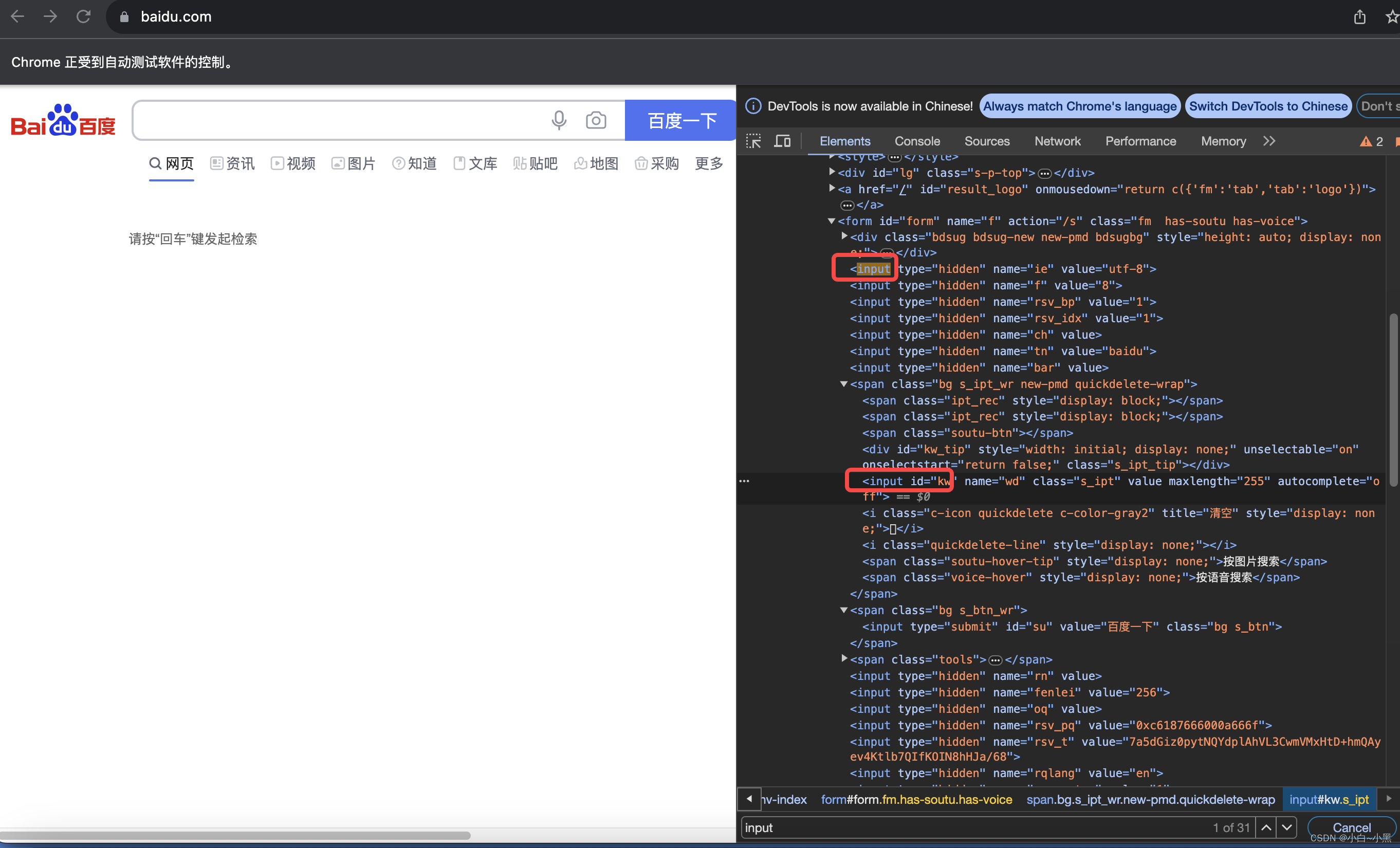
Code Example (by_tag_name):
import time
from selenium import webdriver

browser = webdriver.Chrome()
browser.get("http://www.baidu.com")
elements = browser.find_elements_by_tag_name("input")
elements[7].send_keys("This is located via a group of elements")
time.sleep(3)
browser.quit()
1.3.5 Locating by Link Text
- Primarily for anchor (
<a>) tags using the full visible text. - Method:
find_element_by_link_text(link_text).
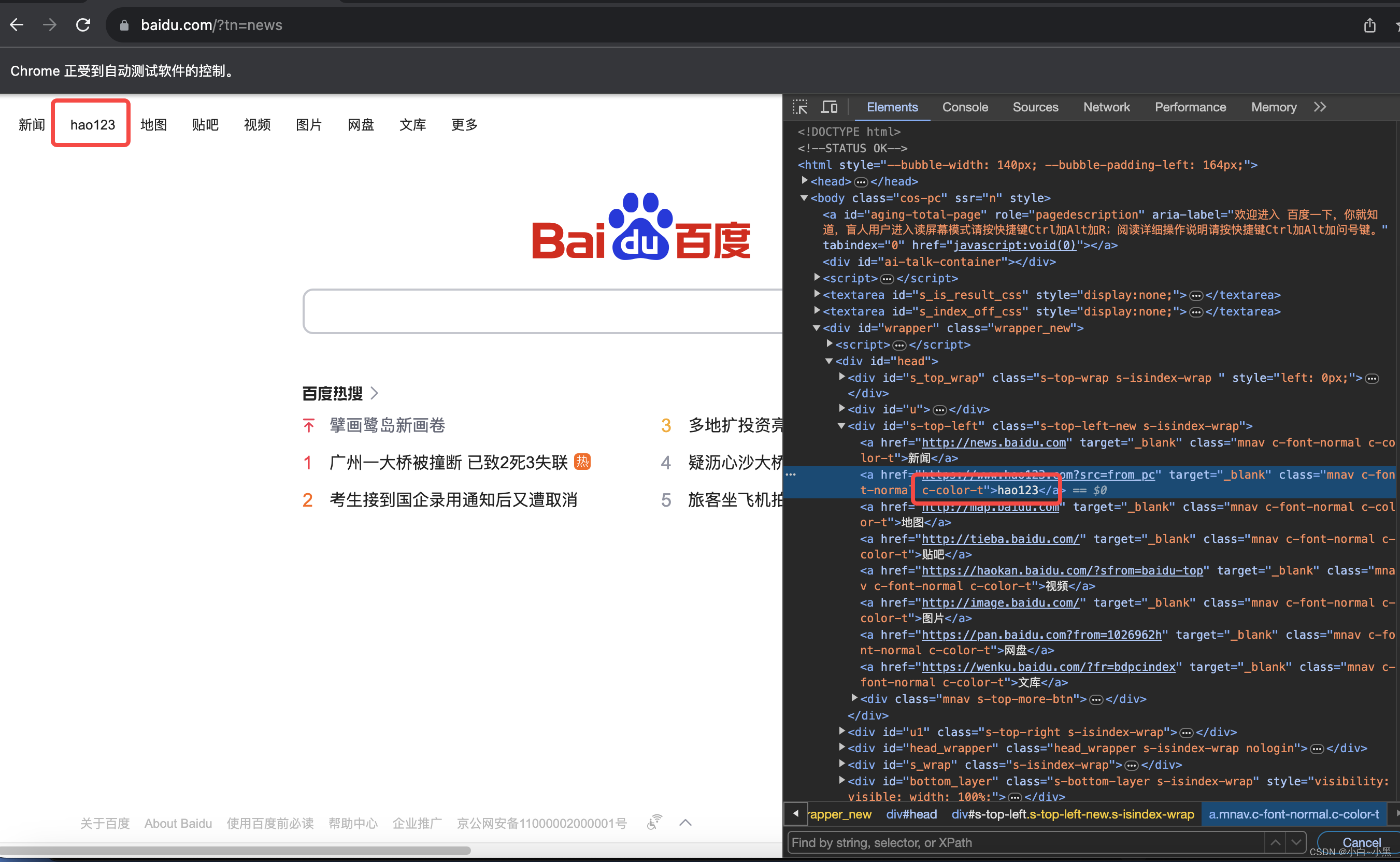
Code Example (by_link_text):
import time
from selenium import webdriver

browser = webdriver.Chrome()
browser.get("http://www.baidu.com")
browser.find_element_by_link_text("hao123").click()
time.sleep(3)
browser.quit()
1.3.6 Locating by Partial Link Text
- Locate anchor tags using a portion of the visible text.
- Method:
find_element_by_partial_link_text(partial_link_text).
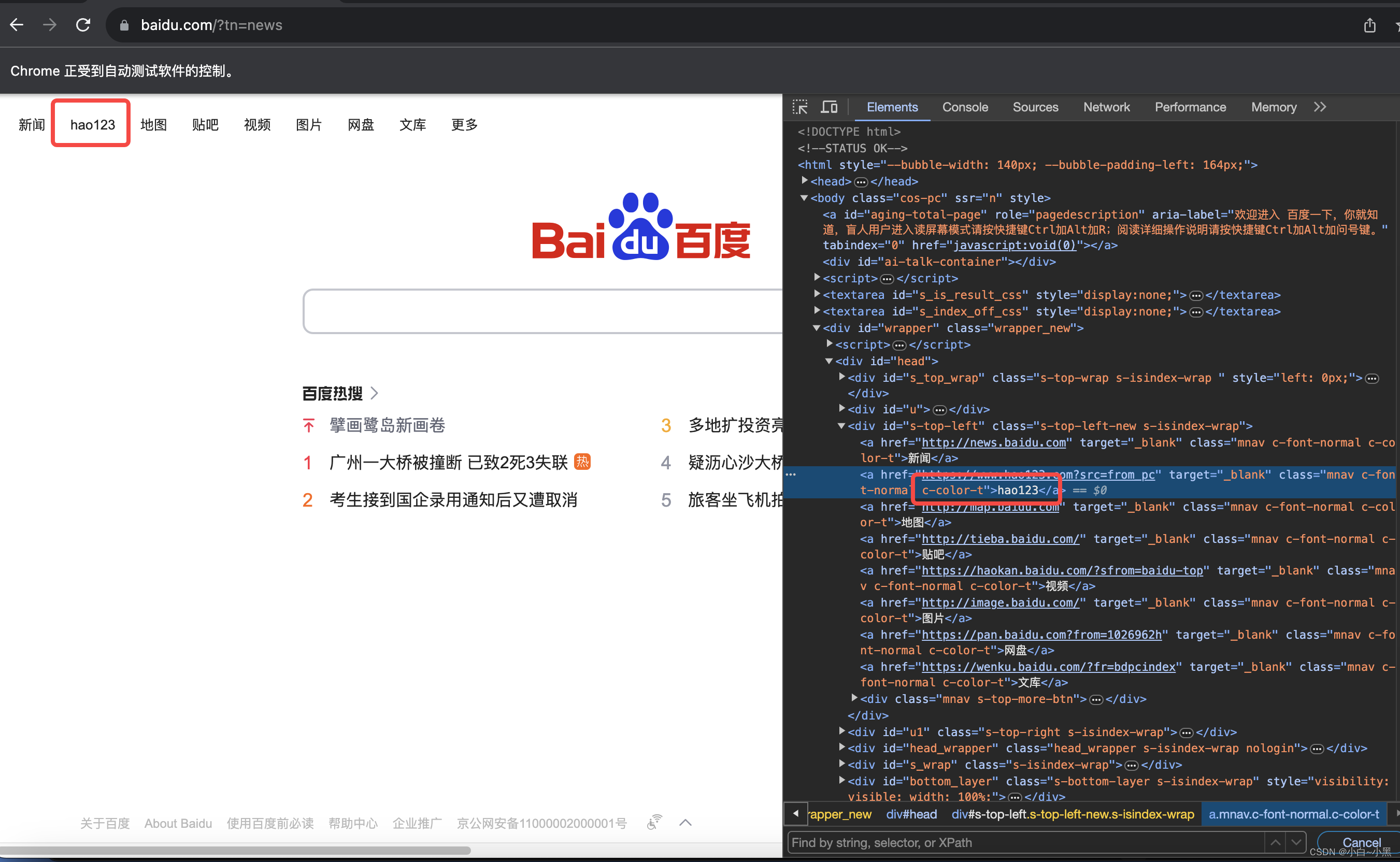
Code Example (by_partial_link_text):
import time
from selenium import webdriver

browser = webdriver.Chrome()
browser.get("http://www.baidu.com")
browser.find_element_by_partial_link_text("123").click()
time.sleep(3)
browser.quit()
To be continued...
