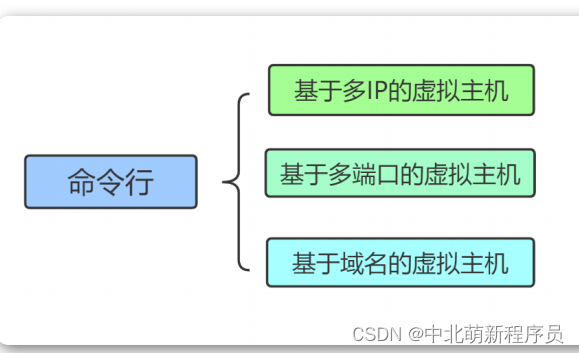
Nginx Virtual Hosts Overview Virtual host technology allows a single physical server to host multiple websites. Each virtual host can provide independent web services, and they are isolated from each other. Classification of Virtual Hosts Nginx supports three types of virtual host configurations: IP...
Zabbix Architecture and Core Components Zabbix is an enterprise-grade open-source monitoring solution designed for distributed systems and network monitoring. It provides a robust framework to track various network parameters, server health, and application integrity via a web-based management inter...
Ensuring Nginx Service Reliability in Production Environments In production environments, maintaining service availability is crucial. This guide demonstrates how to configure Nginx to automatically restart on system boot and after unexpected failures on Linux systems. Verifying Current Nginx Status...
Link Authentication with secure_link This module validates requests by checking a cryptographic hash and expiration timestamp, preventing hot-linking and timed access to resources. It must be compiled into Nginx beforehand. Directives secure_link expression – Defines how to extract MD5 hash and expi...
Software Maintenance and Updates Running the latest stable version of Nginx is critical for security. Regular updates patch vulnerabilities and improve performance. While package managers like apt or yum simplify installation, compiling from source provides two distinct advantages: it allows the int...
To establish a live streaming server, we'll leverage Nginx along with the nginx-rtmp-module. This guide outlines the steps from obtaining the necessary components to configuring the server and streaming content. First, obtain the nginx-rtmp-module: cd /data/nginx yum install git git clone https://gi...
Nginx is a high-performance HTTP server and reverse proxy. This guide covers its enstallation, basic configuration, and management on Linux distributions. Installing Nginx Installation methods differ by operating system. Below are commands for Ubuntu/Debian and CentOS/RHEL-based systems. For Ubuntu/...
Environment Setup A MinIO deployment consisting of three clustered servers requires load balancing through Nginx to enable reverse proxy access. Location Block Configuration Issue Symptom: Accessing https://hcmminio.xxx.com/minio results in a 404 error and browser console shows what appears to be CO...
Nginx Installation on RHEL/CentOS To install Nginx from the official repository, first set up the package source by creating a configuration file at /etc/yum.repos.d/nginx.repo: [nginx-repo] name=nginx repository baseurl=http://nginx.org/packages/centos/$releasever/$basearch/ gpgcheck=1 enabled=1 gp...
Phase 1: Path Mismatch Causes 404 Initial Ingress configuration routes traffic from /vscode to the backend service: spec: rules: - http: paths: - backend: service: name: vscode-01 port: number: 8888 path: /vscode pathType: Prefix Accessing /vscode returns a 404. The backend receives a request for /v...