Nginx Virtual Hosts and Core Configuration Directives
Nginx Virtual Hosts
Overview
Virtual host technology allows a single physical server to host multiple websites. Each virtual host can provide independent web services, and they are isolated from each other.
Classification of Virtual Hosts
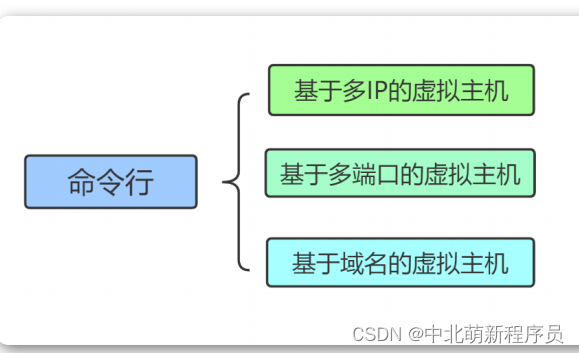
Nginx supports three types of virtual host configurations:
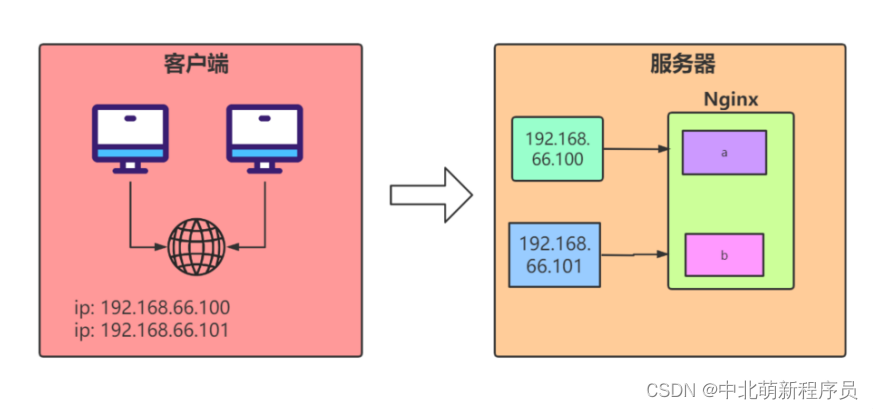
- IP-based virtual hosts
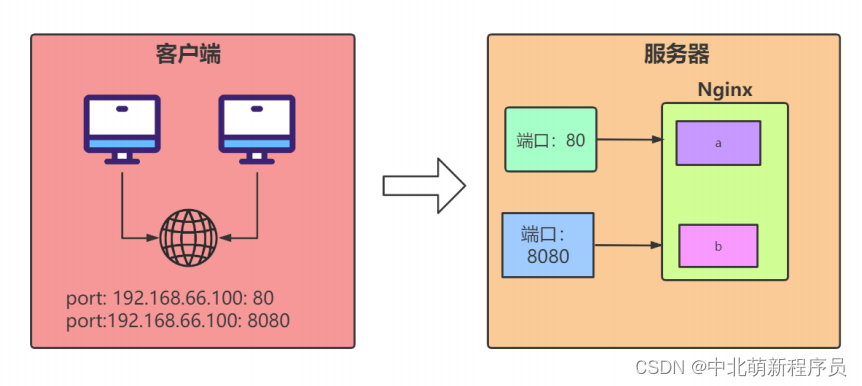
- Port-based virtual hosts
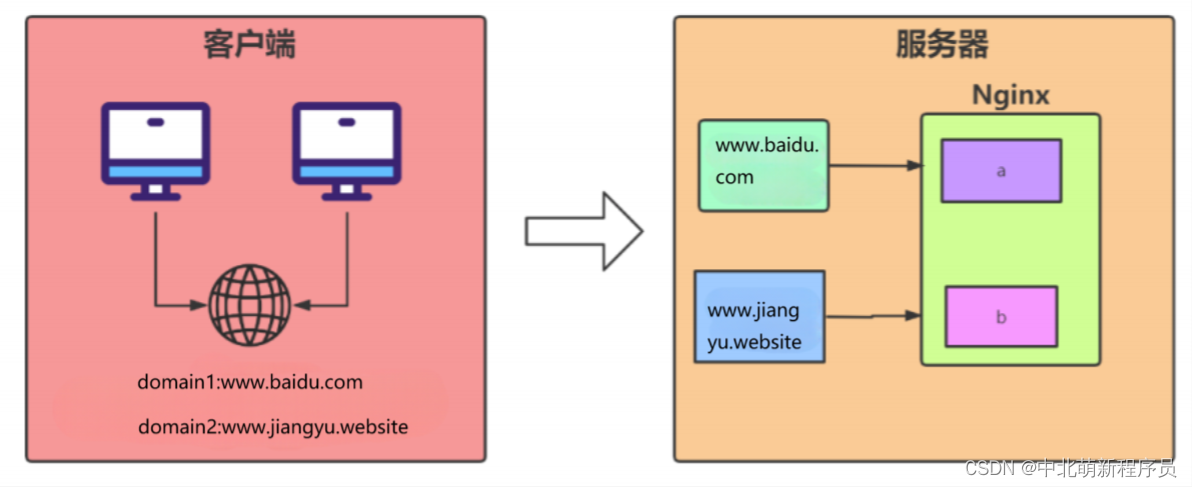
- Name-based virtual hosts
IP-based Virtual Host Configuraton (Single NIC, Multiple IPs)
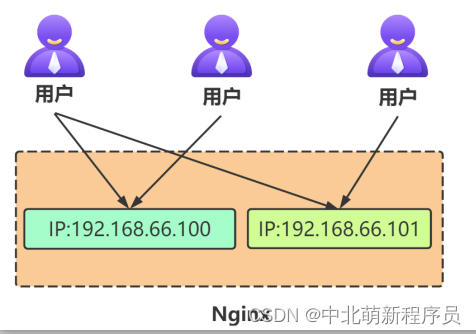
This method distinguishes virtual hosts by different IP addresses. It is rarely used in enterprise environments; typically, VIP binding on load balancers is preferred over binding IPs on web servers.
Requirement:
- A Linux server with two IPs:
192.168.66.100and192.168.66.101. - Accessing
http://192.168.66.100serves content from thehtml100directory. - Accessing
http://192.168.66.101serves content from thehtml101directory.
Binding Multiple IPs on Linux:
Linux allows binding multiple IP addresses on a single physical NIC. To do this, change the dynamic IP assignment to static configuration.
Change dynamic IP to static:
[root@node1 ~]# cd /etc/sysconfig/network-scripts
[root@node1 network-scripts]# ls
ifcfg-ens33
[root@node1 network-scripts]# vim ifcfg-ens33
BOOTPROTO="static"
IPADDR0=192.168.66.100
IPADDR1=192.168.66.101
[root@node1 network-scripts]# systemctl restart network   # CentOS 7
# For CentOS 8: nmcli c reload ens33
# Alternatively, reboot
Configure Nginx for IP-based virtual hosts:
Edit /usr/local/nginx/conf/nginx.conf:
# First virtual host
server {
    listen       80;
    server_name  192.168.66.100;

    location / {
        root   html100;
        index  index.html index.htm;
    }

    error_page   500 502 503 504  /50x.html;
    location = /50x.html {
        root   html;
    }
}

# Second virtual host
server {
    listen       80;
    server_name  192.168.66.101;

    location / {
        root   html101;
        index  index.html index.htm;
    }

    error_page   500 502 503 504  /50x.html;
    location = /50x.html {
        root   html;
    }
}
Name-based Virtual Host Configuration
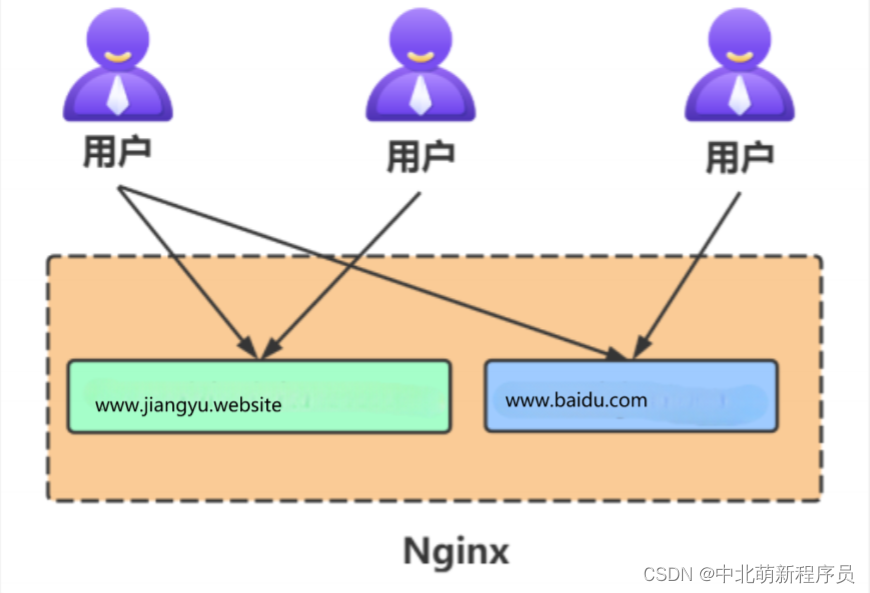
Requirement:
- Two domains pointing to the same Nginx server, each serving different content.
www.example.comfor frontend,www.admin.example.comfor backend.
Modify Windows hosts file:
192.168.66.100 www.example.com
192.168.66.100 www.admin.example.com
Configure Nginx:
server {
    listen       80;
    server_name  www.example.com;

    location / {
        root   example;
        index  index.html index.htm;
    }

    error_page   500 502 503 504  /50x.html;
    location = /50x.html {
        root   html;
    }
}

server {
    listen       80;
    server_name  www.admin.example.com;

    location / {
        root   admin;
        index  index.html index.htm;
    }

    error_page   500 502 503 504  /50x.html;
    location = /50x.html {
        root   html;
    }
}
Prepare directories and HTML files:
mkdir example admin
cd example
echo "this is example" > index.html
cd ../admin
echo "this is admin" > index.html
Reload Nginx:
./nginx -s reload
Port-based Virtual Host Configuration
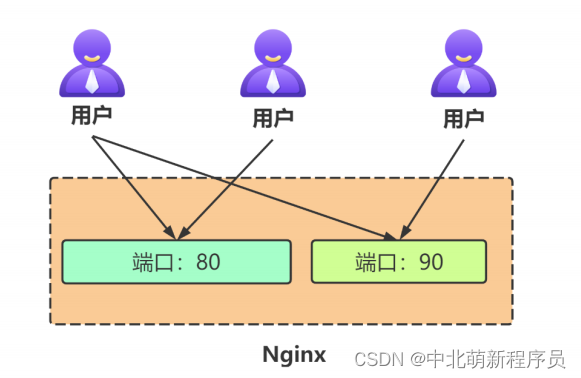
This method uses different ports to distinguish virtual hosts and is common used for internal company websites.
Requirement:
- Nginx listens on ports
8888and9999. - Requests to port
8888serve content fromhtml8888directory. - Requests to port
9999serve content fromhtml9999directory.
Restore single IP:
vim /etc/sysconfig/network-scripts/ifcfg-ens33
# Change:
IPADDR0=192.168.66.100
IPADDR1=192.168.66.101
# To:
IPADDR=192.168.66.100
systemctl restart network
Configure Nginx:
server {
    listen       8888;
    server_name  192.168.66.100;

    location / {
        root   html8888;
        index  index.html index.htm;
    }

    error_page   500 502 503 504  /50x.html;
    location = /50x.html {
        root   html;
    }
}

server {
    listen       9999;
    server_name  192.168.66.100;

    location / {
        root   html9999;
        index  index.html index.htm;
    }

    error_page   500 502 503 504  /50x.html;
    location = /50x.html {
        root   html;
    }
}
Prepare directories and HTML files:
mkdir html8888 html9999
cd html8888
echo "this is html8888" > index.html
cd ../html9999
echo "this is html9999" > index.html
Nginx Core Directives
Root vs. Alias Directive
- Commonality: Both specify the mapping between URI and file system path.
- Difference:
rootconcatenates the defined path with the URI;aliasreplaces the URI path with the defined path.
Example with root:
Client requests www.test.com/images/1.jpg -> actual path: /opt/nginx/html/images/images/1.jpg
location /images {
    root /opt/nginx/html/images;
    index index.html index.htm;
}
Example with alias:
Client requests www.test.com/images/1.jpg -> actual path: /opt/nginx/html/images/1.jpg
location /images {
    alias /opt/nginx/html/images/;   # must end with '/'
    index index.html index.htm;
}
Return Directive
The return directive stops processing and returns a response code or redirects.
Syntax:
return code [text];(text meaningful only for 2xx)return code URL;(e.g., redirect)return URL;(must start with http or https)
Common status codes: 200, 301, 404, 500.
Context: server | location | if
Examples:
# Code + text
location / {
    return 200 'success';
}

# Code + URL (temporary redirect)
location / {
    return 302 /bbs;
}

# Direct URL redirect
location / {
    return http://baidu.com;
}
Rewrite Directive
URL Rewriting vs. Forwarding:
- Rewriting: Changes the URL in the client's browser (usually two requests).
- Forwarding: Internal server-side redirect, URL unchanged (single request).
Common rewrite variables:
| Variable | Description |
|---|---|
$args |
Query string |
$document_root |
Root directory from config |
$document_uri |
Current URI without query string |
$host |
Hostname |
$http_user_agent |
Client browser |
$remote_addr |
Client IP |
$request_method |
GET, POST, etc. |
$scheme |
http, https |
$server_name |
Server name |
$uri |
Same as $document_uri |
Syntax:
rewrite regex replacement [flag];
Flags:
last: Continue matching new location after rewrite.break: Stop matching after rewrite.redirect: Return 302 temporary redirect.permanent: Return 301 permanent redirect.
Examples:
# Permanent redirect to Baidu
location /search {
    rewrite ^/(.*) http://baidu.com permanent;
}

# Rewrite /images/1.html to /pics/1.html
location /images {
    rewrite /images/(.*) /pics/$1;
}

# Using break to prevent further matching
location /images {
    rewrite /images/(.*) /pics/$1 break;
}

# Using last to re-enter server block
location /images {
    rewrite /images/(.*) /pics/$1 last;
}
Practical domain redirect:
server {
    listen 80;
    server_name old-domain.com;
    rewrite ^/(.*) http://new-domain.com/$1 permanent;
}
If Directive
The if directive performs conditional checks and can be used in server or location blocks.
Syntax:
if (condition) { ... }
Condition examples:
- Varible:
$slow-> true if not empty or not '0'. - String comparison:
$request_method = POST. - Regex:
$http_user_agent ~ MSIE(case-sensitive),~*for case-insensitive.
Examples:
# Block POST requests
if ($request_method = POST) {
    return 405;
}

# Block Google Chrome
if ($http_user_agent ~ Chrome) {
    return 500;
}

# Check client IP
location /search {
    if ($remote_addr = "192.168.66.10") {
        return 200 "test if ok";
    }
}
Set and Break Directives
Set: Create a variable.
set $variable value;
Break: Stop processing further directives in the current scope.
Example:
location / {
    if ($slow) {
        set $id $1;          # executes before break
        break;
        limit_rate 10k;      # ignored after break
    }
}
Gzip Compression Directive
Gzip compression reduces file sizes (CSS, JS, XML, HTML) for faster transfers.
Common configuration:
http {
    gzip on;
    gzip_min_length 1k;
    gzip_buffers 4 16k;
    gzip_http_version 1.1;
    gzip_comp_level 9;
    gzip_types text/plain application/x-javascript text/css application/xml text/javascript application/x-httpd-php application/javascript application/json;
    gzip_disable "MSIE [1-6]\.";
    gzip_vary on;
}
Notes:
- Avoid compressing image and video files as they are already compressed.
- Avoid compressing very large files due to CPU overhead.
