To establsih a connection between Android Studio and a MySQL database, follow these steps: First, ensure that the MySQL server allows remote connections. If you encounter connection issues, verify that the root user password has been updated correctly. Referencing external documentation can help res...
Dependency Configuration implementation "com.squareup.retrofit2:retrofit:2.9.0" implementation "com.squareup.retrofit2:converter-gson:2.9.0" implementation "com.squareup.picasso:picasso:2.71828" implementation "androidx.lifecycle:lifecycle-viewmodel-ktx:2.5.1"...
SharedPreferences Usage Example Workflow: [Image: flowchart showing saving and reading preferences] Code Example: Result: After entering username and password and clicking login, the information is saved to a SharedPreferences file. When the app is restarted, the data appears in the text fields. [I...
When a user taps an app icon on the Android home screen, a multi-layered system sequence initiates to launch the application. This process differs significantly between cold and hot starts: Cold start: Occurs when the app has no running process. The system must create a new process, initialize the A...
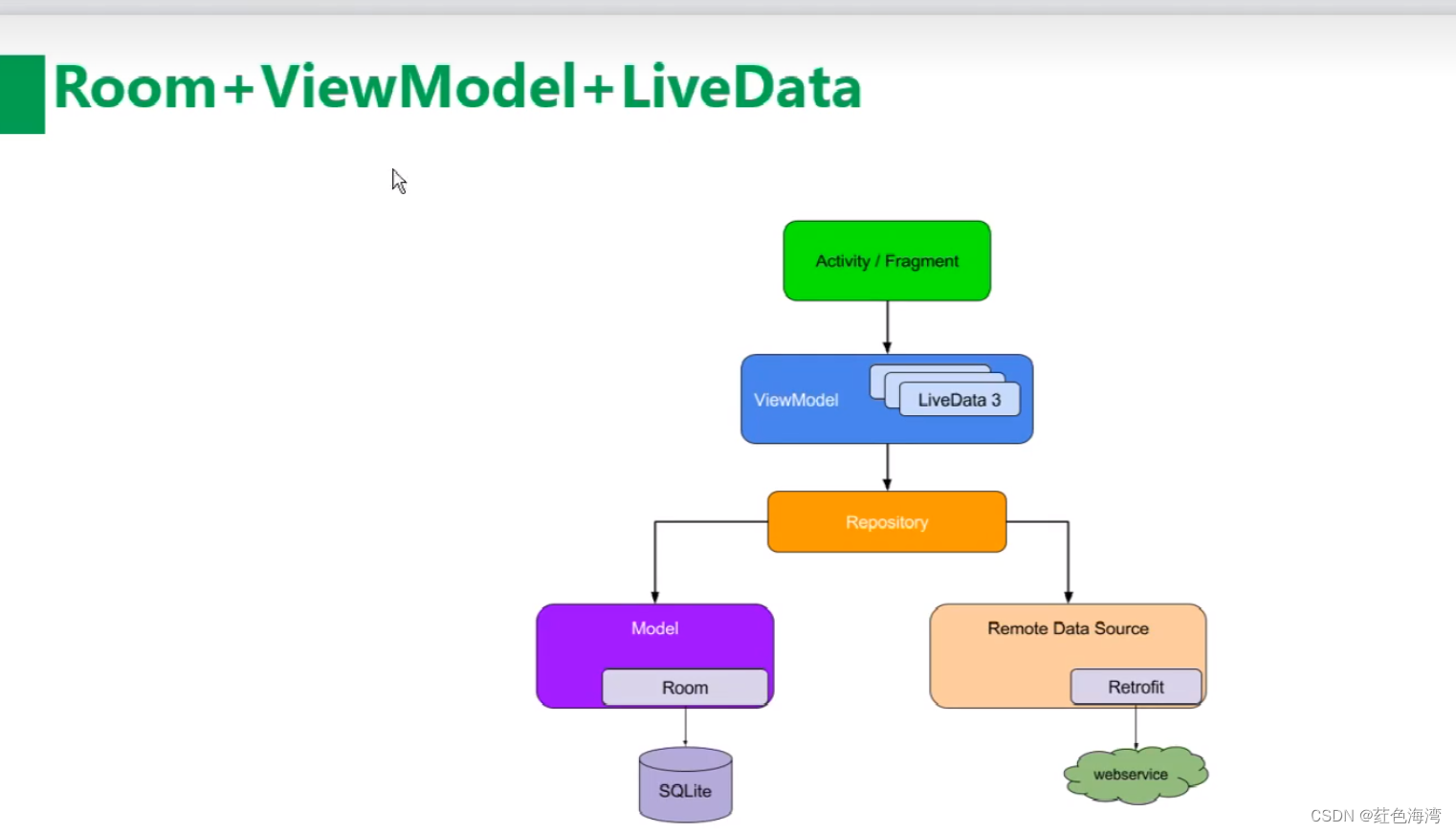
The Room persistence library supports LiveData, which automatical observes database changes. When the database is modified, the onChanged callback is envoked to update the UI. 1. MainActivity package com.example.roomdemo import android.os.Bundle import android.view.View import androidx.appcompat.app...
Integrating background polling with UI updates in Android often leads to timing discrepancies when developers combine Thread.sleep() with Handler message dispatching within the same execution scope. In this scenario, messages intended to trigger immediate interface changes appear to queue up and exe...
Core ProGuard Directives To ensure proper code shrinking and obfuscation in an Android project, define essential rules within the proguard-rules.pro file. This configuration prevents essential system classes from being mangled and maintains the integrity of your application components. -optimization...
In Android development, creating interactive bottom panels and collapsible interfaces enhances user experience significantly. This article explores two powerful components: BottomSheetBehavior for stretchable bottom sheets and AppBarLayout for collapsing toolbar patterns. BottomSheetBehavior Impleme...
To animate a projectile following a parabolic trajectory with a bounce, a physical model dictates the coordinates over time, while SurfaceView handles the rapid off-UI-thread rendering. When the projectile reaches its target, a 3D flip animation updates a counter. Trajectory Physics Model The object...
An application reqiures several Manifest permissions to enable downolading and installing APK files from a remote source. <uses-permission android:name="android.permission.INTERNET" /> <uses-permission android:name="android.permission.ACCESS_WIFI_STATE" /> <uses-pe...