Registering in the WeChat Public Platform Sandbox To begin development, register in the WeChat public platform sandbox environment: https://mp.weixin.qq.com/debug/cgi-bin/sandboxinfo?action=showinfo&t=sandbox/index Development Process Overview 1. Obtaining App ID and App Secret appID: wx89085e915d35...
Understanding the WeChat Web Login Flow The WeChat web login process relies on QR code scanning and long-polling mechanisms. The official entry point is accessible via: https://login.wx.qq.com/ Generating Authentication Tokens Each QR code generation requires a unique identifier. The token retrieval...
This implementation utilizes Python to fetch localized meteorological data and disseminate it to specific contacts within a messaging platform. The solution relies on the wxpy library for bot integration, tkinter for a graphical user interface, and requests for external API communication. Core Depen...
The app.json file serves as the global configuration for a WeChat Mini Program, defining page routes, window appearance, network timeouts, tab bar behavior, and debugging settings. Full Example of app.json { "pages": [ "pages/index/index", "pages/logs/index" ], "wi...
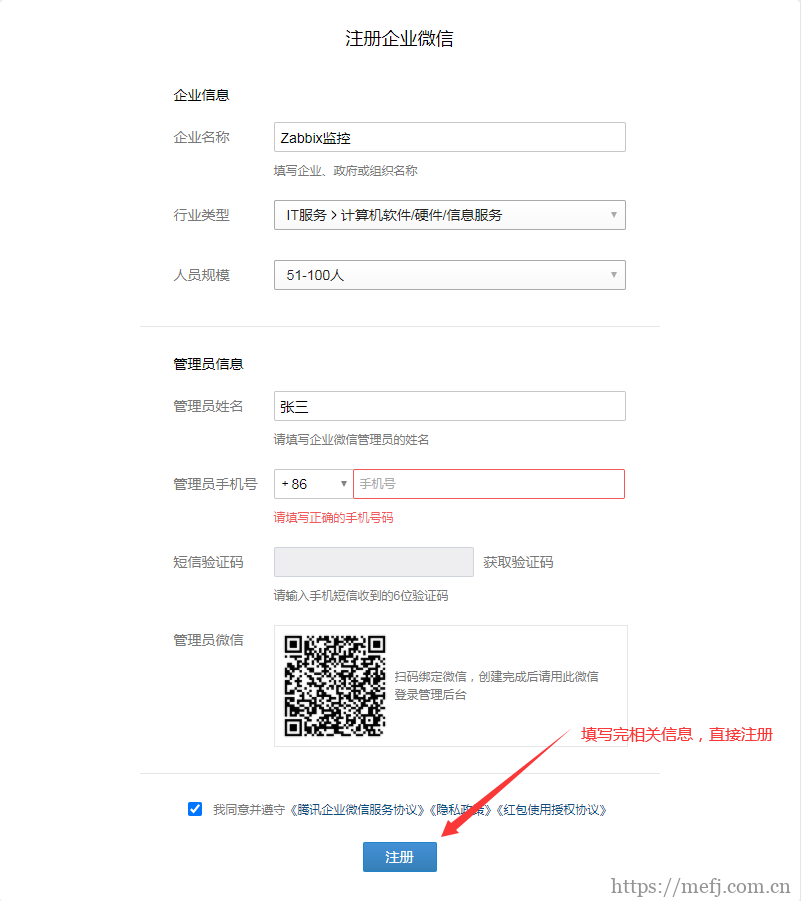
Zabbix supports multiple methods to deliver alert notifications, such as email and SMS. However, an increasing number of organizations are adopting WeChat integration with Zabbix as they primary alerting mechanism, enabling timely and efficient delivery of alerts to recipients for prompt response.1....
Getting Started Register a Mini Program accounnt and download the stable version of the WeChat DevTools. Obtain the AppID from the development console under "Development" -> "Development Settings". Quick Start Create a new project and launch it using the preview or real-device...