Integrating Zabbix 5.0 LTS with WeChat for Alert Notifications
Zabbix supports multiple methods to deliver alert notifications, such as email and SMS. However, an increasing number of organizations are adopting WeChat integration with Zabbix as they primary alerting mechanism, enabling timely and efficient delivery of alerts to recipients for prompt response.
1. Register a Work WeChat Account
Registration URL: https://work.weixin.qq.com
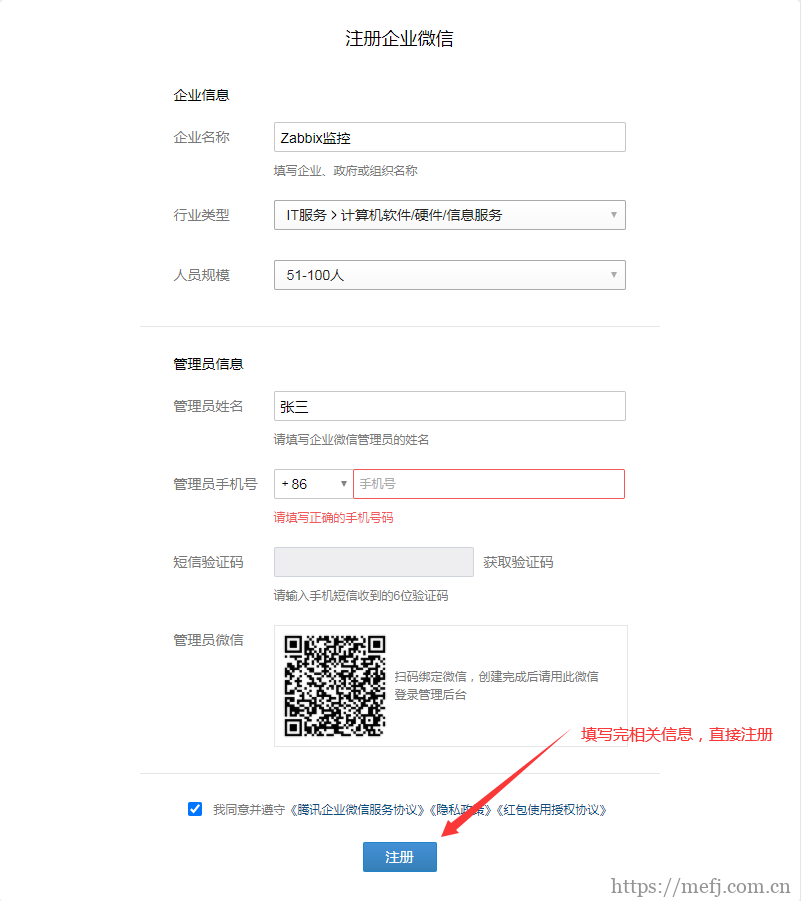
2. Configure Work WeChat
2.1 Create a Department
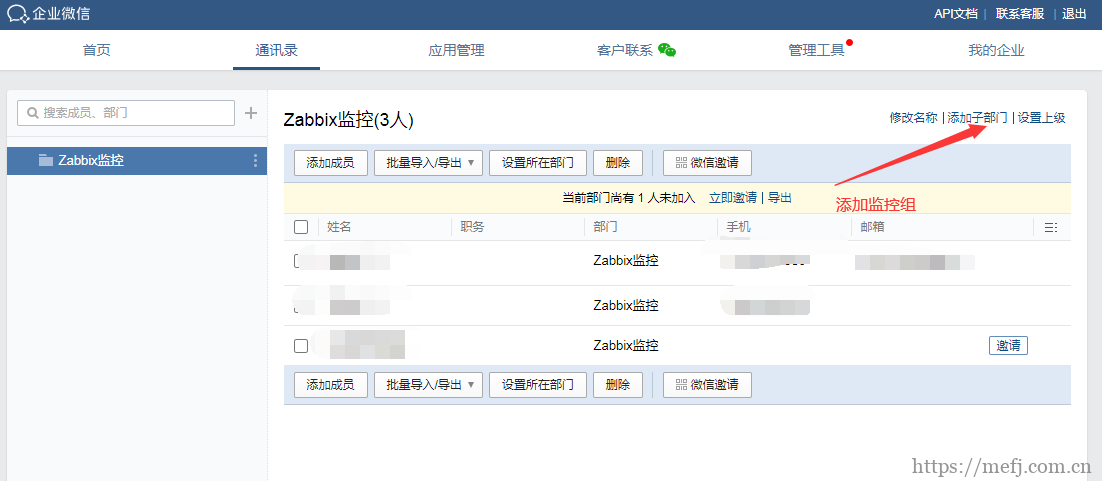
2.2 Add Members
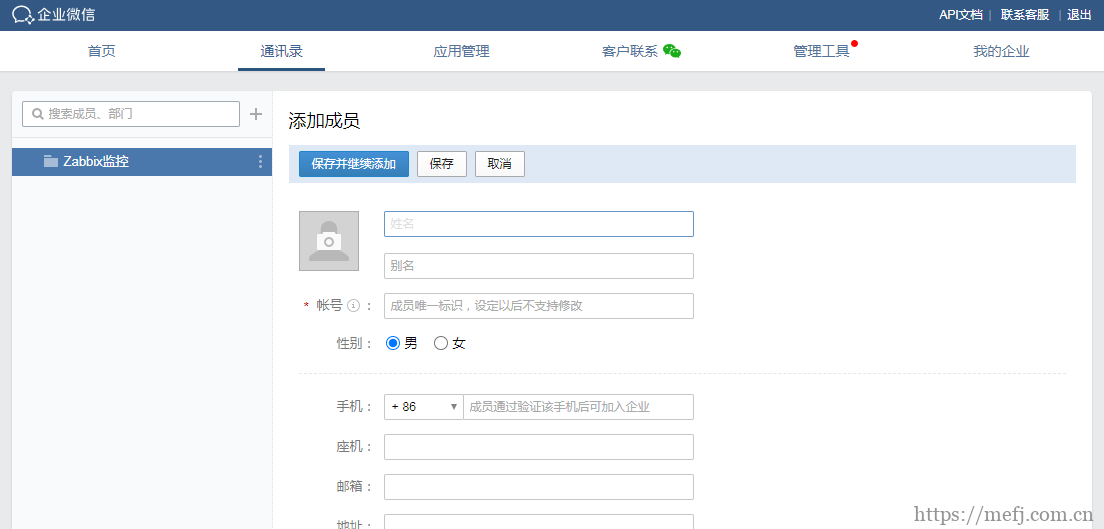
Alternatively, invite members via QR code:
3. Create an Application
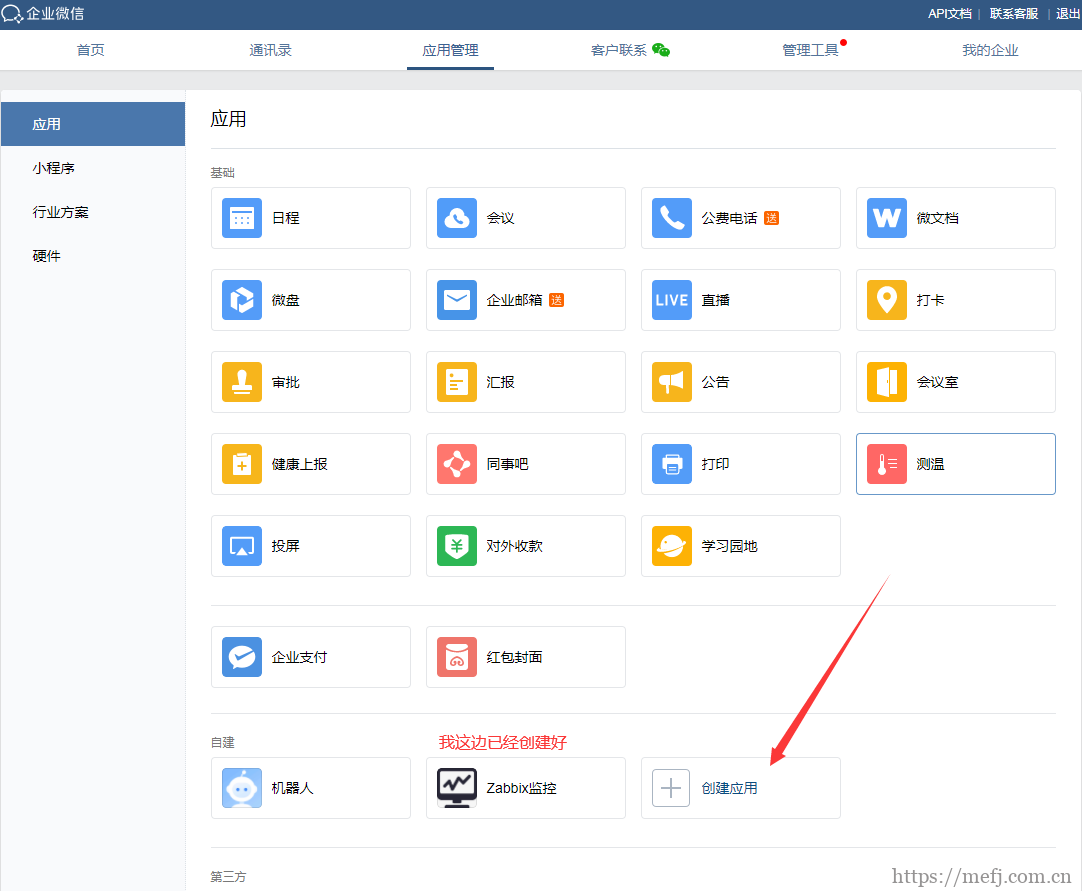
After filling in the details, record the following values for later use: AgentId and Secret.
4. Configure Monitoring Script
Prerequisites:
A registered Work WeChat account
The account has been subscribed by team members
An application exists with authorization rights for sending messages to users
Required Information:
Member account
Department ID
Application ID (AgentId)
CorpID and Secret
4.1 Update zabbix_agentd Configuration
[root@wain ~]# grep alertscripts /etc/zabbix/zabbix_server.conf
# AlertScriptsPath=${datadir}/zabbix/alertscripts
AlertScriptsPath=/usr/lib/zabbix/alertscripts
4.2 Install simplejson
wget https://pypi.python.org/packages/f0/07/26b519e6ebb03c2a74989f7571e6ae6b82e9d7d81b8de6fcdbfc643c7b58/simplejson-3.8.2.tar.gz
 tar zxvf simplejson-3.8.2.tar.gz && cd simplejson-3.8.2
 python setup.py build
 python setup.py install
4.3 Configure the Alert Script
Create and edit the script at /usr/lib/zabbix/alertscripts/wechat.py:
#!/usr/bin/python2.7
# -*- coding: utf-8 -*-
# Source: https://github.com/X-Mars/Zabbix-Alert-WeChat

import requests
import sys
import json

reload(sys)
sys.setdefaultencoding('utf-8')

def GetTokenFromServer(Corpid, Secret):
    Url = "https://qyapi.weixin.qq.com/cgi-bin/gettoken"
    Data = {
        "corpid": Corpid,
        "corpsecret": Secret
    }
    r = requests.get(url=Url, params=Data, verify=False)
    print(r.json())
    if r.json()['errcode'] != 0:
        return False
    else:
        Token = r.json()['access_token']
        file = open('/usr/lib/zabbix/var/zabbix_wechat_config.json', 'w')
        file.write(r.text)
        file.close()
        return Token

def SendMessage(User, Agentid, Subject, Content):
    try:
        file = open('/usr/lib/zabbix/var/zabbix_wechat_config.json', 'r')
        Token = json.load(file)['access_token']
        file.close()
    except:
        Token = GetTokenFromServer(Corpid, Secret)

    n = 0
    Url = "https://qyapi.weixin.qq.com/cgi-bin/message/send?access_token=%s" % Token
    Data = {
        "touser": User,                    # User account in Work WeChat (configured in Zabbix Media)
        # "totag": "1",                     # Tag ID for group messaging (recommended)
        "toparty": "1",                   # Department ID for group messaging
        "msgtype": "text",                # Message type
        "agentid": Agentid,               # Application ID
        "text": {
            "content": Subject + '\n' + Content
        },
        "safe": "0"
    }
    r = requests.post(url=Url, data=json.dumps(Data), verify=False)

    while r.json()['errcode'] != 0 and n < 4:
        n += 1
        Token = GetTokenFromServer(Corpid, Secret)
        if Token:
            Url = "https://qyapi.weixin.qq.com/cgi-bin/message/send?access_token=%s" % Token
            r = requests.post(url=Url, data=json.dumps(Data), verify=False)
            print(r.json())

    return r.json()

if __name__ == '__main__':
    # First argument passed by Zabbix
    User = sys.argv[1]
    # Second argument passed by Zabbix
    Subject = str(sys.argv[2])
    # Third argument passed by Zabbix
    Content = str(sys.argv[3])

    # CorpID is the enterprise identifier
    Corpid = "wwc06ac2ef58e8169d"
    # Secret is the admin credential key
    Secret = "hCj2VwvvNp4scE1qpeBMYUbAFDy_5NaiKH5E8g1Kk6w"
    # Tagid = "1"  # Optional: tag ID for group messages
    # Agentid = "1"  # Application ID
    # Partyid = "1"  # Department ID

    Agentid = "1000002"  # Replace with your actual Agent ID

    Status = SendMessage(User, Agentid, Subject, Content)
    print(Status)
4.4 Test the Alert Script
./wechat.py 1 "Alert Test" "error"

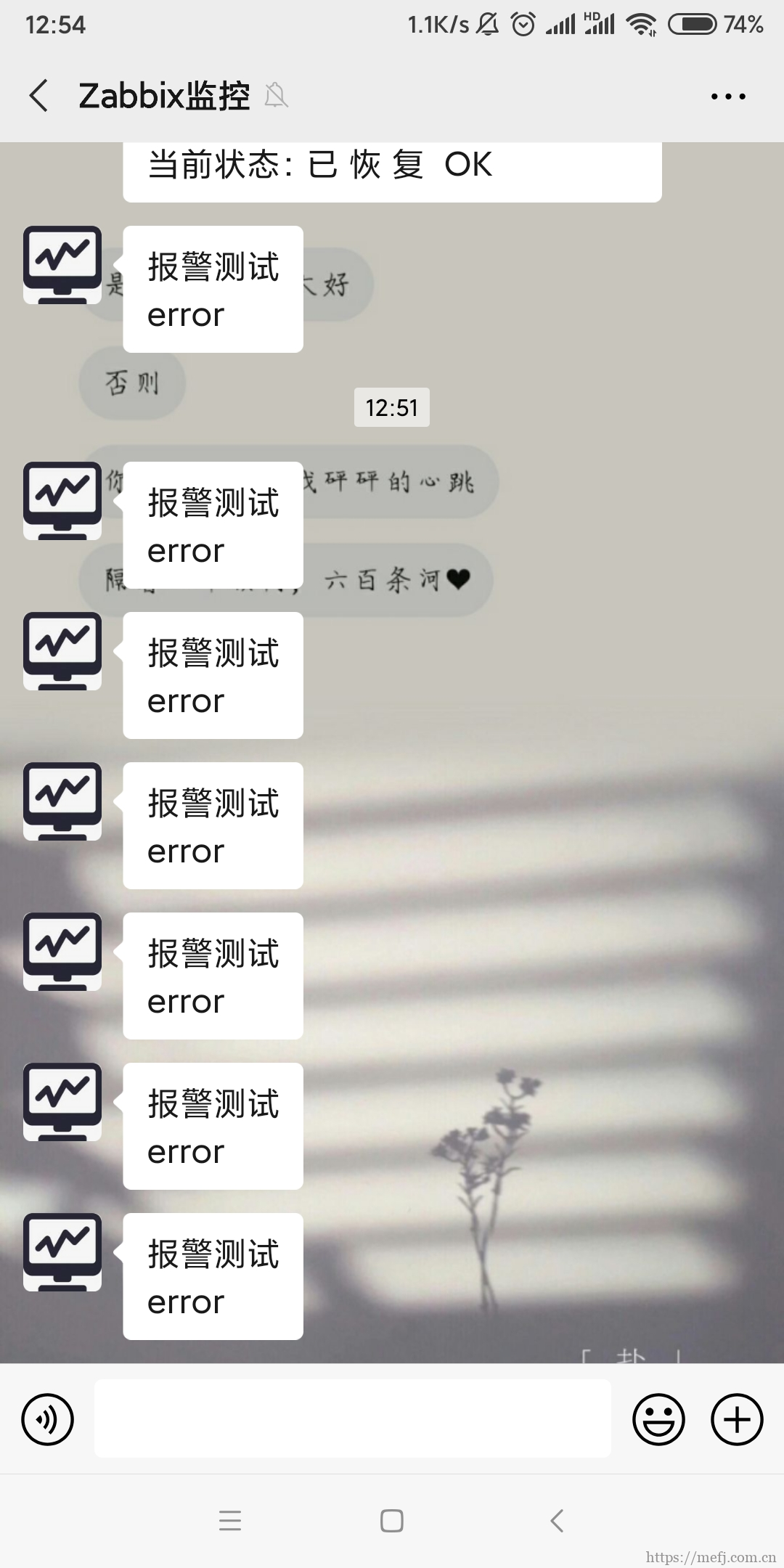
This confirms that the server-side configuration is copmlete.
5. Configure Zabbix Web Interface
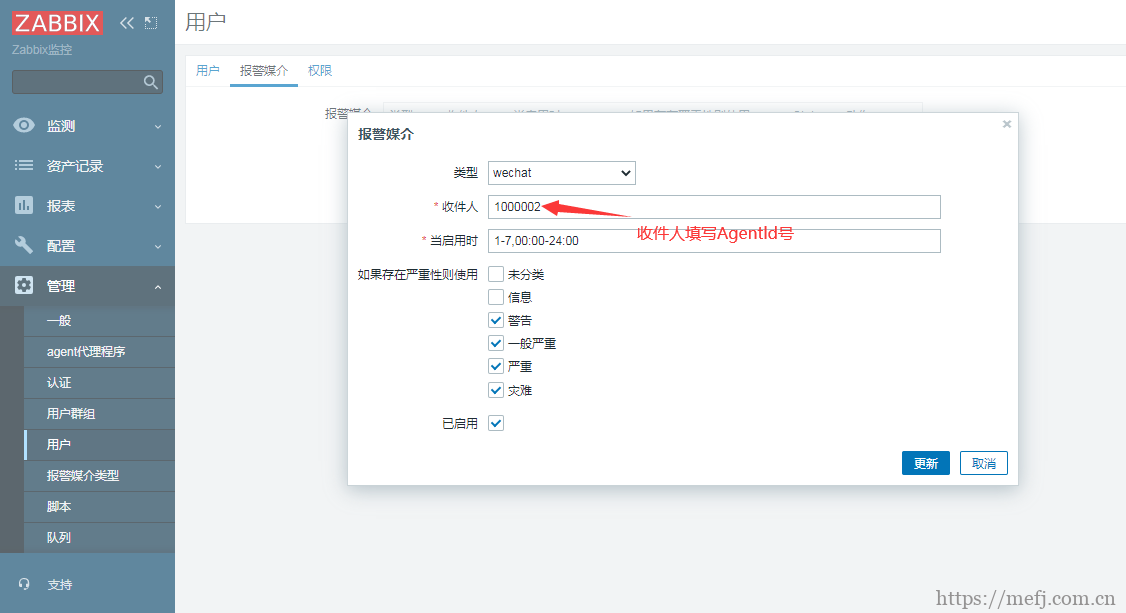
5.1 Set Up Alert Media
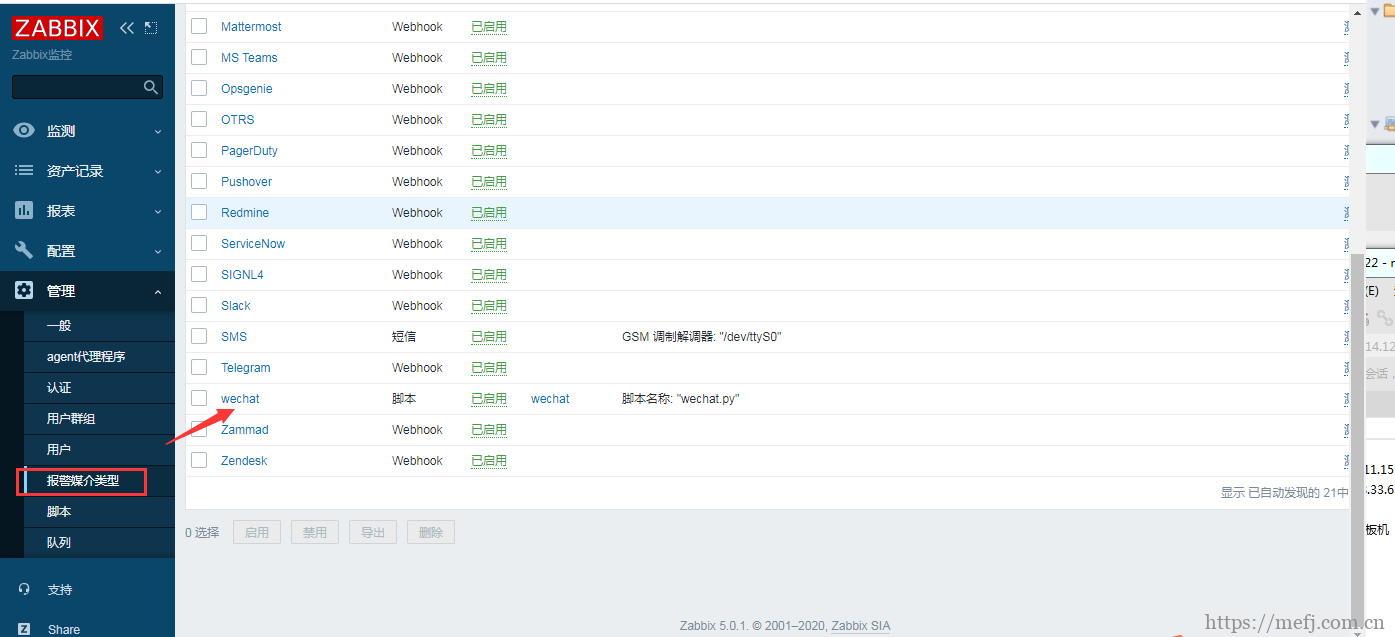
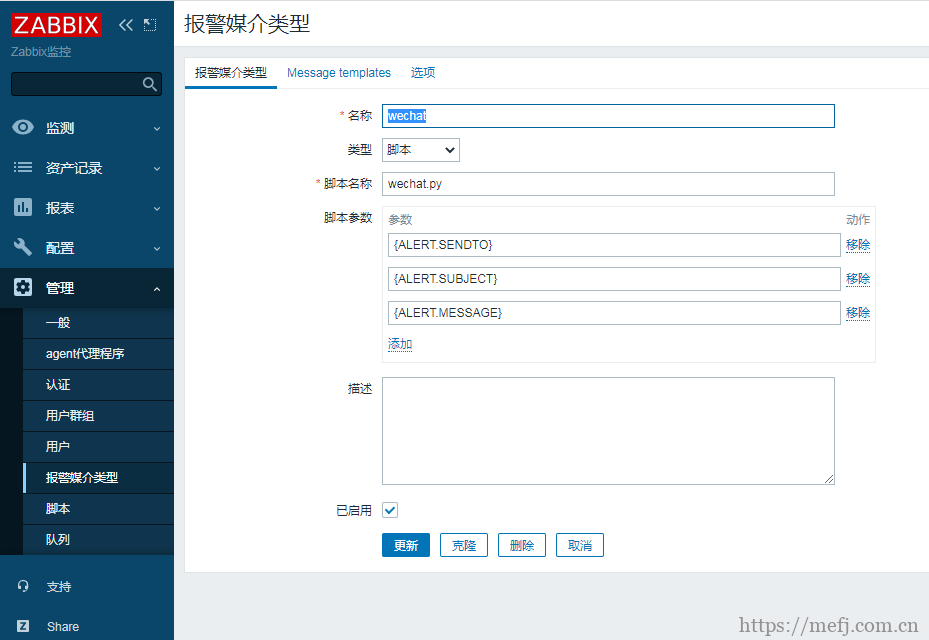
5.2 Create a Alert User (e.g., Admin)
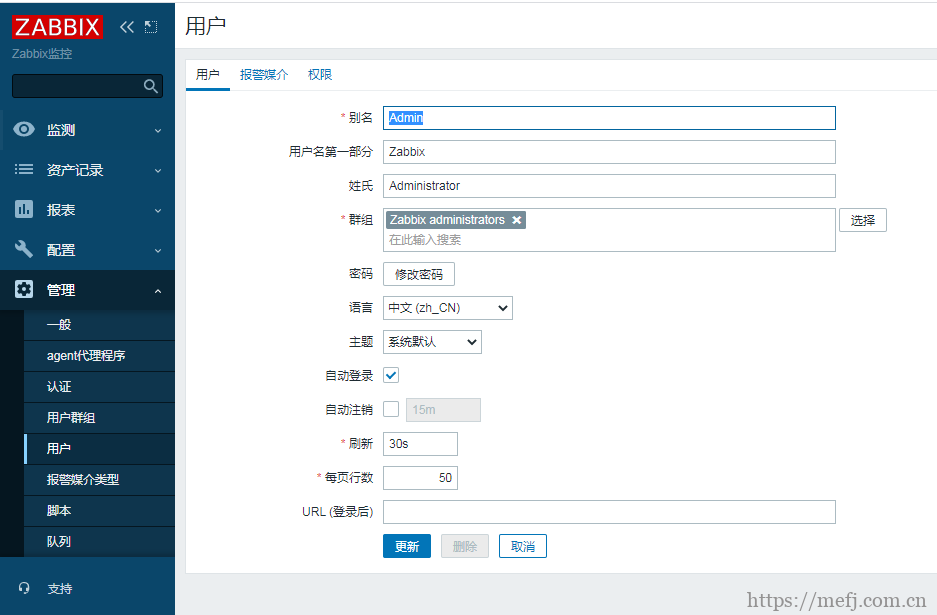
5.3 Assign Alert Media to User (select the previously created WeChat media)
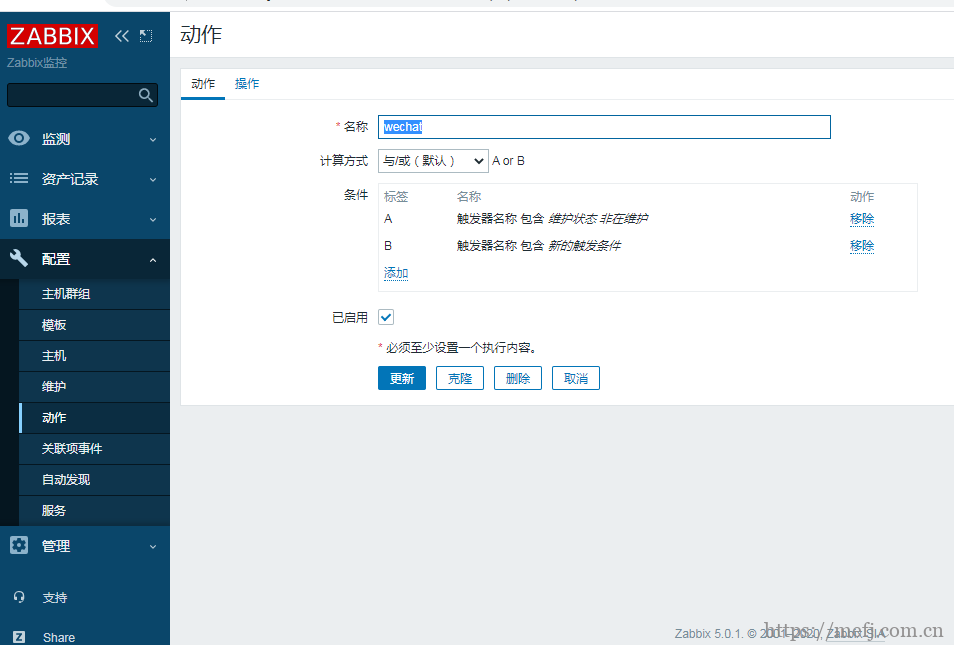
5.4 Create an Action
5.5 Define Alert Message Template
故障{TRIGGER.STATUS}, 服务器:{HOSTNAME1}发生: {TRIGGER.NAME}故障!

告警主机:{HOSTNAME1}
告警时间:{EVENT.DATE} {EVENT.TIME}
告警等级:{TRIGGER.SEVERITY}
告警信息: {TRIGGER.NAME}
告警项目:{TRIGGER.KEY1}
问题详情:{ITEM.NAME}:{ITEM.VALUE}
当前状态:{TRIGGER.STATUS}:{ITEM.VALUE1}
事件ID:{EVENT.ID}
5.6 Configure Recovery Alert Message
恢复{TRIGGER.STATUS}, 服务器:{HOSTNAME1}: {TRIGGER.NAME}已恢复!

告警主机:{HOSTNAME1}
告警时间:{EVENT.DATE} {EVENT.TIME}
告警等级:{TRIGGER.SEVERITY}
告警信息: {TRIGGER.NAME}
告警项目:{TRIGGER.KEY1}
问题详情:{ITEM.NAME}:{ITEM.VALUE}
当前状态:{TRIGGER.STATUS}:{ITEM.VALUE1}
事件ID:{EVENT.ID}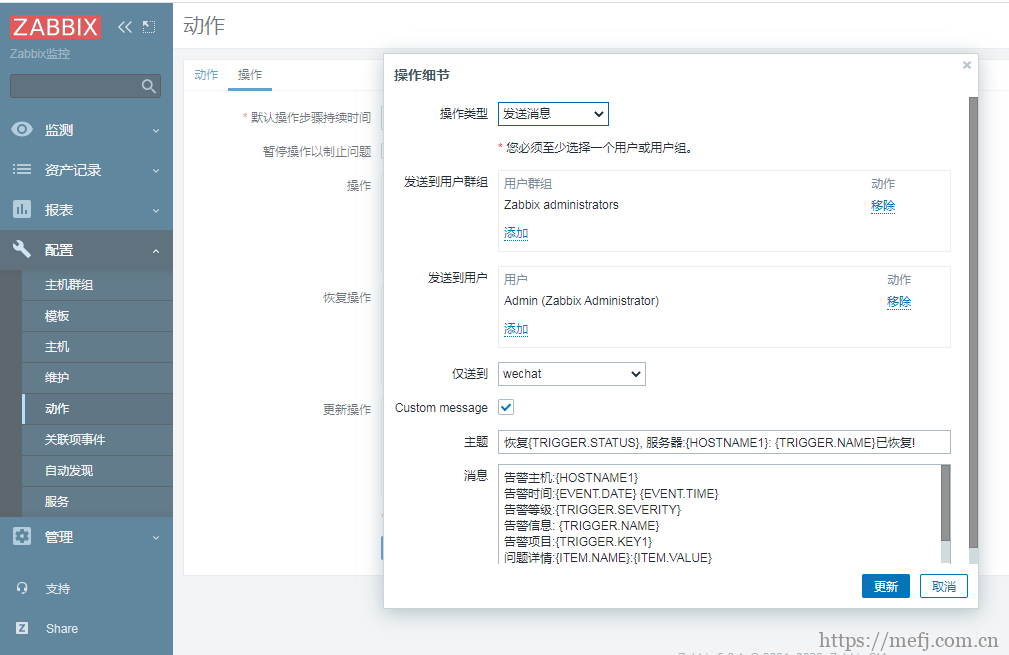
With this setup, when a monitored device goes down (e.g., ICMP failure), a WeChat alert will be sent immediately—provided ICMP monitoring is properly configured beforehand.
