Build a weather forecast interface that retrieves and displays meteorological data for various cities, encompassing Qt Stylesheet-based UI customization, HTTP network communication, JSON data parsing, custom temperature curve visualization, and end-to-end integration and debugging of multiple compon...
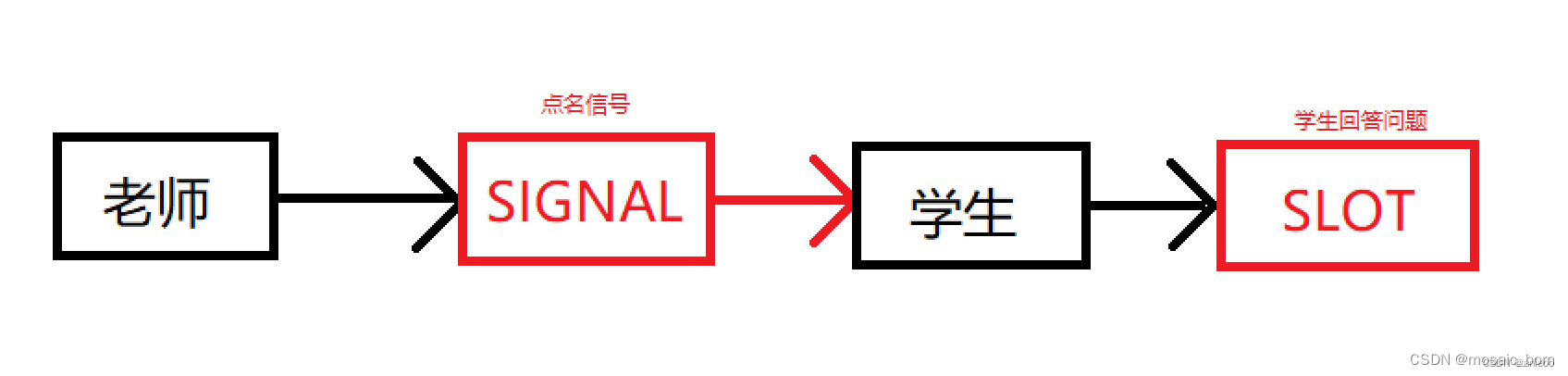
1. Qt Signals and Slots What are Signals and Slots? A signal is an event emitted under specific circumstances. For example, the most comon signal for a PushButton is clicked(), emitted when the mouse clicks the button. A slot is a function that responds to a signal. A slot can be associated with a s...
Configuring Icons in Qt 6.7.2 on Windows Using CMake Setting the Executable Icon Prepare an icon file named app_icon.ico. Create a resource script file named icon_resource.rc with the following content: IDI_ICON1 ICON "app_icon.ico" Add app_icon.ico and icon_resource.rc to your Qt Resource...
The Qt Resource System enables the storage of images, translation files, and other binary data directly within the application's executable or in separate resource files. This platform-independent mechanism ensures that auxiliary files are packaged as binary data, facilitating clean deployement. A Q...
Implementing a Basic Notepad Application in Qt: UI Layout, Signals and Slots, and File Operations UI Interface Configuration UI design and styling requires familiarity with Qt's styling system. Practice by creating a calculator interface, which can be further enhanced with additional functionality....
Event Handling for Drawing The QPaintEvent class in Qt handles drawing operations when widgets need repainting. This occurs during initial display, resizing, exposure after being obscured, or through explicit calls to update() or repaint(). Custom drawing is implemented by overriding paintEvent(QPai...
Header Definition (windowcontroller.h) The WindowController class inherits from QWidget and declares explicit slot functions for handlign window properties, avoiding the default on_objectName_signal naming convention. #ifndef WINDOWCONTROLLER_H #define WINDOWCONTROLLER_H #include <QWidget> QT_...
Creating a Frameless Window To remove the operating system's standard title bar and borders, specific window flags must be configured. This initialization typically occurs within the constructor of the window class. CustomWindow::CustomWindow(QWidget *parent) : QWidget(parent) { // Configure the win...
QTextCursor cursor = ui->textEdit->textCursor(); cursor.insertText("hello"); ui->textEdit->append("hello"); QString selectedText = ui->textEdit->textCursor().selectedText(); Modal and Modeless Dialogs // Modal dialog int outcome = dialog.exec(); // Modeless dial...
Thread Termination Methods in QThread Unsafe Termination QThread::terminate() Immediately stops thread execution (implementation-dependent) Dangerous: Terminates without cleanup, may leave resources locked Requires QThread::wait() after calling Disabled termination delays until re-enabled via setTer...