Background When using Selenium for browser rendering to scrape websites, the default is a clean Chrome browser. However, we often use browser extensions, proxies, or other customizations during normal browsing. Correspondingly, when scraping with Chrome, we may need to apply specific configurations...
Getting File Size The os.path.getsize() function returns the size of a file in bytes: import os file_size = os.path.getsize("document.pdf") print(f"Size: {file_size} bytes") Getting Directory Size Python doesn't provide a direct method to calculate directory size. The standard ap...
Python's ecosystem provides multiple libraries for reading, writing, and manipulating Excel files, each with distinct strengths and use cases. The most commonly used options include xlwings, openpyxl, pandas, xlsxwriter, win32com, xlutils, and DataNitro. Environment and Compatibliity Before selectin...
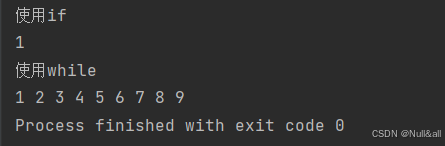
I. Classification of Loops while loop for-in traversal loop II. The while Loop 1. Syntax of while while condition: # loop body 2. Difference Between if and while if evaluates the condition once; if true, executes the block once. while evaluates the condition n+1 times; if true, executes the block n...
Create a reusable pagination helper module pagination.py: from django.utils.safestring import mark_safe class BaiduPagination: """ Baidu-style pagination generator for Django current: Current active page number total_items: Total number of records to paginate items_per_page: Number of...
Object-Oriented Fundamentals Object-oriented programming revolves around creating blueprints called classes that define the structure and behavior of objects. A class serves as a template for instantiating individual objects, each with its own distinct state. Key components of a class definition: Co...
To interact with Microsoft Excel files within a Python environment, the openpyxl library provides robust support for reading and writing .xlsx documents. The following workflow demonstrates how to instantiate a workbook, access specific sheets, and extract data values. import pathlib from openpyxl i...
Overview of tqdm tqdm is a utility for Python that enables the integration of smart progress bars within loops. It works by wrapping any iterable, automatically calculating the estimated time of completion and the processing rate while displaying a visual bar in the terminal. Installation The libray...
CSV Files Writing CSV Files import csv characters = [ ['Doctor', 'No'], ['Rosa', 'Klebb'], ['Mister', 'Big'], ['Auric', 'Goldfinger'], ['Ernst', 'Blofeld'] ] with open('characters.csv', 'w', newline='') as output_file: writer = csv.writer(output_file) writer.writerows(characters) Reading CSV Files i...
PyTorch represents data as tensors—multi-dimensional arrays of a single data type—wrapped in a class that bundles operations and processing methods. This section covers setting up a working PyTorch environment using Anaconda and CUDA. Anaconda Setup Download Anaconda from https://www.anaconda.com/do...