Houdini VEX Practical Notes: Primitive Splitting, Curve Manipulation, and More
Splitting Primitives Using Attributes
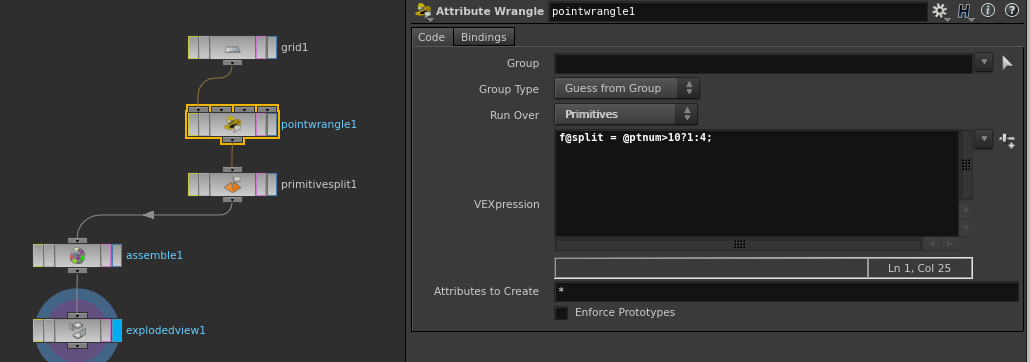
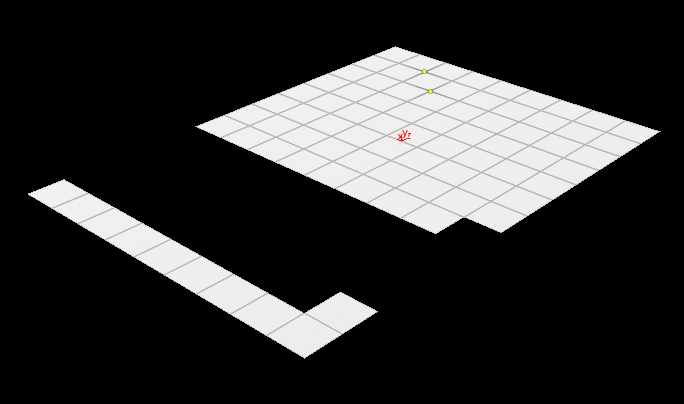
To split primitives based on an attribute, set the Attribute parameter in the Primitive Split node to split. In a Wrangle node, you can write:
f@split = @ptnum > 10 ? 1 : 4;
A more procedural approach is to use the Paint node to color the geometry, then split primitives based on the color attribute.
Curve Manipulation (Replicating the Carve Node in VEX)
While working on plant growth R&D, I needed to generate many curves and required a VEX function similar to the Carve node. I found a Vimeo tutorial demonstrating this technique (https://vimeo.com/104891696). Later, I discovered on Odforce that Houdini's include files already contain a function called adjustPrimLength (defined in $HFS/houdini/vex/include/groom.h) that achieves this functionality with concise and elegant code.
void adjustPrimLength(const int geo, prim; const float currentlength, targetlength)
{
    float diff = targetlength - currentlength;
    int points[] = primpoints(geo, prim);
    if(diff > 0)
    {
        vector posA = point(geo, "P", points[-2]);
        vector posB = point(geo, "P", points[-1]);
        vector posC = diff * normalize(posB-posA) + posB;
        int ptnum = addpoint(geo, posC);
        addvertex(geo, prim, ptnum);
    }
    else if(diff < 0)
    {
        vector lastpos = 0;
        float length = 0;
        int cut = 0;
        foreach(int idx; int pt; points)
        {
            vector pos = point(geo, "P", pt);
            if(idx > 0 && !cut)
            {
                float seglength = distance(pos, lastpos);
                if(length+seglength > targetlength)
                {
                    float frac = (targetlength-length)/seglength;
                    vector newpos = lerp(lastpos, pos, frac);
                    int ptnum = addpoint(geo, newpos);
                    for(int i=idx; i<len(points); i++)
                        removepoint(geo, points[i]);
                    addvertex(geo, prim, ptnum);
                    break;
                }
                length += seglength;
            }
            lastpos = pos;
        }
    }
}
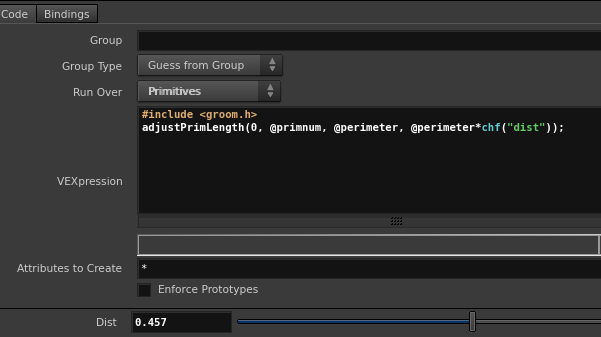
To use this in Houdini, first ensure each curve has a @perimeter attribute (measuring its length). This can be done with a Measure node (set Type to Perimeter and Attirbute to perimeter). Then, connect a Primitive Wrangle node (Run Over set to Primitives) with the following code:
#include <groom.h>
adjustPrimLength(0, @primnum, @perimeter, @perimeter*chf("dist"));
Comparison before and after:
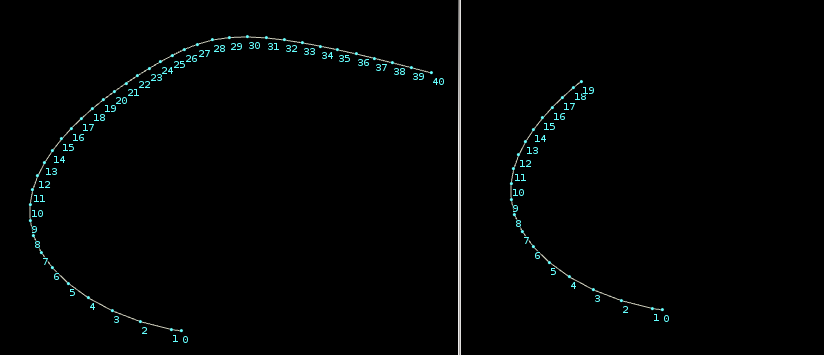
For better control, it's recommended to set dist as an attribute:
adjustPrimLength(0, @primnum, @perimeter, @perimeter*@dist);
Packing Objects and Transferring the Name Attribute
When packing objects using the Pack node, you can transfer the name attribute from primitives to points with:
s@name = primintrinsic(0, "fragmentname", @primnum);
VEX Hidden Attribute: Primitive P
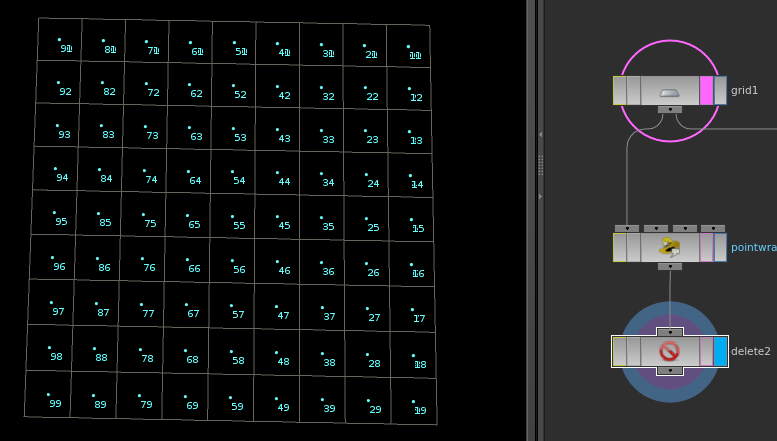
Create a Grid and connect a Point Wrangle node:
@P = prim(0,"P",@primnum);
Then use a Delete node to remove primitives, keeping only points. When the original Grid is displayed as a template, you'll see that points are moved to the center of each primitive. However, if two faces share a point, that point will move to the center of one face. For packed objects, this isn't an issue since each primitive corresponds to exactly one point.
Configuring Cone Twist Constraints
In a Primitive Wrangle:
s@constraint_name = "cone";
s@constraint_type = "all";
v@constrained_twist_axis = @N;
v@constrained_up_axis = set(0,1,0);
v@goal_twist_axis = @N;
v@goal_up_axis = set(0,1,0);
Curves Composed of Two Points
In a Primitive Wrangle:
int pointindex(int prim; int vtx)
{
    return vertexpoint(geoself(), vertexindex(geoself(), prim, vtx));
}
int pt0 = pointindex(@primnum, 0);
int pt1 = pointindex(@primnum, 1);

f@restlength = distance(pt0,pt1);
Boundary Edges
This technique is interesting but not too difficult to implement. The idea is straightforward: first, break the surface into pieces (as shown in the left image). Then, use a Divide node with Remove Shared Edges enabled (middle image).
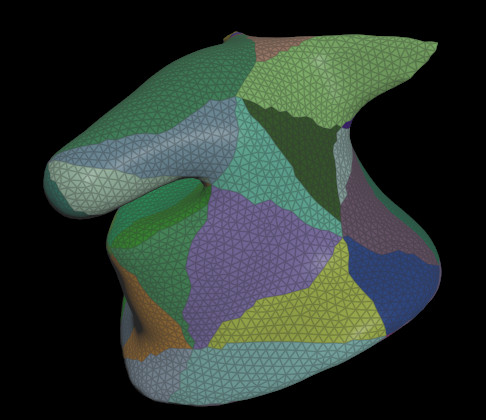
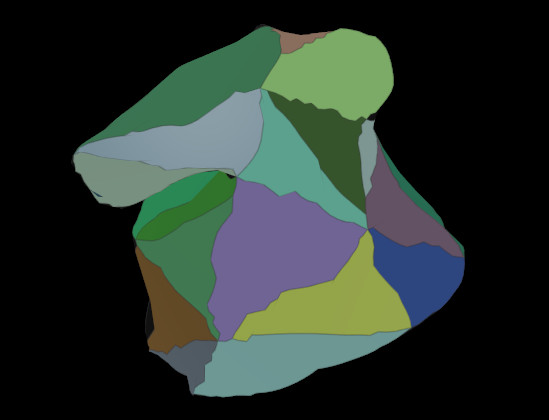
Next, apply a Wrangle to remove edge points, keeping only vertices. Finally, use Convert Line to convert the result into lines, producing a simple boundary edge.
if(len(nearpoints(0,@P,0.0001))<3)
{
    removepoint(geoself(),@ptnum);
}