Java API (Application Programming Interface)
API Concept
API: Refers to the official documentation provided to developers, describing the classes available in the language and the methods within those classes.
Object Class
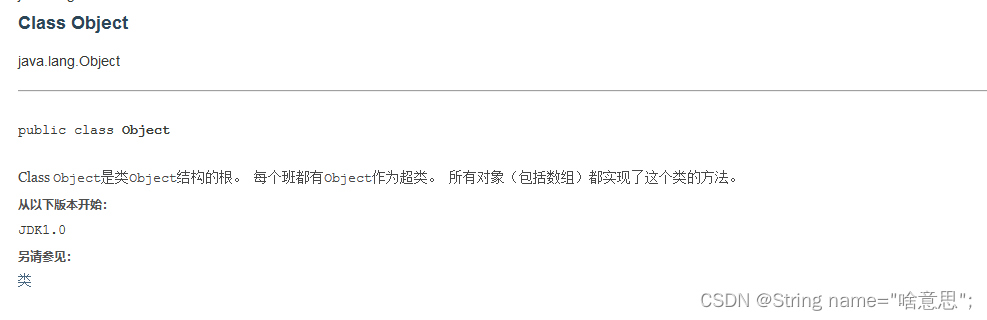
java.lang.Object
- The topmost class in the Java class hierarchy.
- Object can represent any class in Java.
Methods in Object Class
toString()
- Outputs an object, but since objects are in memory, they cannot be directly output.
- When an object is output, its
toString()method is called by default. - If the class does not define
toString(), theObjectclass'stoString()is used, which returns the object's hash code (in hexadecimal). - It returns the object information as a string.
equals()
boolean equals(Object obj)– determines whether two objects are equal.- In
Objectclass:public boolean equals(Object obj) { return (this == obj); // default compares object addresses } - Example override:
public boolean equals(Object obj) { if (obj instanceof Person) { Person other = (Person) obj; return this.name.equals(other.name) && this.age == other.age; } return false; } ==for primitives compares values; for references compares addresses.
Arrays Class
java.util.Arrays
equals method
- Compares weather elements in two array objects are equal.
- Declaration:
public static boolean equals(type[] a, type[] a2)– parameters can be primitive or reference types. - Example:
System.out.println(Arrays.equals(a, b));
copyOf method
- Copies elements from an array into a new array of specified length.
- Example:
int[] d = Arrays.copyOf(a, 10);
System.out.println(d);
fill method
- Assigns a specified value to every element of an array.
- Example:
Arrays.fill(b, 0);
System.out.println(Arrays.toString(b));
toString method
- Returns a string representation of the array contents.
- Example:
System.out.println(Arrays.toString(d));
sort – Sorting
- Sorts all elements of a array in ascending order.
- Overload: sorts elements within a specified range.
- Example:
long[] a = {5, 4, 3, 2, 1, 0};
Arrays.sort(a); // 0 to length-1
// Arrays.sort(a, fromIndex, toIndex) – toIndex exclusive
Arrays.sort(a, 0, 4);
System.out.println(Arrays.toString(a));
binarySearch – Binary search
- Searches for a specified element using binary search. Returns index if found, negative value if not.
- Example:
int[] b = {2, 3, 4, 1, 5};
int index = Arrays.binarySearch(b, 1);
System.out.println(index);
Arrays.sort(b);
int flag = Arrays.binarySearch(b, 1);
System.out.println(flag);
Implementing the Comparable Interface
- A class that wants to allow sorting must implement
Comparableand overridecompareTo. - Specifies the sorting rule (which attribute to sort by).
- Example:
@Override public int compareTo(Student o) { return this.id - o.id; } - Usage:
Arrays.sort(students);
System.out.println(Arrays.toString(students));

String s = "a";
String sr = "b";
System.out.println(s.compareTo(sr)); // prints -1
Wrapper Classes for Primitive Types
Primitive Type Wrappers:
- Java's primitive types are not object-oriented. To address this, wrapper classes are provided for each primitive type.
- Examples:
Integer,Double, etc. They encapsulate a primitive value and provide operations.
Main Uses:
- As class types corresponding to primitive types.
- Contain attributes like min/max values and relevant methods.
Type Conversion:
- Autoboxing: Converting a primitive to its wrapper type.
- Unboxing: Converting a wrapper type to its primitive.
- These internally call
valueOf(). If the primitive value is between -128 and 127,valueOf()returns a cached object; otherwise, a new object is created. - Example:
// Unboxing
int c = a.intValue();
int d = b;

// Autoboxing
int z = 128;
Integer x = Integer.valueOf(z);
Integer y = z;
String Class
java.lang.String
- Strings like
"abc"are objects backed by achararray:private final char value[].
Ways to Create Strings:
String s = "abc";- First checks the string constant pool. If an equal string exists, returns its reference; otherwise, creates a new object.
- Example:
String s1 = "abc";
String s2 = "abc";
System.out.println(s1 == s2); // true
System.out.println(s1.equals(s2)); // true
String s1 = new String();- Always creates a new object in the heap.
- Example:
String s3 = new String("abc");
String s4 = new String("abc");
System.out.println(s3 == s4); // false
System.out.println(s3.equals(s4)); // true
Strings Are Immutable:
- Once created, their value cannot be changed. Each concatenation creates a new string.
- Example:
String s = "abc";  // first object
s += "bcd";        // second object "abcbcd"
s += "aaa";        // third object "abcbcdaaa"
System.out.println(s);
String Class Methods
Constructors
String()String(String s)String(byte[] bytes)public static void main(String[] args) throws UnsupportedEncodingException { String s1 = "你好"; byte[] bytes = s1.getBytes("GBK"); System.out.println(Arrays.toString(bytes)); String s2 = new String(bytes, "GBK"); System.out.println(s2); }public String(char[] value)public static void main(String[] args) { String s = "bac"; char[] chars = s.toCharArray(); Arrays.sort(chars); System.out.println(Arrays.toString(chars)); String s2 = new String(chars); System.out.println(s2); }
Judgment Methods
boolean equals(Object obj)          // compares content
boolean equalsIgnoreCase(String str) // case-insensitive comparison
boolean contains(String str)        // checks if contains substring
boolean isEmpty()                   // checks if empty string
boolean startsWith(String prefix)   // checks prefix
boolean endsWith(String suffix)     // checks suffix
Example:
String s1 = new String("aabc");
String s2 = new String("aaBc");
System.out.println(s1.equals(s2));            // false
System.out.println(s1.equalsIgnoreCase(s2));  // true
System.out.println(s1.contains("bc"));       // true
System.out.println(s1.isEmpty());             // false
System.out.println(s1.startsWith("ab"));     // false
System.out.println(s1.endsWith("bc"));       // true
Access Methods
int length()                        // length of string
char charAt(int index)              // char at index
int indexOf(String str)             // first occurrence of str
int indexOf(String str, int fromIndex) // occurrence from index
int lastIndexOf(String ch)          // last occurrence from end
String substring(int start)         // from start to end
String substring(int start, int end) // from start to end-1
Example:
String s1 = "abcdefg";
System.out.println(s1.length());        // 7
System.out.println(s1.charAt(1));       // 'b'
System.out.println(s1.indexOf("c"));   // 2
System.out.println(s1.indexOf("d", 1));// 3
System.out.println(s1.substring(0));    // "abcdefg"
System.out.println(s1.substring(1, 5));// "bcde"
Conversion Methods
byte[] getBytes()                    // string to byte array
char[] toCharArray()                 // string to char array
static String valueOf(char[] chs)    // char array to string
static String valueOf(int a)         // primitive to string
String toLowerCase()                 // to lowercase
String toUpperCase()                 // to uppercase
String concat(String str)            // concatenation
String[] split(String regex)         // split by regex
Example:
public static void main(String[] args) {
    String s = "ac;vna;nBX";
    String s1 = String.valueOf('a');
    System.out.println(s1);

    System.out.println(s.toLowerCase()); // "ac;vna;nbx"
    System.out.println(s.toUpperCase()); // "AC;VNA;NBX"
    String s3 = s.concat("dddd");
    System.out.println(s3);              // "ac;vna;nBXdddd"
    String[] s4 = s.split(";");
    System.out.println(Arrays.toString(s4)); // ["ac", "vna", "nBX"]
}
Replacement Methods
String replace(char old, char new)
String replace(String old, String new)
String replaceAll(String regex, String replacement)
String replaceFirst(String regex, String replacement)
Example:
String s = "adan2ca5";
s.replace("c", "C");          // no assignment, immutable
s.replaceAll("\\d", "a");    // no assignment
s.replaceFirst("\\d", "d");  // no assignment
System.out.println(s.trim());   // prints "adan2ca5" (trim removes spaces)
Trimming Whitespace
String trim()– removes leading and trailing whitespace.
StringBuffer
StringBufferis a mutable string. It uses achararray withoutfinal, so operations modify the existing array without creating new objects.- Example:
public static void main(String[] args) {
    // StringBuffer: mutable, efficient for concatenation
    StringBuffer s = new StringBuffer(11); // initial capacity 11
    s.append("acb");
    s.append("acjanvnavn");
    s.insert(1, "a");
    s.deleteCharAt(2);
    s.delete(0, 2); // start inclusive, end exclusive
    s.replace(0, 3, "aaa");
    s.reverse();
}
Differences: String, StringBuffer, StringBuilder
| Class | Description |
|---|---|
String |
Immutable character sequence; use for small operations |
StringBuilder |
Mutable, not thread-safe; use for single-threaded heavy buffer operations |
StringBuffer |
Mutable, thread-safe; use for multi-threaded buffer operations |
Math Class
abs(a)          // absolute value
sqrt(a)         // square root
pow(double a, double b) // a^b
max(a, b)
min(a, b)
random()        // random double [0.0, 1.0)
round(double a) // round to long
Example:
System.out.println(Math.max(18, 5));   // 18
System.out.println(Math.abs(-15));     // 15
System.out.println(Math.sqrt(16));     // 4.0
System.out.println(Math.random());
System.out.println(Math.pow(2, 4));    // 16.0
Random Class
- Generates random numbers.
- Constructor:
public Random() - Methods:
public int nextInt(),public int nextInt(int n) - Example:
Random random = new Random();
System.out.println(random.nextBoolean());
System.out.println(random.nextInt());
System.out.println(random.nextInt(35) + 1); // 1 to 35
