Implementing a Custom Vector in C++
Introduction
Hello everyone, this is Xiamu's C++ study note. Here, I will explain the vector container from the C++ STL. This blog is suitable for those who are learning vector or want to deepen their understanding of STL. We will not only introduce the various features of vector but also implement its basic functionalities manually to help your learning.
1. Introduction to Vector
When learning STL, it's essential to consult the official documentation. You can find it at the C++ reference website.
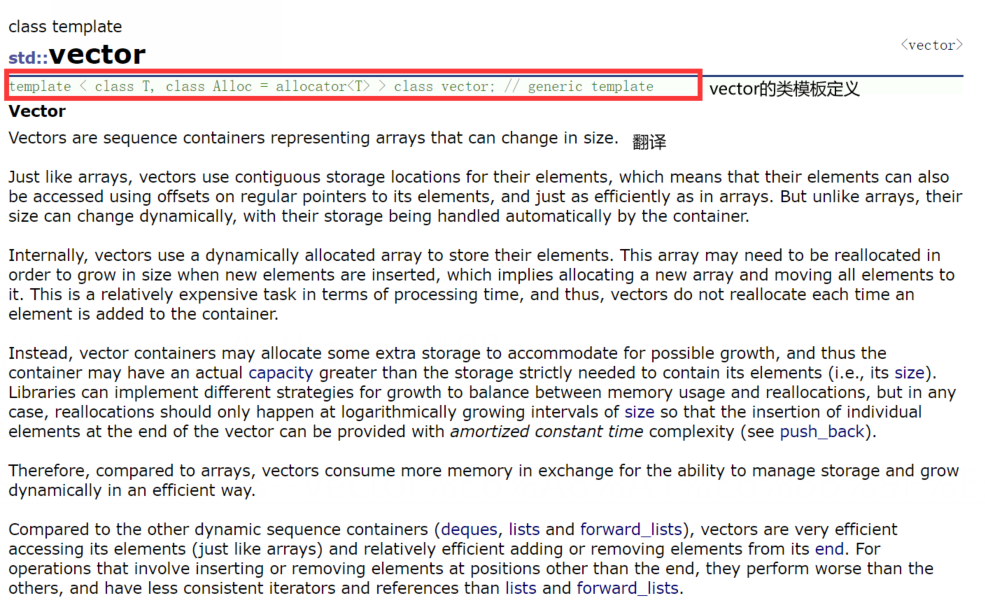
To save time, I'll summarize the key points:
- Vector is a sequence container that represents variable-size arrays.
- Like arrays, vector uses contiguous storage locations for its elements, meaning they can be accessed using offsets on regular pointers to elements, just as efficiently as in arrays. However, unlike arrays, their size can change dynamically, with their storage being handled automatically by the container.
- Internally, vectors use a dynamically allocated array to store their elements. When new elements are inserted, the array may need to be reallocated to increase storage. This is done by allocating a new array and moving all elements into it. This is a relatively expensive task in terms of time, but vectors do not reallocate every time an element is added.
- The vector allocation strategy: vectors allocate some extra storage to accommodate possible growth, so the storage capacity is larger than the actual storage needed. Different libraries use different strategies to balance space usage and reallocation. However, reallocations should be logarithmically spaced so that inserting an element at the end is done in amortized constant time.
- Therefore, vectors occupy more storage space to gain the ability to manage storage and grow dynamically in an efficient way.
- Compared to other dynamic sequence containers (deque, list, and forward_list), vectors are more efficient in accessing elements and relatively efficient in adding or removing elements at the end. For insertions and deletions not at the end, they are less efficient. They have better iterator and reference support than lists and forward_lists.
Note: The growth factor differs between Linux and VS environments. This is a common interview question.
2. Using Vector
Let's start from the application perspective: first learn how to use vector, then dive into its underlying implementation by writing code that simulates its functionalities.
Think of vector as an enhanced version of an array. Arrays are static, while vectors are dynamic and can grow. The growth factor is 2 in Linux (g++) and 1.5 in VS (PJ version STL). Both arrays and vectors support index-based access and store elements contiguously.
Key points:
capacitygrows by 1.5x in VS and 2x in g++. This is an often-asked question.reserveonly allocates space; if you know the needed size in advance, it can mitigate the cost of reallocation.resizealso initializes elements and affectssize.
Now, let's discuss vector's operations: insert, delete, search, modify.
2.1 Capacity-related Functions
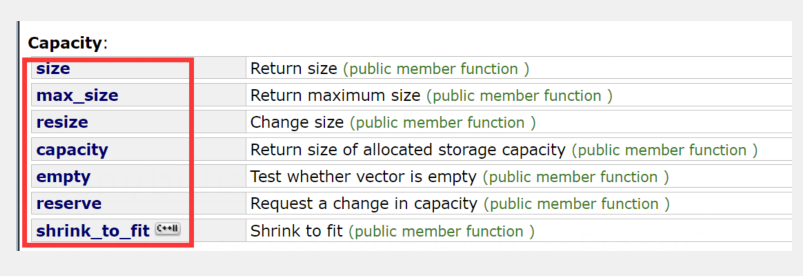
These are the capacity functions. Let's see the code:
#include <iostream>
#include <vector>

using namespace std;

int main() {
    vector<int> v;
    cout << v.size() << endl;
    cout << v.max_size() << endl;
    cout << v.capacity() << endl;
    return 0;
}
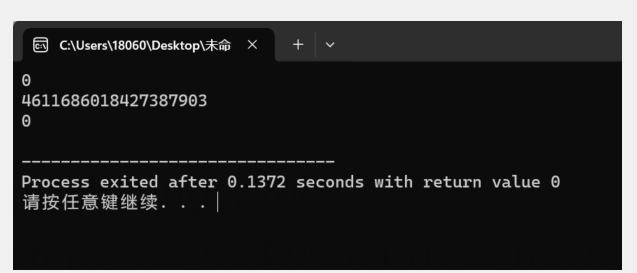
size() returns the number of elements, capacity() returns the total storage capacity, and max_size() is rarely useful.
2.2 Insert, Delete, Search, Modify
2.2.1 Push Back
Documentation: std::vector::push_back(const T& x);
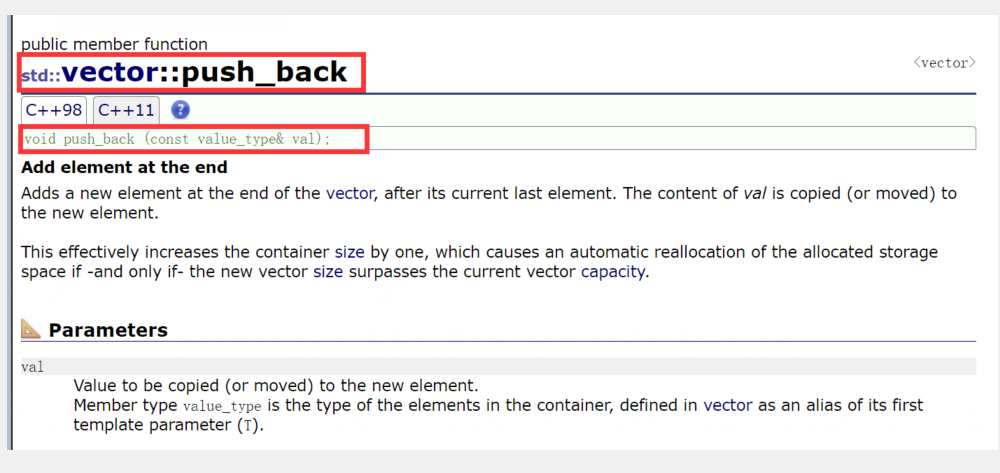
Inserts an element at the end.
void test_vector1() {
    vector<int> v;
    v.push_back(1);
    v.push_back(2);
    for (int i = 0; i < 2; ++i)
        cout << v[i] << " ";
    cout << endl;
}

int main() {
    test_vector1();
    return 0;
}
Output:
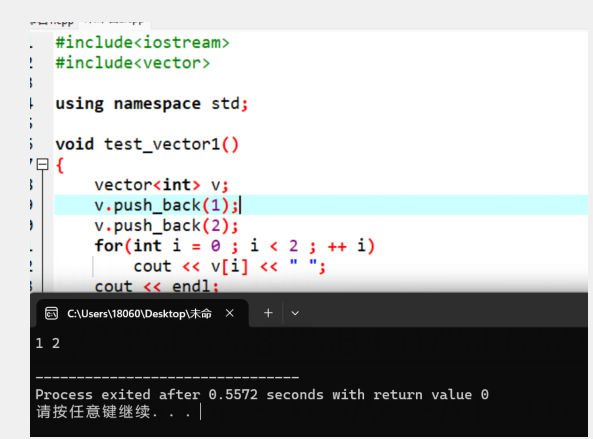
From now on, I'll only write the test function for brevity.
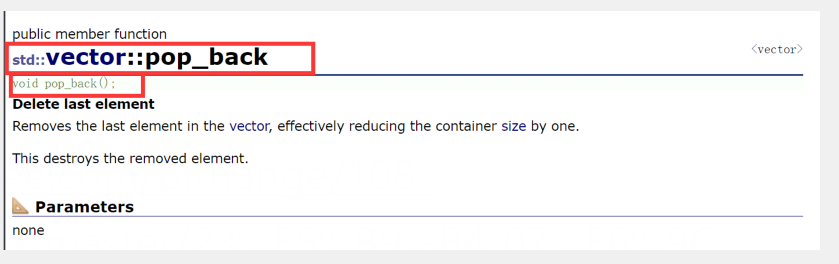
2.2.2 Pop Back
Documentation: std::vector::pop_back();
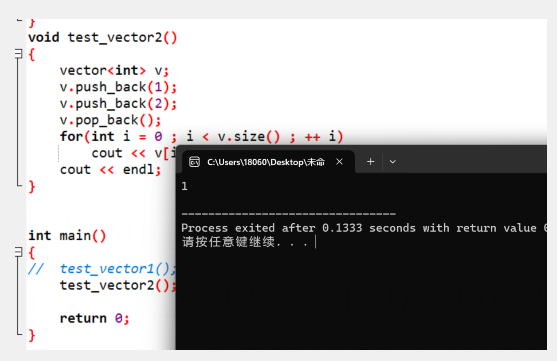
void test_vector2() {
    vector<int> v;
    v.push_back(1);
    v.push_back(2);
    v.pop_back();
    for (int i = 0; i < v.size(); ++i)
        cout << v[i] << " ";
    cout << endl;
}
Output:
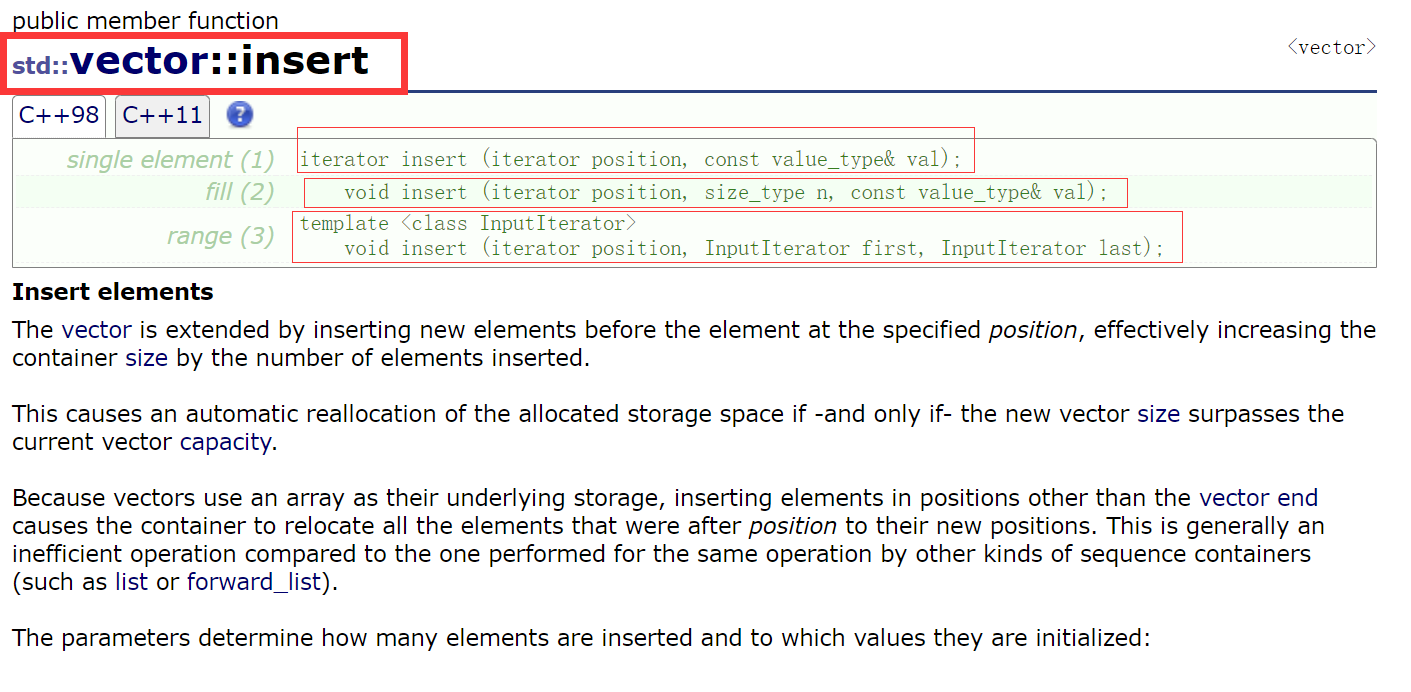
2.2.3 Insert at Beginning
Documentation: iterator insert(iterator pos, const T& x = T()); or void insert(iterator pos, size_t n, const T& x);
void test_vector3() {
    vector<int> v;
    v.push_back(1);
    v.push_back(2);

    v.insert(v.begin(), 0);          // single element
    v.insert(v.begin(), 2);
    v.insert(v.begin(), 10, 1);      // insert 10 copies of 1
    for (int i = 0; i < v.size(); ++i)
        cout << v[i] << " ";
    cout << endl;
}
Output: 1 1 1 1 1 1 1 1 1 1 2 0 1 2
2.2.4 Erase at Arbitrary Position
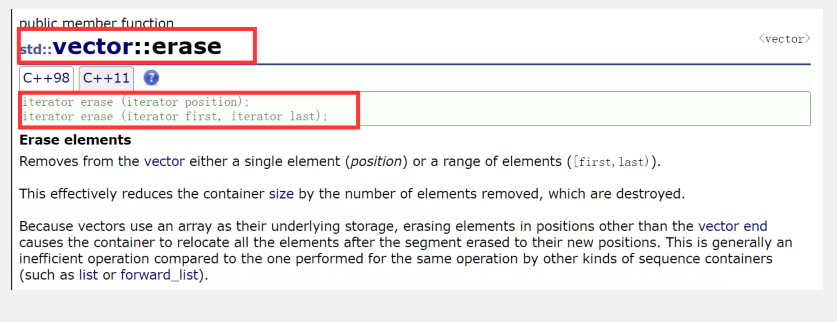
Documentation: iterator erase(iterator pos); or iterator erase(iterator first, iterator last);
void test_vector4() {
    vector<int> v;
    v.push_back(1);
    v.push_back(2);

    v.insert(v.begin(), 0);
    v.insert(v.begin(), 1);
    v.insert(v.begin(), 2);
    v.insert(v.begin(), 3);

    for (int i = 0; i < v.size(); ++i)
        cout << v[i] << " ";
    cout << endl;

    v.erase(v.begin());
    v.erase(v.begin() + 2);

    for (int i = 0; i < v.size(); ++i)
        cout << v[i] << " ";
    cout << endl;
}
Output:
Before erase: 3 2 1 0 1 2
After erase: 2 1 1 2
2.3 Iterators and Iterator Invalidation
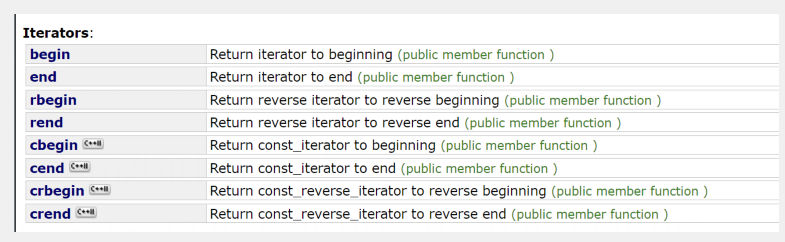
Iterators are similar to pointers but not exactly. begin() returns an iterator to the first element, end() returns an iterator to one past the last element. rbegin() and rend() are reverse iterators.
Iterator Invalidation:
An iterator becomes invalid if the underlying memory it points to is deallocated. Operations that may cause invalidation:
- Operations that change the internal capacity:
resize,reserve,insert,assign,push_back. - Erase operations.
- Note: g++ is less strict about detection than VS.
stringalso experiences similar invalidation.
For the first case: if an insertion causes reallocation, the old iterator points to freed memory. Solution: Reassign the iterator before use.
For the second case:
void test_vector5() {
    vector<int> v;
    v.push_back(1);
    v.push_back(2);
    v.push_back(3);
    v.push_back(4);
    vector<int>::iterator pos = find(v.begin(), v.end(), 3);
    v.erase(pos);
    cout << *pos << endl;  // Undefined behavior
}
After erasing, if pos was the last element, it becomes equal to end(), which is invalid. Solution: Reassign the iterator.
3. Simulating Vector Implementation
We'll implement a simplified vector class in a custom namespace Vct.
3.1 Member Variables
namespace Vct {
    template<class T>
    class vector {
    public:
        typedef T* iterator;
        typedef T* const_iterator;
    private:
        iterator _start;         // points to the beginning
        iterator _finish;        // points to one past the last element
        iterator _endofstorage;  // points to the end of allocated storage
    };
}
3.2 Member Functions
3.2.1 Constructors
vector()
    : _start(NULL), _finish(NULL), _endofstorage(NULL)
{}

vector(size_t n, const T& x = T())
    : _start(NULL), _finish(NULL), _endofstorage(NULL)
{
    resize(n, x);
}

vector(int n, const T& x = T())
    : _start(NULL), _finish(NULL), _endofstorage(NULL)
{
    resize(n, x);
}

template<class InputIterator>
vector(InputIterator first, InputIterator last) {
    while (first != last) {
        push_back(*first);
        ++first;
    }
}
3.2.2 Copy Constructor
// Method 1
vector(const vector<T>& V)
    : _start(nullptr), _finish(nullptr), _endofstorage(nullptr)
{
    iterator tmp = new T[V.capacity()];
    for (size_t i = 0; i < V.size(); ++i) {
        tmp[i] = V._start[i];
    }
    _start = tmp;
    _finish = _start + V.size();
    _endofstorage = _start + V.capacity();
}

// Method 2
vector(const vector<T>& V)
    : _start(nullptr), _finish(nullptr), _endofstorage(nullptr)
{
    reserve(V.capacity());
    for (auto e : V) {
        push_back(e);
    }
}
3.2.3 Destructor
~vector() {
    if (_start) {
        delete[] _start;
        _start = _finish = _endofstorage = NULL;
    }
}
3.2.4 Assignment Operator
void swap(vector<T>& v) {
    std::swap(v._start, _start);
    std::swap(v._finish, _finish);
    std::swap(v._endofstorage, _endofstorage);
}

vector<T>& operator=(vector<T> v) {  // calls copy constructor
    swap(v);
    return *this;
}
3.2.5 Size
size_t size() const {
    return _finish - _start;
}
3.2.6 Capacity
size_t capacity() const {
    return _endofstorage - _start;
}
3.2.7 Iterators
iterator begin() { return _start; }
iterator end() { return _finish; }
const_iterator begin() const { return _start; }
const_iterator end() const { return _finish; }
3.2.8 Reserve
void reserve(size_t new_capacity) {
    if (new_capacity > capacity()) {
        iterator tmp = new T[new_capacity];
        if (_start) {
            for (size_t i = 0; i < size(); ++i) {
                tmp[i] = _start[i];
            }
            delete[] _start;
        }
        size_t old_size = size();
        _start = tmp;
        _finish = _start + old_size;
        _endofstorage = _start + new_capacity;
    }
}
3.2.9 Resize
void resize(size_t n, const T& val = T()) {
    if (n > size()) {
        if (n > capacity()) {
            reserve(n);
        }
        iterator it = end();
        while (it < _start + n) {
            *it = val;
            ++it;
        }
    }
    _finish = _start + n;
}
3.2.10 operator[]
T& operator[](size_t pos) {
    assert(pos < size());
    return _start[pos];
}

const T& operator[](size_t pos) const {
    assert(pos < size());
    return _start[pos];
}
3.2.11 Insert
iterator insert(iterator pos, const T& val) {
    assert(pos >= _start && pos <= _finish);
    size_t offset = pos - _start;  // save offset
    if (_finish + 1 >= _endofstorage) {
        size_t new_capacity = capacity() == 0 ? 4 : capacity() * 2;
        reserve(new_capacity);
        pos = _start + offset;  // update pos after reallocation
    }
    iterator end = _finish - 1;
    while (end >= pos) {
        *(end + 1) = *end;
        --end;
    }
    *pos = val;
    ++_finish;
    return pos;
}
3.2.12 Erase
iterator erase(iterator pos) {
    assert(pos >= _start && pos < _finish);
    iterator cur = pos + 1;
    while (cur != _finish) {
        *(cur - 1) = *cur;
        ++cur;
    }
    --_finish;
    return pos;
}
3.2.13 pop_back
void pop_back() {
    erase(--end());
}
Summary
This blog covered the usage and manual implementation of C++'s vector. If you found it helpful, please give a like and share. Happy coding!
