Student Epidemic Information Management System: Design and Implementation with SpringBoot, Vue, and UniApp
Introduction
The system employs a modern tech stack: SpringBoot for backend, Vue for frontend, UniApp for mobile, and MyBatis-Plus for database access. It aims to streamline student health reporting and epidemic data management.
Detailed Video Demonstration
For a detailed walkthrough, please contact the author.
Screenshots
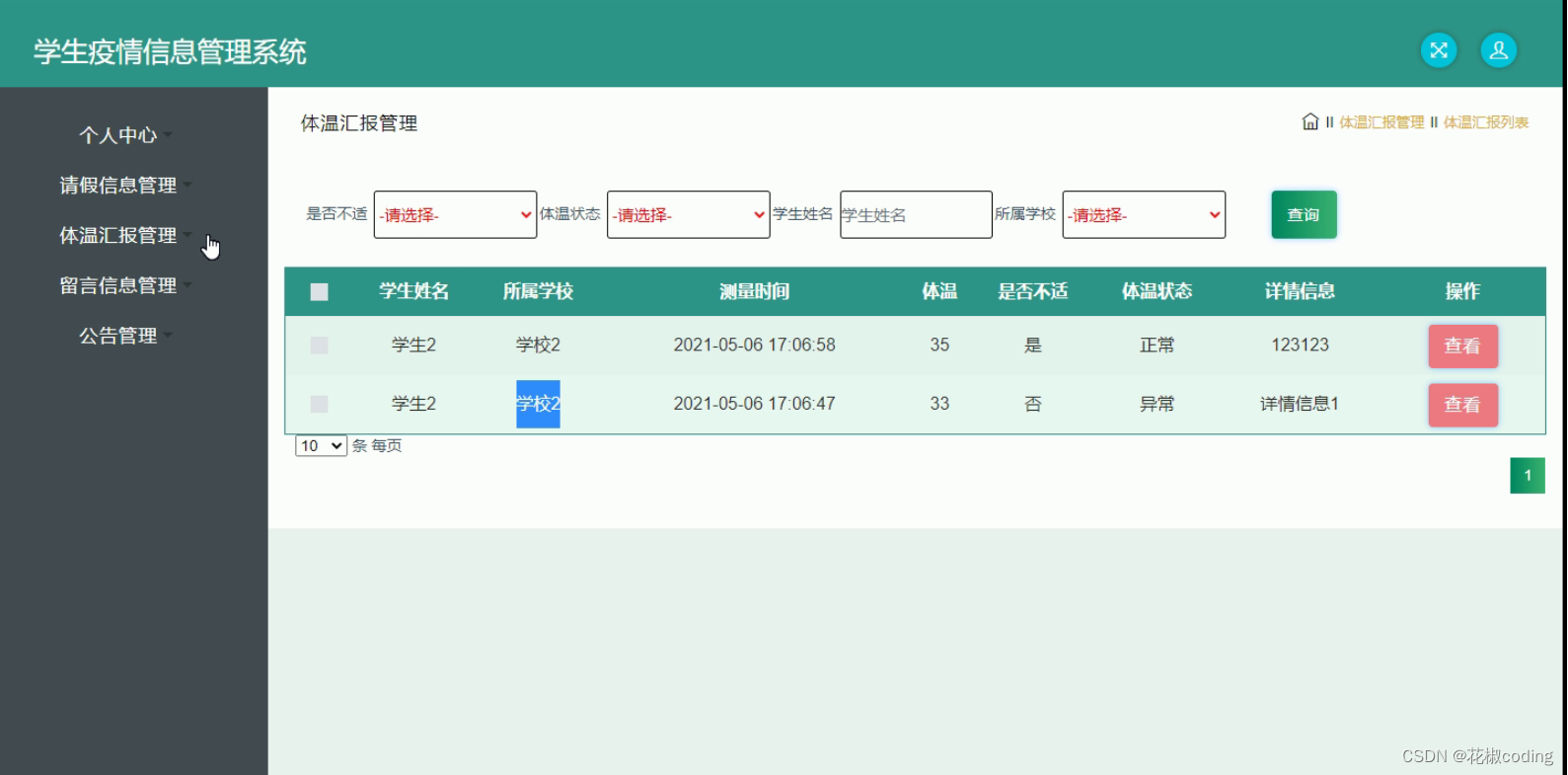
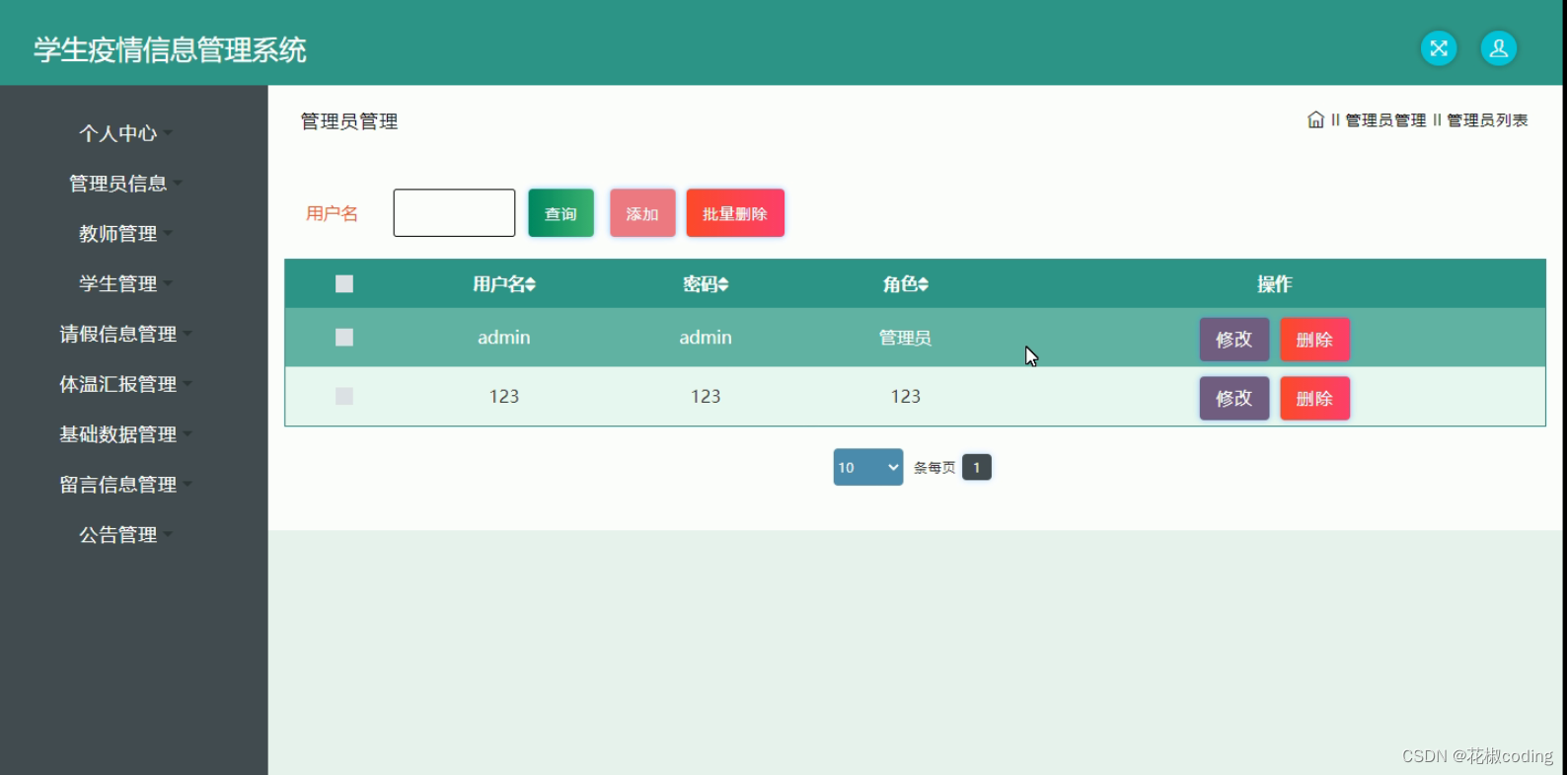
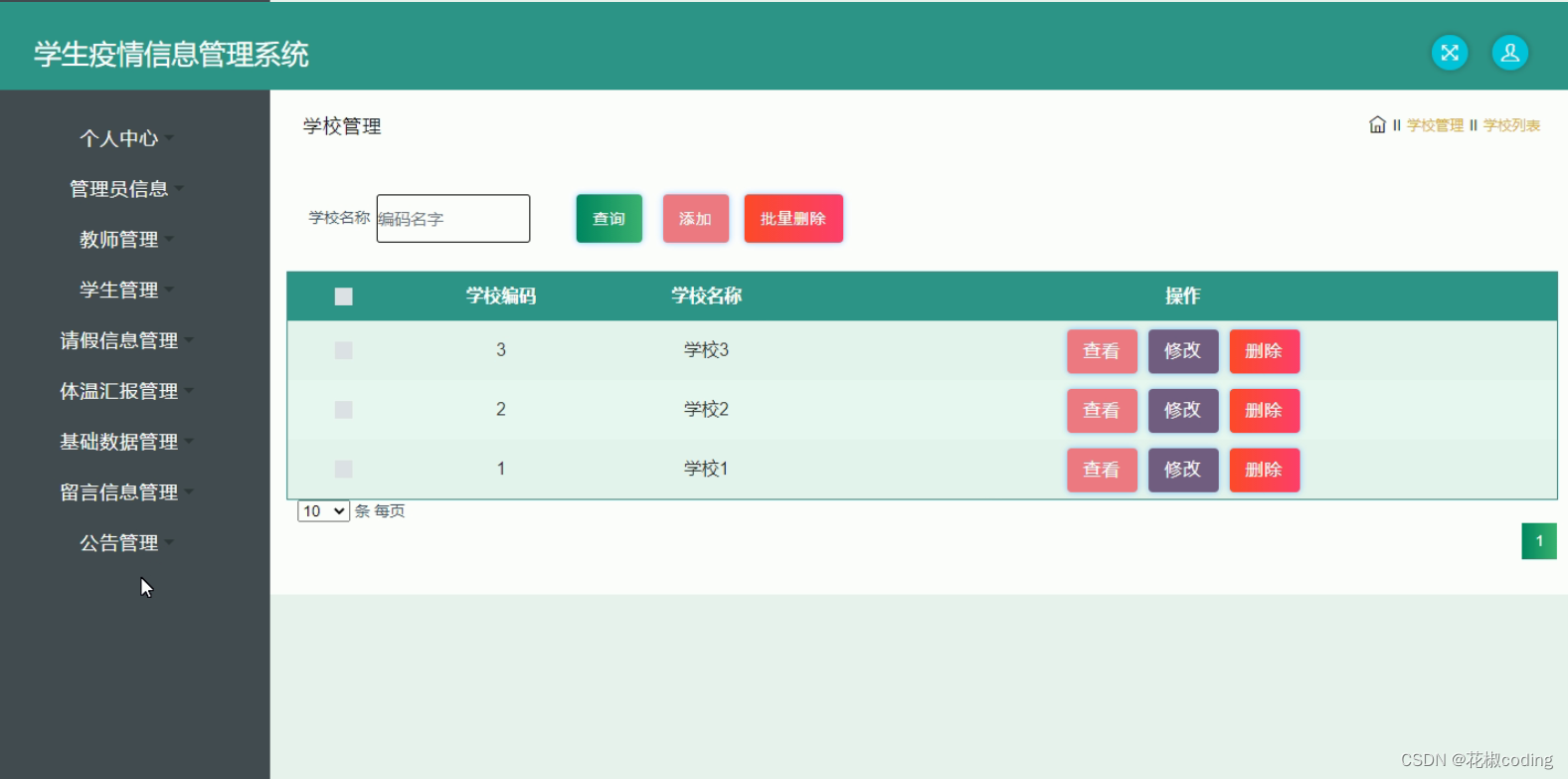
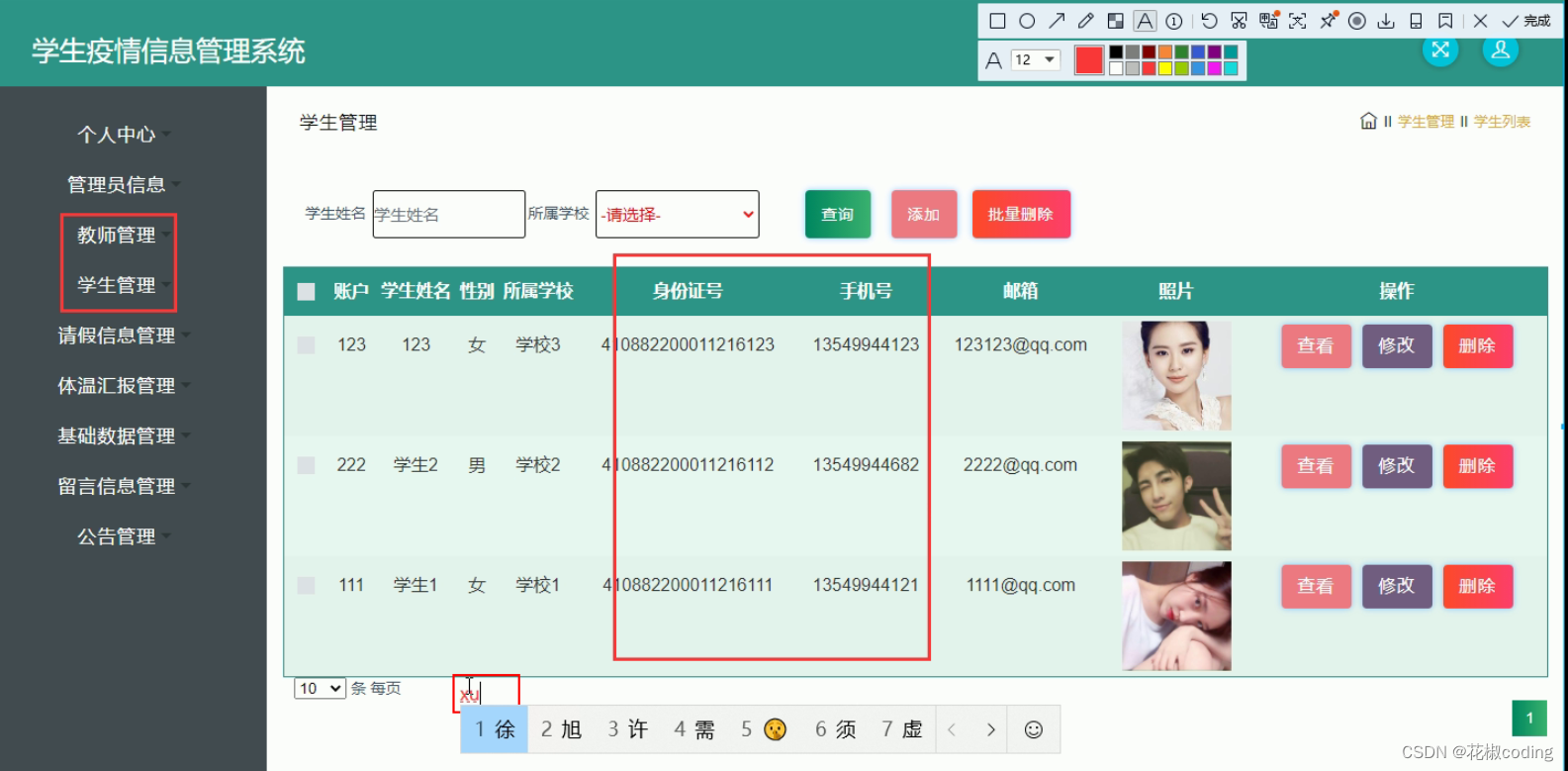
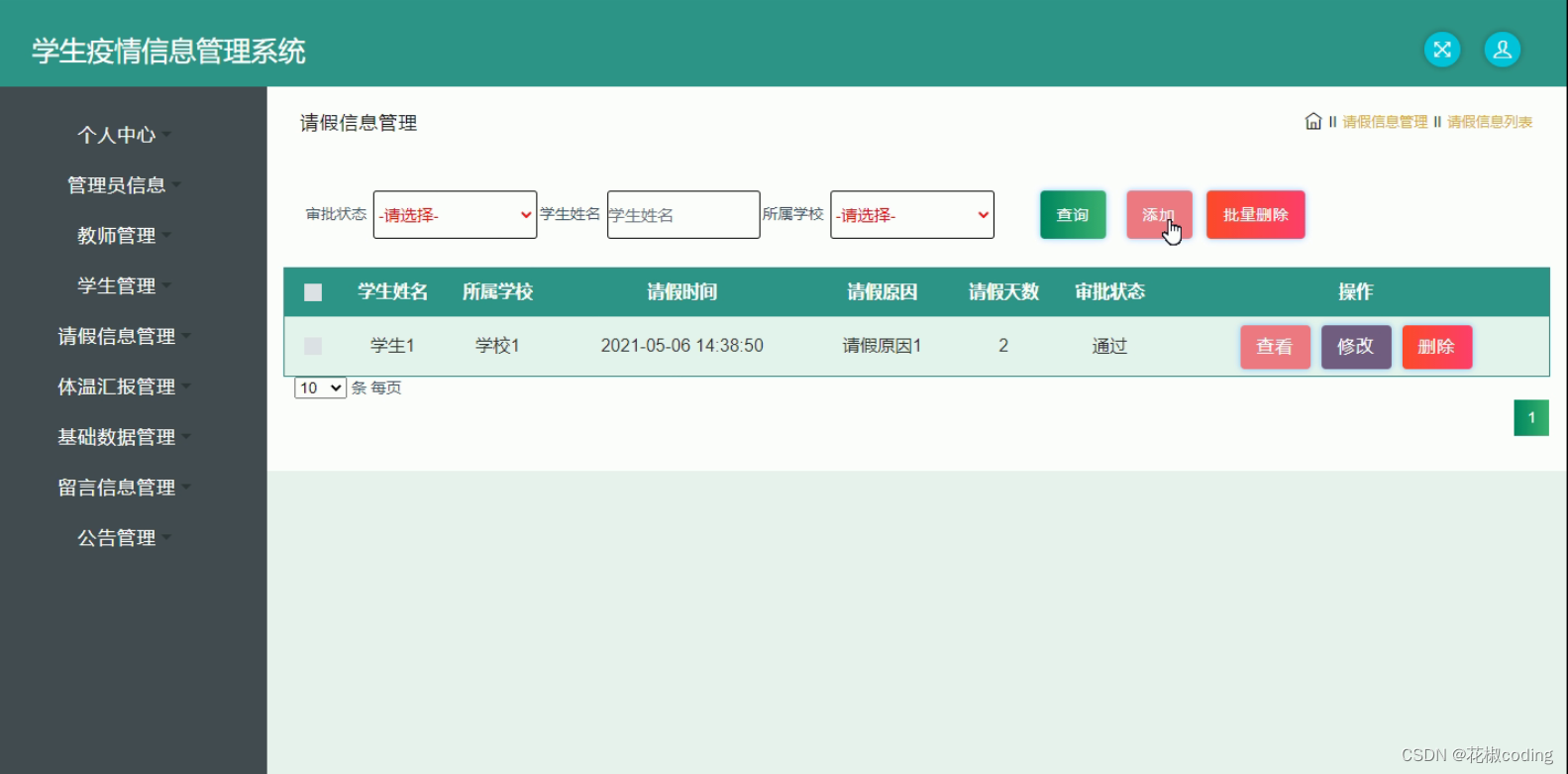
Technology Stack
Backend: SpringBoot
SpringBoot simplifies development by embedding Tomcat, Jetty, or Undertow servers directly, eliminating manual installation. Its auto-configuration feature automatically sets up applications based on project dependencies, reducing manual settings. It also provides ready-to-use integrations with Spring Data, Spring Security, and Spring Cloud, enabling rapid construction of scalable, high-quality applications.
Frontend: Vue
Vue leverages a virtual DOM for efficient rendering. It uses reactive data binding, virtual DOM, and component-based architecture, offering a flexible, maintainable development pattern. When data changes, the UI automatically updates, allowing developers to focus on data rather than manual DOM manipulation. This results in simplicity, flexibility, and high performance.
Persistence: MyBatis-Plus
MyBatis-Plus is an enhancement for MyBatis, simplifying database operations. Supporting MySQL, Oracle, SQL Server, PostgreSQL, and more, it provides rich APIs and annotations to minimize handwritten SQL. It includes a code generator for automatic creation of entities, mappers, and XML mappings. Additional features like pagination, dynamic queries, optimistic locking, and performance analysis further streamline data access layer development.
System Testing
Testing Purpose
During the development cycle, system testing is crucial to ensure quality and reliability. It is the final verification before deployment, focusing on identifying defects from multiple perspectives and scenarios. The goal is to validate that the system meets requirements and delivers a smooth user experience. Testing checks functionality, logic, and adherence to specifications, avoiding unrealistic scenarios that waste time.
Functional Testing
Functional testing uses black-box methods, including input validation, boundary values, and required field checks. Below are example test cases.
Login Test Cases
| Input Data | Expected Result | Actual Result | Analysis |
|---|---|---|---|
| Username: admin, Password: 123456, Captcha: correct | Login successful | Login successful | Matches expected |
| Username: admin, Password: 111111, Captcha: correct | Password error | "Password error, please re-enter" | Matches expected |
| Username: admin, Password: 123456, Captcha: incorrect | Captcha error | "Captcha error" | Matches expected |
| Username: (empty), Password: 123456, Captcha: correct | Username required | "Please enter username" | Matches expected |
| Username: admin, Password: (empty), Captcha: correct | Password error | "Password error, please re-enter" | Matches expected |
User Management Test Cases
| Input Data | Expected Result | Actual Result | Analysis |
|---|---|---|---|
| Fill basic user info | Add success, user appears in list | User appears in list | Matches expected |
| Modify user info | Edit success, info updated | User info updated | Matches expected |
| Select delete user | System confirms deletion, then user removed | System confirms, user disappears | Matches expected |
| Add user without username | Prompt: username cannot be empty | Prompt: username cannot be empty | Matches expected |
| Add existing username | Failure: duplicate username | Failure: duplicate username | Matches expected |
Testing Conclusion
This system primarily uses black-box testing, simulating user operations to verify functionality. Testing ensures correctness and completeness, improving usability. All test scenarios align with user requirements. The final results confirm that the system meets functional and performance design goals.
Why Choose This System
Code Reference
@IgnoreAuth
@PostMapping(value = "/login")
public R login(String username, String password, String captcha, HttpServletRequest request) {
   UsersEntity user = userService.selectOne(new EntityWrapper<UsersEntity>().eq("username", username));
   if(user==null || !user.getPassword().equals(password)) {
      return R.error("Account or password incorrect");
   }
   String token = tokenService.generateToken(user.getId(), username, "users", user.getRole());
   return R.ok().put("token", token);
}

@Override
public String generateToken(Long userid, String username, String tableName, String role) {
   TokenEntity tokenEntity = this.selectOne(new EntityWrapper<TokenEntity>().eq("userid", userid).eq("role", role));
   String token = CommonUtil.getRandomString(32);
   Calendar cal = Calendar.getInstance();
   cal.setTime(new Date());
   cal.add(Calendar.HOUR_OF_DAY, 1);
   if(tokenEntity!=null) {
      tokenEntity.setToken(token);
      tokenEntity.setExpiratedtime(cal.getTime());
      this.updateById(tokenEntity);
   } else {
      this.insert(new TokenEntity(userid, username, tableName, role, token, cal.getTime()));
   }
   return token;
}

/**
 * Authorization (Token) Interceptor
 */
@Component
public class AuthorizationInterceptor implements HandlerInterceptor {

    public static final String LOGIN_TOKEN_KEY = "Token";

    @Autowired
    private TokenService tokenService;

    @Override
    public boolean preHandle(HttpServletRequest request, HttpServletResponse response, Object handler) throws Exception {
        // Support CORS
        response.setHeader("Access-Control-Allow-Methods", "POST, GET, OPTIONS, DELETE");
        response.setHeader("Access-Control-Max-Age", "3600");
        response.setHeader("Access-Control-Allow-Credentials", "true");
        response.setHeader("Access-Control-Allow-Headers", "x-requested-with,request-source,Token, Origin,imgType, Content-Type, cache-control,postman-token,Cookie, Accept,authorization");
        response.setHeader("Access-Control-Allow-Origin", request.getHeader("Origin"));
        // Handle OPTIONS preflight
        if (request.getMethod().equals(RequestMethod.OPTIONS.name())) {
            response.setStatus(HttpStatus.OK.value());
            return false;
        }

        IgnoreAuth annotation;
        if (handler instanceof HandlerMethod) {
            annotation = ((HandlerMethod) handler).getMethodAnnotation(IgnoreAuth.class);
        } else {
            return true;
        }

        // Get token from header
        String token = request.getHeader(LOGIN_TOKEN_KEY);

        // Skip if annotation present
        if(annotation!=null) {
            return true;
        }

        TokenEntity tokenEntity = null;
        if(StringUtils.isNotBlank(token)) {
            tokenEntity = tokenService.getTokenEntity(token);
        }

        if(tokenEntity != null) {
            request.getSession().setAttribute("userId", tokenEntity.getUserid());
            request.getSession().setAttribute("role", tokenEntity.getRole());
            request.getSession().setAttribute("tableName", tokenEntity.getTablename());
            request.getSession().setAttribute("username", tokenEntity.getUsername());
            return true;
        }

        PrintWriter writer = null;
        response.setCharacterEncoding("UTF-8");
        response.setContentType("application/json; charset=utf-8");
        try {
            writer = response.getWriter();
            writer.print(JSONObject.toJSONString(R.error(401, "Please login first")));
        } finally {
            if(writer != null){
                writer.close();
            }
        }
        return false;
    }
}
Database Reference
-- ----------------------------
-- Table structure for token
-- ----------------------------
DROP TABLE IF EXISTS `token`;
CREATE TABLE `token` (
  `id` bigint(20) NOT NULL AUTO_INCREMENT COMMENT 'Primary key',
  `userid` bigint(20) NOT NULL COMMENT 'User ID',
  `username` varchar(100) NOT NULL COMMENT 'Username',
  `tablename` varchar(100) DEFAULT NULL COMMENT 'Table name',
  `role` varchar(100) DEFAULT NULL COMMENT 'Role',
  `token` varchar(200) NOT NULL COMMENT 'Token',
  `addtime` timestamp NOT NULL DEFAULT CURRENT_TIMESTAMP COMMENT 'Creation time',
  `expiratedtime` timestamp NOT NULL DEFAULT '0000-00-00 00:00:00' COMMENT 'Expiration time',
  PRIMARY KEY (`id`) USING BTREE
) ENGINE=InnoDB AUTO_INCREMENT=27 DEFAULT CHARSET=utf8 ROW_FORMAT=COMPACT COMMENT='Token table';

-- ----------------------------
-- Sample records
-- ----------------------------
INSERT INTO `token` VALUES ('9', '23', 'cd01', 'xuesheng', 'Student', 'al6svx5qkei1wljry5o1npswhdpqcpcg', '2023-02-23 21:46:45', '2023-03-15 14:01:36');
INSERT INTO `token` VALUES ('10', '11', 'xh01', 'xuesheng', 'Student', 'fahmrd9bkhqy04sq0fzrl4h9m86cu6kx', '2023-02-27 18:33:52', '2023-03-17 18:27:42');
INSERT INTO `token` VALUES ('11', '17', 'ch01', 'xuesheng', 'Student', 'u5km44scxvzuv5yumdah2lhva0gp4393', '2023-02-27 18:46:19', '2023-02-27 19:48:58');
INSERT INTO `token` VALUES ('12', '1', 'admin', 'users', 'Administrator', 'h1pqzsb9bldh93m92j9m2sljy9bt1wdh', '2023-02-27 19:37:01', '2023-03-17 18:23:02');
Source Code Access
If you have any questions, please send a private message.
Please like, bookmark, follow, and comment!
Recommended columns to subscribe: See below.
