Java Arrays: Declaration, Initialization, and Common Operations
An array can store multiple elements of the same data type. Arrays are also a data type, specifically a reference type.
Array ------> a collection of data
Usage Patterns
Dynamic Initialization – Method 1
Array definition: dataType arrayName[] = new dataType[size]
Example: int a[] = new int[5] – the array name is a, data type is int, holding five integer values.
Accessing array elements: arrayName[index]
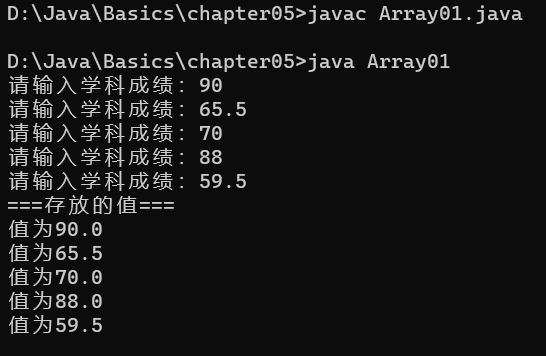
/**
 * Reads five subject scores into an array and prints them.
 */
import java.util.Scanner;
public class ScoreReader {
    public static void main(String[] args) {
        double[] scores = new double[5];
        Scanner input = new Scanner(System.in);
        // scores.length gives the array size
        for (int idx = 0; idx < scores.length; idx++) {
            System.out.print("Enter a subject score: ");
            scores[idx] = input.nextDouble();
        }

        // Print the stored values
        System.out.println("=== Stored values ===");
        for (int idx = 0; idx < scores.length; idx++) {
            System.out.println("Value: " + scores[idx]);
        }
    }
}
Dynamic Initialization – Method 2
Define an array by first declaring the variable and then allocating memory.
Declaration: dataType arrayName[] or dataType[] arrayName
Allocation: arrayName = new dataType[size]
Example: int a[]; a = new int[10];
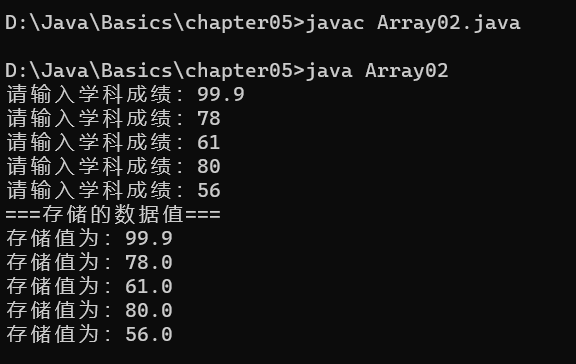
/**
 * Reads five subject scores into an array and prints them.
 */
import java.util.Scanner;
public class ScoreReader2 {
    public static void main(String[] args) {
        double[] scores;          // declare array variable
        scores = new double[5];   // allocate memory

        Scanner input = new Scanner(System.in);
        for (int idx = 0; idx < scores.length; idx++) {
            System.out.print("Enter a subject score: ");
            scores[idx] = input.nextDouble();
        }

        System.out.println("=== Stored data ===");
        for (int idx = 0; idx < scores.length; idx++) {
            System.out.println("Stored value: " + scores[idx]);
        }
    }
}
Static Initialization
Initialize an array with known elements: dataType arrayName[] = {value1, value2, …};
Example: int a[] = {1, 2, 3, 4, 5, 6, 7, 8, 9};
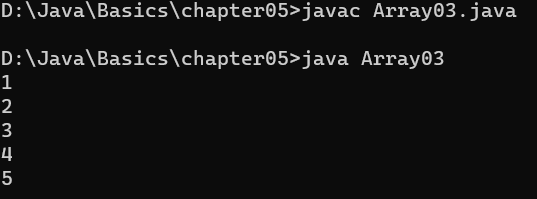
/**
 * Stores five fixed numbers and displays them.
 */
public class FixedNumbers {
    public static void main(String[] args) {
        int[] numbers = {1, 2, 3, 4, 5};
        for (int i = 0; i < numbers.length; i++) {
            System.out.println(numbers[i]);
        }
    }
}
Important Notes on Arrays
- An array combines multpile elements of the same type for unified management.
- Array elements can be any data type (primitives or reference types), but mixing types is not allowed.
- After creating an array without explicit initialization, elements receive default values:

- Steps to use an array: 1) declare and allocate memory, 2) assign values to elements, 3) use the array.
- Array indices start at 0.
- Indices must be within the valid range; otherwise an
ArrayIndexOutOfBoundsExceptionoccurs (e.g., int arr[] = new int[4] allows indices 0–3). - Arrays are reference types; the array variable holds a reference to the actual data (object).
Array Assignment Mechanism
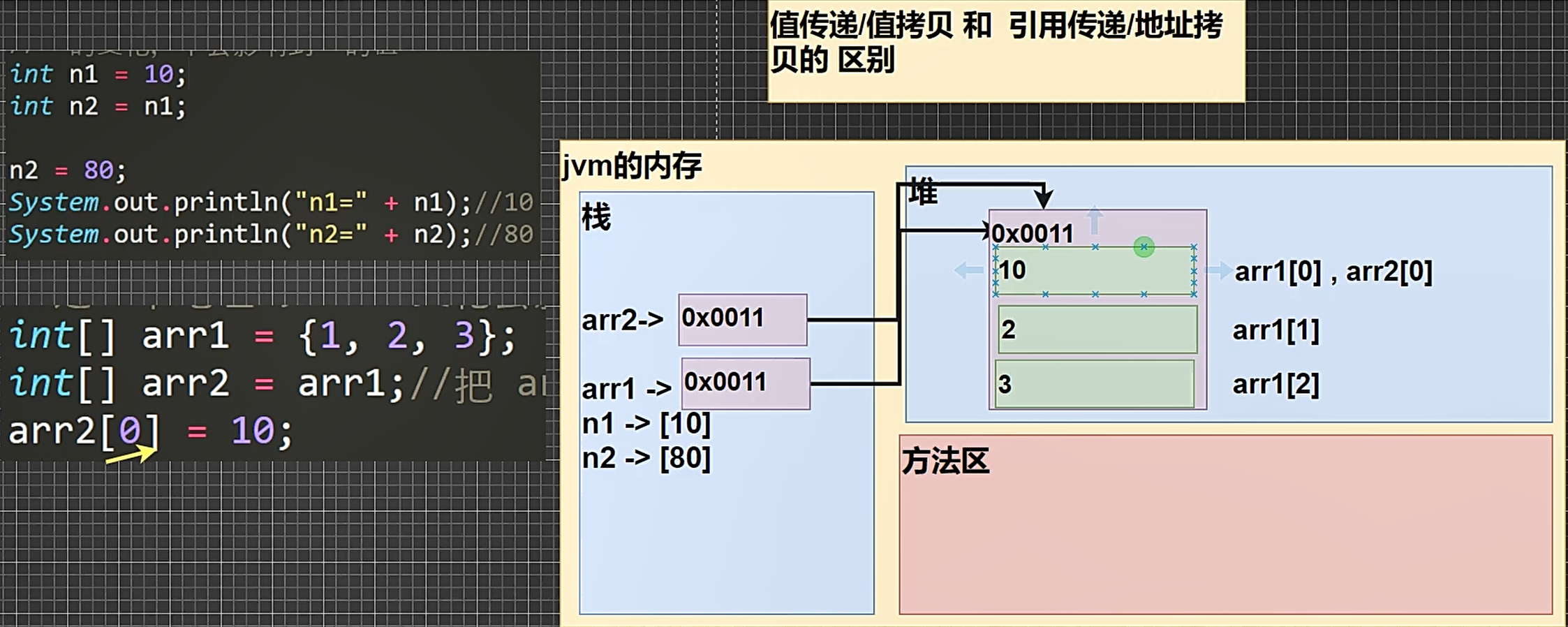
Assigning primitive types copies the actual value, so changes are independent.
By default, array assignment passes the reference (memory address), not the values themselves.
public class ArrayAssignDemo {
    public static void main(String[] args) {
        // Arrays are reference types: assigning an array copies the reference.
        // Changes to arr2 will affect arr1.
        int[] arr1 = {1, 2, 3};
        int[] arr2 = arr1;
        System.out.println("=== arr1 elements ===");
        for (int i = 0; i < arr1.length; i++) {
            System.out.println(arr1[i]);
        }
        // modify via arr2
        arr2[0] = 100;
        System.out.println("=== arr1 elements after arr2[0] = 100 ===");
        for (int i = 0; i < arr1.length; i++) {
            System.out.println(arr1[i]);
        }
    }
}
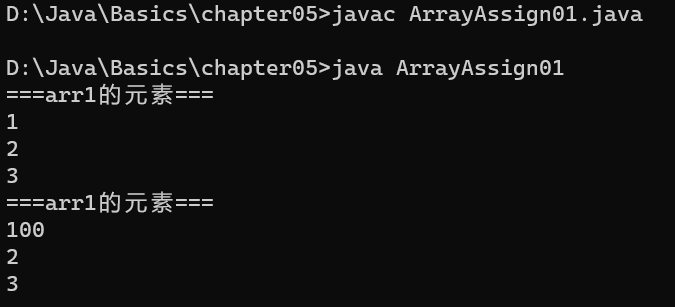
Difference between value copy and reference assignment
Array Copying
Implement content duplication (independent copy)
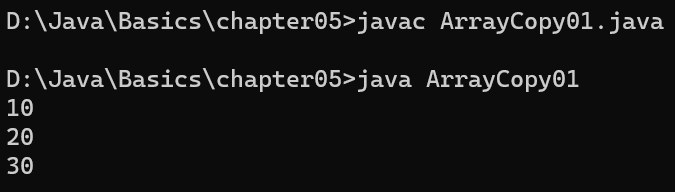
Copy the content of int[] arr1 = {10, 20, 30}; into a new array arr2 with a separate memory space.
public class ArrayCopyDemo {
    public static void main(String[] args) {
        int[] source = {10, 20, 30};
        // allocate new independent space
        int[] destination = new int[source.length];
        // copy element by element
        for (int i = 0; i < source.length; i++) {
            destination[i] = source[i];
        }

        // print the copied array
        for (int i = 0; i < destination.length; i++) {
            System.out.println(destination[i]);
        }
    }
}
Array Reversal
Reverse the order of elements in an array
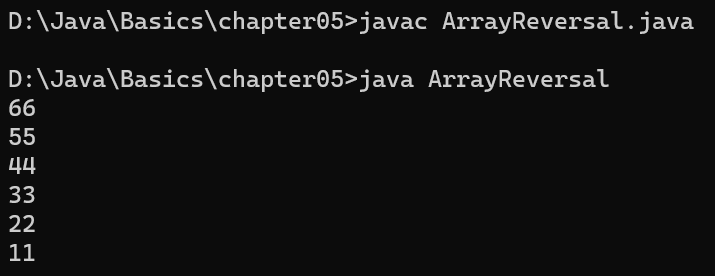
Given arr = {11, 22, 33, 44, 55, 66}, produce a reversed copy.
public class ReverseArray {
    public static void main(String[] args) {
        int[] original = {11, 22, 33, 44, 55, 66};
        int[] reversed = new int[original.length];
        for (int i = 0; i < original.length; i++) {
            int targetIdx = original.length - i - 1;
            reversed[i] = original[targetIdx];
        }
        for (int i = 0; i < reversed.length; i++) {
            System.out.println(reversed[i]);
        }
    }
}
Array Expansion
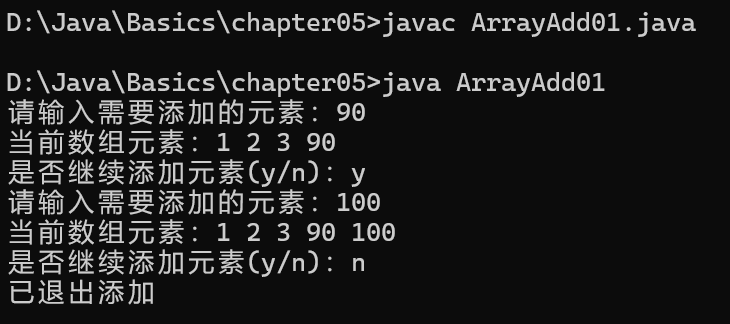
Dynamically append elements to an array (resize)
Requirements:
- Original array is statically initialized:
int[] arr = {1, 2, 3} - New elements are placed at the end, e.g.,
arr = {1, 2, 3, 4} - The user decides whether to continue adding elements.
/**
 * Logic:
 * 1. Start with the current array.
 * 2. Create a new array with size = old length + 1.
 * 3. Copy all existing elements into the new array.
 * 4. Assign the user-provided value to the last position.
 * 5. Update the reference: arr = newArr.
 */
import java.util.Scanner;
public class ExpandableArray {
    public static void main(String[] args) {
        int[] arr = {1, 2, 3};
        Scanner input = new Scanner(System.in);
        while (true) {
            int[] newArr = new int[arr.length + 1];
            for (int i = 0; i < arr.length; i++) {
                newArr[i] = arr[i];
            }
            System.out.print("Enter an element to add: ");
            int newValue = input.nextInt();
            newArr[newArr.length - 1] = newValue;
            arr = newArr;  // point to the expanded array

            System.out.print("Current array: ");
            for (int i = 0; i < arr.length; i++) {
                System.out.print(arr[i] + " ");
            }
            System.out.println();
            System.out.print("Add another? (y/n): ");
            char choice = input.next().charAt(0);
            if (choice == 'n') {
                break;
            }
        }
        System.out.println("Exiting add mode.");
    }
}
Array Sorting
Overview
Sorting arranges data in a specified order.
Internal Sorting
All data to be sorted is loaded into main memory (e.g., exchange sort, selection sort, insertion sort).
External Sorting
Data is too large to fit in memory and must use external storage (e.g., merge sort, direct merge sort).
Bubble Sort
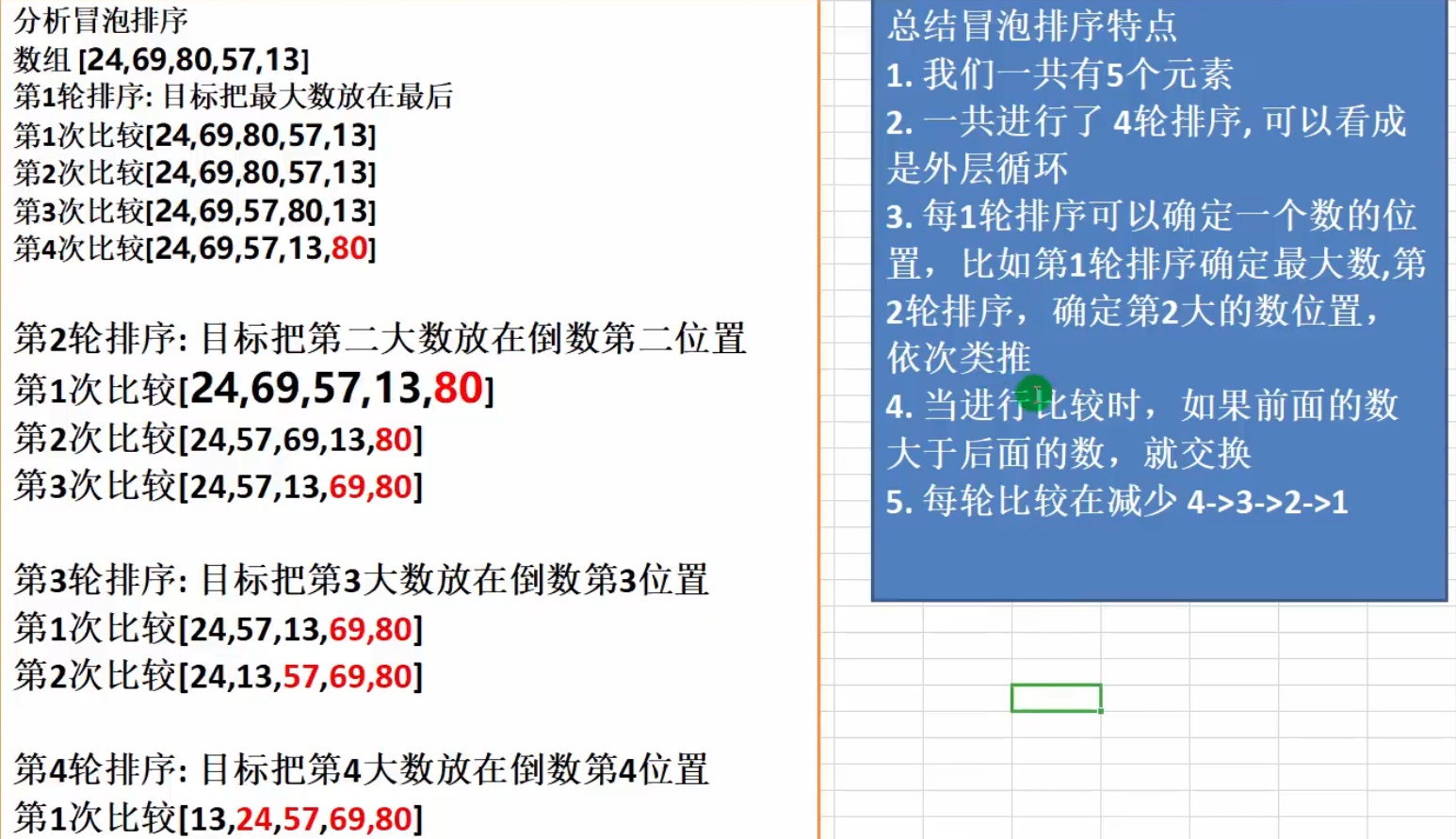
Basic idea: Traverse the sequence from the back (or beginning), compare adjacent elements, and swap them if they are out of order so that the larger values "bubble up" to the end.
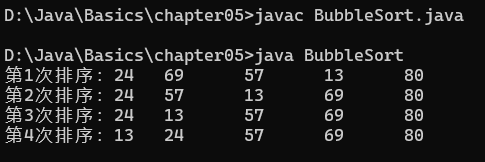
Example: Sort the unsorted values {24, 69, 80, 57, 13} in ascending order using bubble sort.
Approach illustration:
public class BubbleSortDemo {
    public static void main(String[] args) {
        int[] values = {24, 69, 80, 57, 13};
        int temp;
        for (int pass = 0; pass < values.length - 1; pass++) {
            for (int j = 0; j < values.length - 1 - pass; j++) {
                if (values[j] > values[j + 1]) {
                    temp = values[j];
                    values[j] = values[j + 1];
                    values[j + 1] = temp;
                }
            }
            System.out.print("Pass " + (pass + 1) + ": ");
            for (int j = 0; j < values.length; j++) {
                System.out.print(values[j] + "\t");
            }
            System.out.println();
        }
    }
}
Execution output:
Two‑Dimensional Arrays
Usage 1: Dynamic Initialization
Syntax: type[][] arrayName = new type[rows][cols];
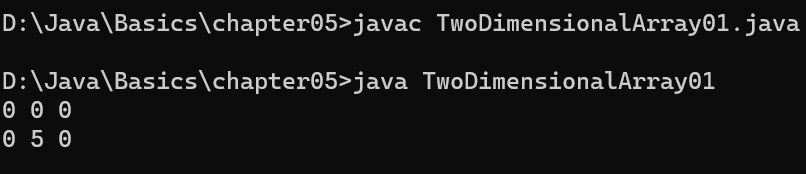
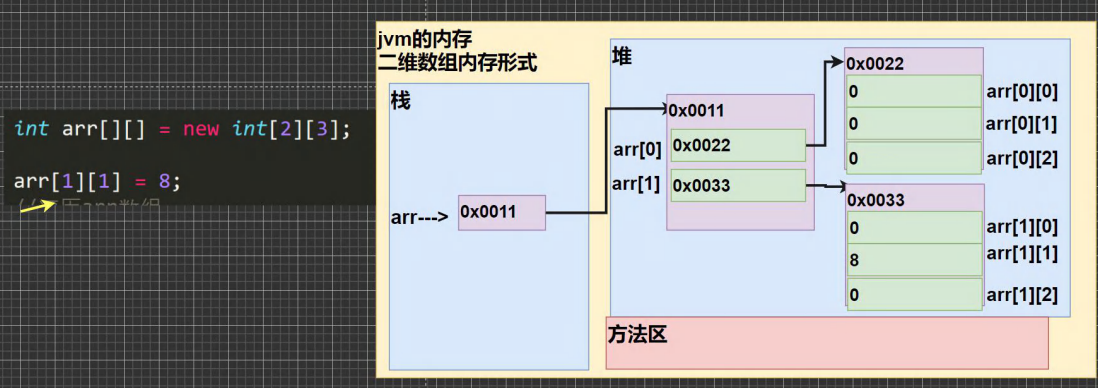
Example: int a[][] = new int[2][3];
public class TwoDimArrayDemo1 {
    public static void main(String[] args) {
        int[][] grid = new int[2][3];
        grid[1][1] = 5;
        // traverse the 2D array
        for (int row = 0; row < grid.length; row++) {
            for (int col = 0; col < grid[row].length; col++) {
                System.out.print(grid[row][col] + " ");
            }
            System.out.println();
        }
    }
}
Memory layout:
Usage 2: Separate Declaration and Allocation
First declare: type arrayName[][]; e.g., int arr[][];
Then allocate: arrayName = new type[rows][cols]; e.g., arr = new int[3][5];
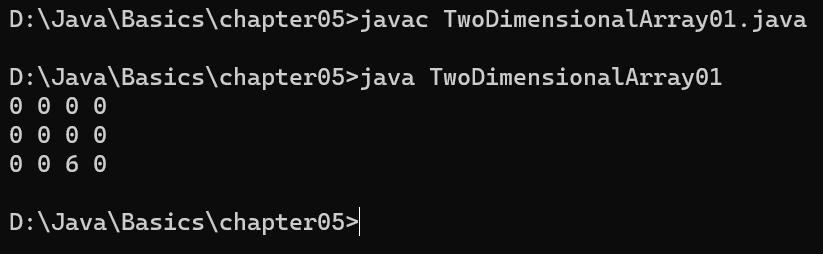
public class TwoDimArrayDemo2 {
    public static void main(String[] args) {
        int[][] matrix;                // declare
        matrix = new int[3][4];        // allocate
        matrix[2][2] = 6;
        for (int i = 0; i < matrix.length; i++) {
            for (int j = 0; j < matrix[i].length; j++) {
                System.out.print(matrix[i][j] + " ");
            }
            System.out.println();
        }
    }
}
Usage 3: Dynamic Initialization with Variable Column Lengths
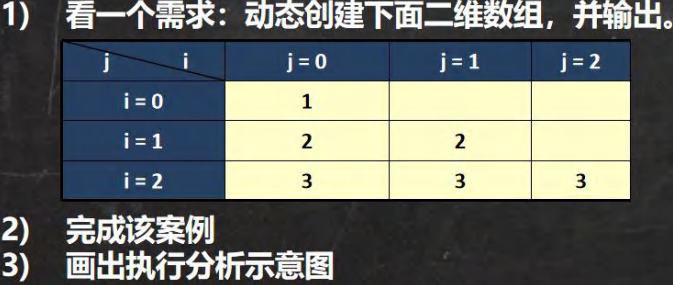
public class RaggedArray {
    public static void main(String[] args) {
        /*
            Expected pattern:
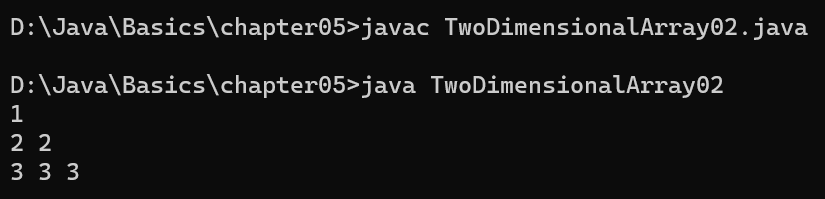
            1
            2 2
            3 3 3
        */
        int[][] triangular = new int[3][];
        for (int i = 0; i < triangular.length; i++) {
            // allocate each row with increasing size
            triangular[i] = new int[i + 1];
            for (int j = 0; j < triangular[i].length; j++) {
                triangular[i][j] = i + 1;
            }
        }
        // print the triangular pattern
        for (int i = 0; i < triangular.length; i++) {
            for (int j = 0; j < triangular[i].length; j++) {
                System.out.print(triangular[i][j] + " ");
            }
            System.out.println();
        }
    }
}
Usage 4: Static Initialization
Syntax: type arrayName[][] = {{val1, val2,…}, {val1, val2,…}};
Example: int[][] arr = {{1,2,3}, {4,5,6}, {7,8,9}};
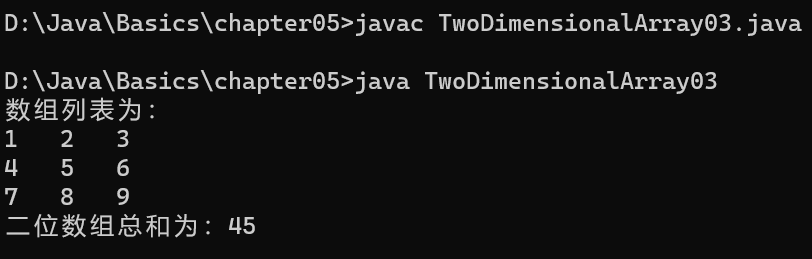
public class Static2DArray {
    public static void main(String[] args) {
        int[][] table = {{1, 2, 3}, {4, 5, 6}, {7, 8, 9}};
        int total = 0;
        System.out.println("Array contents:");
        for (int r = 0; r < table.length; r++) {
            for (int c = 0; c < table[r].length; c++) {
                System.out.print(table[r][c] + "   ");
                total += table[r][c];
            }
            System.out.println();
        }
        System.out.println("Sum of all elements: " + total);
    }
}
Important Notes
- One‑dimensional array declaration:
int x[]orint[] x - Two‑dimensional array declaration:
int[][] y,int y[][], orint[] y[] - A 2D array is essentially an array of 1D arrays; the lengths of the inner arrays can be the same or different.
Pascal’s Triangle (Yang Hui Triangle)
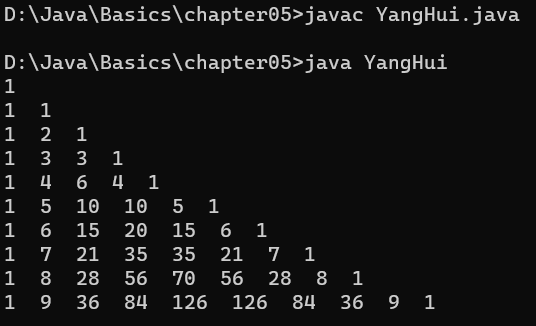
Use a 2D array to print a 10‑row Pascal triangle:
        1
       1 1
      1 2 1
     1 3 3 1
    1 4 6 4 1
  1 5 10 10 5 1
  ...
public class PascalTriangle {
    public static void main(String[] args) {
        int rows = 10;
        int[][] triangle = new int[rows][];
        for (int i = 0; i < rows; i++) {
            triangle[i] = new int[i + 1];
            for (int j = 0; j < triangle[i].length; j++) {
                if (j == 0 || j == triangle[i].length - 1) {
                    triangle[i][j] = 1;
                } else {
                    triangle[i][j] = triangle[i - 1][j] + triangle[i - 1][j - 1];
                }
                System.out.print(triangle[i][j] + "  ");
            }
            System.out.println();
        }
    }
}