Essential Linux Command Reference
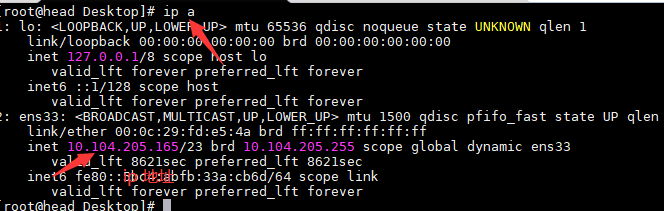
Check network interface address configuration
ip address show
# shorthand
ip a
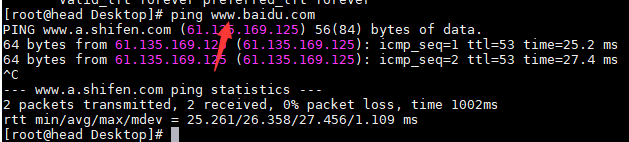
Test network connectivity
ping www.example.com
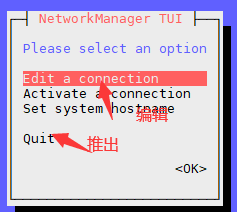
Modify network interface address through a graphical TUI
nmtui
Shutdown commands
# Shut down immediately
shutdown now
# Schedule shutdown in 5 hours
shutdown -h 5
# Power off directly
poweroff
Reboot commands
# Reboot immediately
shutdown -r now
# Alternatively
reboot
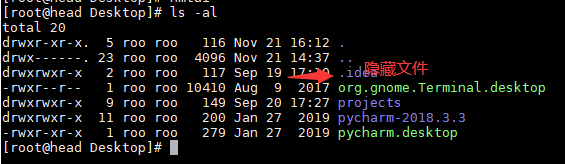
List files, including hidden ones
astands for alllstands for long listing format
ls -al
Create directories with mkdir
-pcreates nested directories
mkdir -p projects/app

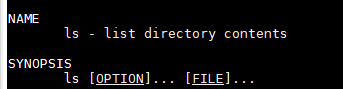
Open the manual for a command
man ls
Switch to the home directory or current user
cd
# or
cd ~
Vi/Vim editing commands
:wq --- save and quit
:wq!--- force save and quit
:q! --- force quit without saving
Search within Vim
command mode -> ex mode
:           enter commands
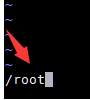
/           search forward (n moves to next match)
?           search backward (n moves to next match)
Vim special shortcuts
Delete (cut) a line          dd
Delete (cut) multiple lines  3dd
Paste                        p
Paste multiple times         3p
Copy (yank) a line           yy
Copy multiple lines          3yy
Undo                         u
Print text to screen or redirect to a file (echo)
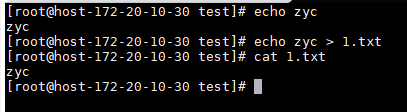
# Print to screen
echo hello
# Write to file
echo hello > output.txt
Display filee content with cat
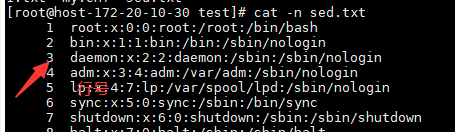
-nshows line numbers
cat -n data.txt
Copy files or directories (cp)
- Use
cp -rto copy directories recursively - Use
\cpto force overwrite if the destination file exists
Remove files or directories
rm -rdeletes recursivelyrm -rfforcefully deletes without confirmation (frequently used)
Move or rename files (mv)
# Rename
mv oldname.txt newname.txt
# Move (use -rf for directories)
mv oldname.txt /tmp
Mount storage devices
mount device mountpoint
# Unmount
umount mountpoint
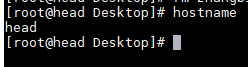
View and modify hostname
hostname
Permanently change hostname (CentOS 7)
hostnamectl set-hostname myserver

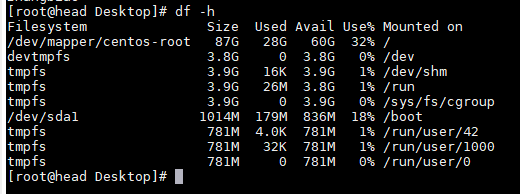
Check disk usage and mount points
df -h
Check memory usage
free -h

Apply configuration file changes immediately (source)
Files often sourced:
/etc/profile
/etc/bashrc
~/.bashrc
~/.bash_profile
/etc/sysconfig/i18n  --- CentOS 6 locale config
/etc/locale.conf     --- CentOS 7 locale config
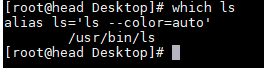
Show full path of a command
which ls
Create command aliases (alias)
alias shortname='long command'
# Define an alias to check web server status
alias webstatus='systemctl status nginx'
# Use the alias
webstatus

Remove an alias
unalias webstatus
View the last lines of a file (tailf / tail)
-nspecifies how many lines
# Show last 3 lines
tail -3 /etc/passwd
# or
tailf -3 /etc/passwd

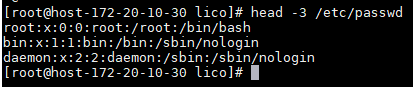
View the first lines of a file (head)
- Default is 10 lines;
-nspecifies count
# Show first 3 lines
head -3 /etc/passwd
Basic Yum commands (CentOS 7)
yum install -y package_name     # Install a package
yum repolist                    # List enabled repositories
yum list                        # List available/installed packages
yum --help                      # Show help options
yum provides locate             # Find which package provides a command
Process management
ps displays process information in the current shell.
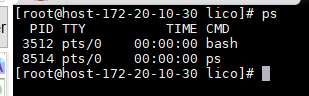
Show all running processes in detail
# Pipe with grep to filter for a web server
ps -ef | grep httpd

Terminate processes
kill -9 PID           # Force kill a process by PID
killall process_name  # Kill processes by name
View CPU information
lscpu
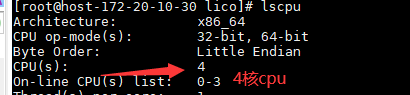
Check system load and logged-in users (w)
w

Monitor system load interactively
top

Monitor system status with vmstat
r— processes waiting for CPU timeb— processes in uninterruptible sleepswpd— virtual memory used (KB)si— swap-in from disk (KB)so— swap-out to disk (KB)bi— blocks received from a block devicebo— blocks sent to a block devicewa— CPU time spent waiting for I/O
vmstat

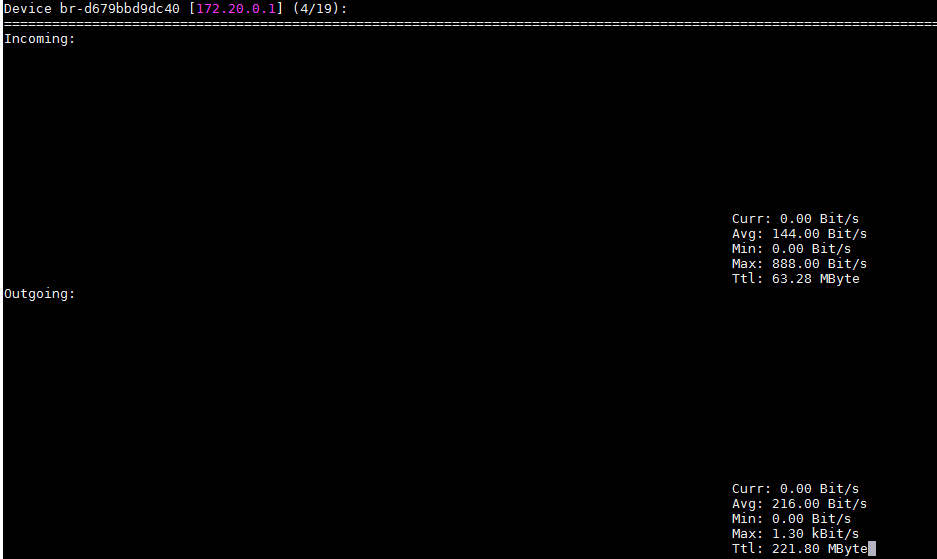
Monitor network interface bandwidth (nload)
yum install -y epel-release
yum install -y nload
nload
Create a user
useradd john
# Set a password
passwd john
Switch user (su)
# Switch to root
su
# Switch to a specific user
su - john
Display current username
whoami

RPM package management
rpm -qa package_name    # Check if a package is installed
rpm -ql package_name    # List files in a package
rpm -qf /path/to/file   # Find which package owns a file
Manage services with systemctl
systemctl start   service  # Start a service
systemctl stop    service  # Stop a service
systemctl restart service  # Restart a service
systemctl status  service  # Show detailed status
systemctl disable service  # Disable service at boot
systemctl enable  service  # Enable service at boot
systemctl is-active  service  # Check if the service is running
systemctl is-enabled service  # Check if the service is enabled
Set locale to support Chinese (CentOS 7)
localectl set-locale LANG=zh_CN.UTF-8
Locate binary and manual files for a command (whereis)
whereis ls

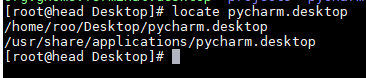
Find files by name quickly (locate)
locate pycharm.desktop
Update the locate database (updatedb)
Run updatedb when new files have been created, otherwise locate may not find them.
Determine file type
file mydir/

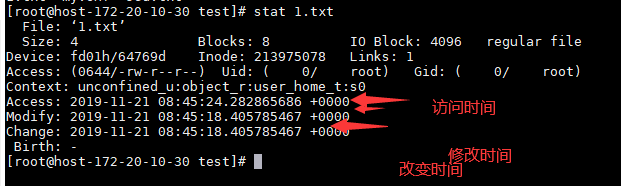
Display detailed file metadata (stat)
stat notes.txt
Archiving and compression with tar
Options:
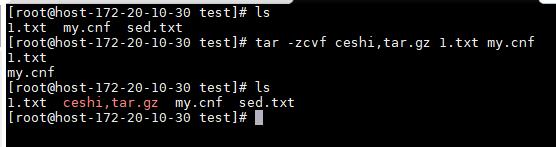
-z: compress with gzip-c: create archive-v: verbose-f: specify archive filename-x: extract-t: list archive contents--exclude: exclude specific files--exclude-from
# Create archive of configs
tar -zcvf bundle.tar.gz notes.txt my.cnf
# Extract archive
tar -xvf bundle.tar.gz

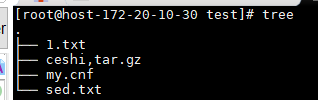
Display directory tree
tree -L 1: limit depth to 1 leveltree -d: show directories only
Display and format date/time
date "+%F_%T"

Create links
ln source link: create a hard link (directories cannot have hard links)ln -s source link: create a symbolic (soft) link
Line count with wc
cat /etc/passwd | wc -l

Change file permissions (chmod)
u: user (owner)g: groupo: othersr: read,w: write,x: execute+grants permission,-revokes it
# Grant execute permission to others
chmod o+x data.txt
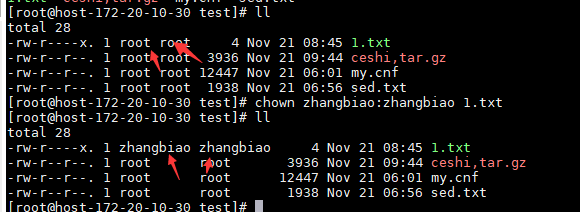
Change ownership (chown)
-R: apply recursively
chown alex:alex data.txt
Disk usage of a directory (du)
-sh: summarize total size in human-readable format
du -sh projects/

Search for files (find)
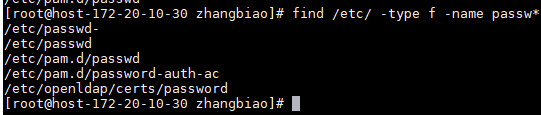
find starts from a given path, -type specifies type (f for file, d for directory), -name matches a pattern (supports glob).
find /etc/ -type f -name passw*
Filter text with grep
-B N: show N lines before the match-A N: show N lines after the match-C N: show N lines before and after-c: count matching lines-v: invert match-E/egrep: extended regex-o: show only matching part-n: show line numbers-i: case-insensitive
# Show line containing 'halt' and two lines before it
grep -B 2 'halt' /etc/passwd

Special shell symbols
~: home directory..: parent directory.: current directory>: stdout redirection (overwrite)>>: stdout redirection (append)2>: stderr redirection (overwrite)2>>: stderr redirection (append)<: stdin redirection<<: here document&&: run next command only if previous succeeds;: run commands sequentially regardless of exit status#: comment (or root prompt when used at the start of a line)$: variable expansion; end of line in regex; denotes a regular user prompt!: force / history expansion`(backticks) : command substitution|(pipe) : send stdout of left command to stdin of right command
Brace expansion for sequences
touch {1,2}.txt

Keyboard shortcuts
- Ctrl+C – interrupt the current command
- Ctrl+L – clear the screen
- Ctrl+D – logout (EOF)
- Tab – auto-complete paths, filenames, commands
- Up/Down arrows – browse command history
- Ctrl+A – move cursor to beginning of line
- Ctrl+E – move cursor to end of line
- Ctrl+Left/Right – move cursor by word
- Esc+. – insert the last argument from the previous command
- Ctrl+U – delete from cursor to start of line (cut)
- Ctrl+K – delete from cursor to end of line (cut)
- Ctrl+Y – paste the cut text
- Ctrl+R – search command history interactively
