Comprehensive Guide to Regular Expressions: Syntax, Lookarounds, Backreferences, and Practical Applications
1. Special Symbol Meanings
1.1 Quantifiers
*: Matches the preceding pattern zero or more times.+: Matches the preceding pattern one or more times.?: Matches the preceding pattern zero or one time.{n}: Matches the preceding patern exactlyntimes.{n,}: Matches the preceding pattern at leastntimes.{n,m}: Matches the preceding pattern at leastntimes but no more thanmtimes.
1.2 Grouping and Capturing
( ): Groups and captures a subexpression.(?: ): Groups a subexpression without capturing it.
1.3 Special Characters
\: Escape character, used to match special characters literally..: Matches any single character (except newline characters\r\n).|: Specifies alternatives (logical OR).
1.4 Anchors
^: Matches the start of a string.$: Matches the end of a string.\b: Matches a word boundary (position between a word character and a non-word character).\B: Matches a non-word boundary.
1.5 Character Classes
[ ]: Matches any single character within the brackets. For example,[abc]matches "a", "b", or "c".[^ ]: Matches any single character NOT within the brackets. For example,[^abc]matches any character except "a", "b", or "c".\w: Matches any word character (letter, digit, or underscore). Equivalent to[A-Za-z0-9_].\d: Matches any digit. Equivalent to[0-9].\D: Matches any non-digit character. Equivalent to[^0-9].\s: Matches any whitespace character (space, tab, form feed, etc.). Equivalent to[\f\n\r\t\v].\S: Matches any non-whitespace character. Equivalent to[^\f\n\r\t\v].
Examples:
^[0-9].*[abc]$matches strings that start with a digit and end with 'a', 'b', or 'c'.[^aeiou]matches any character that is not a vowel (a, e, i, o, u).([1-9])([a-z])captures a digit (1-9) followed by a lowercase letter.
2. Common Uses of Regular Expressions
- Validation: Test if a string conforms to a specific pattern.
- Search and Replace: Find and replace text matching a pattern.
- Extraction: Extract substrings that match a pattern from a larger string.
3. Lookarounds (Zero-Width Assertions)
Parentheses ( ) are typically used for capturing. However, when they start with ?=, ?!, ?<=, or ?<!, they define a lookaround—a condition that must be met without including the condition's text in the match.
3.1 Positive Lookahead: exp1(?=exp2)
Matches exp1 only if its immediately followed by exp2.
- Example:
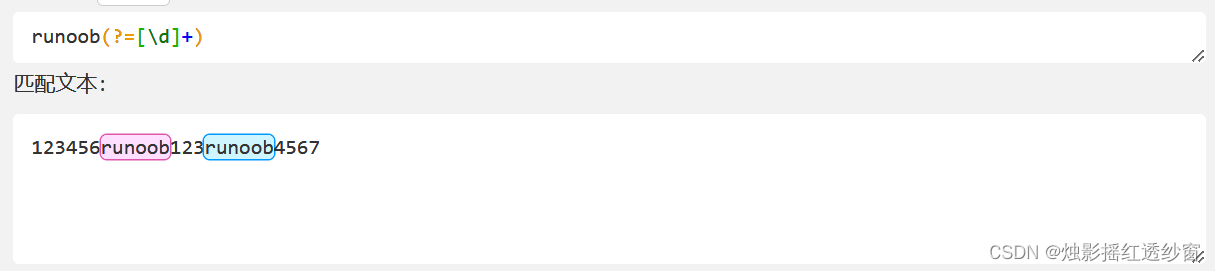
runoob(?=[\d]+)matches "runoob" only when followed by one or more digits.
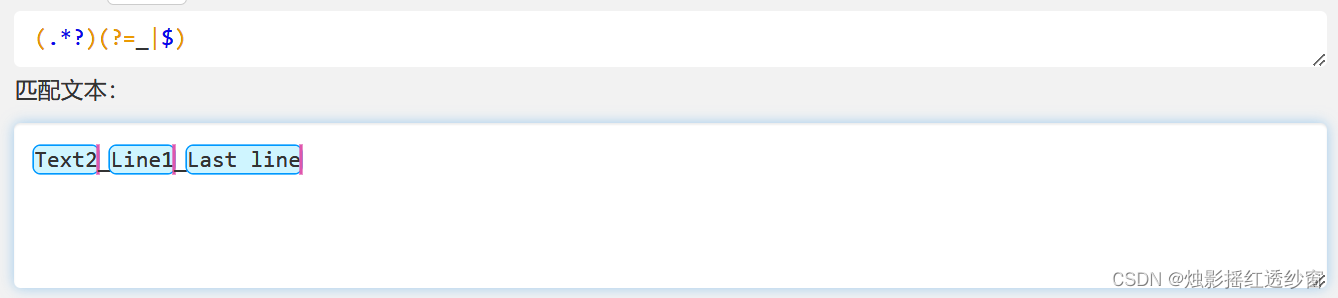
Practical Example: Matching an underscore-separated string where the last segment contains no underscore.
3.2 Negative Lookahead: exp1(?!exp2)
Matches exp1 only if it is NOT immediately followed by exp2.
- Example:
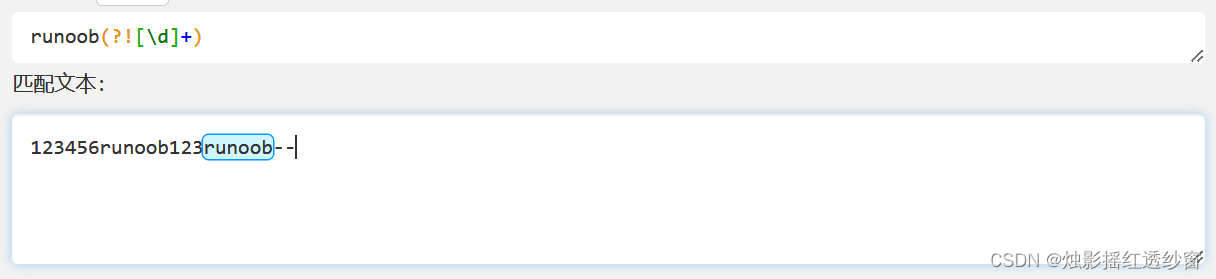
runoob(?![\d]+)matches "runoob" only when NOT followed by one or more digits.
3.3 Positive Lookbehind: (?<=exp2)exp1
Matches exp1 only if it is immediately preceded by exp2.
- Example:
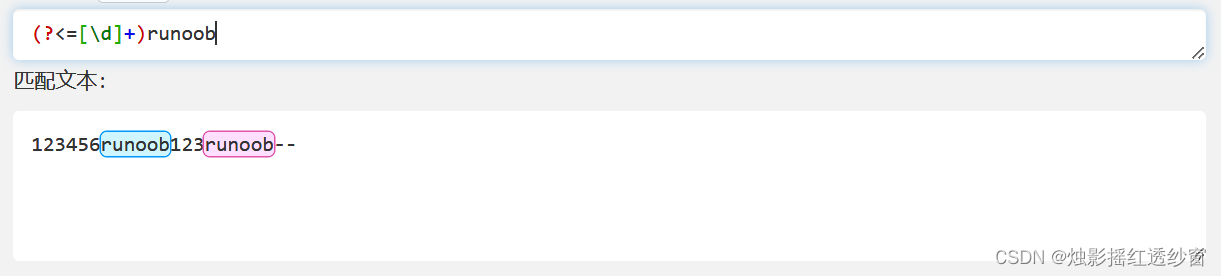
(?<=[\d]+)runoobmatches "runoob" only when preceded by one or more digits.
3.4 Negative Lookbehind: (?<!exp2)exp1
Matches exp1 only if it is NOT immediately preceded by exp2.
- Example:
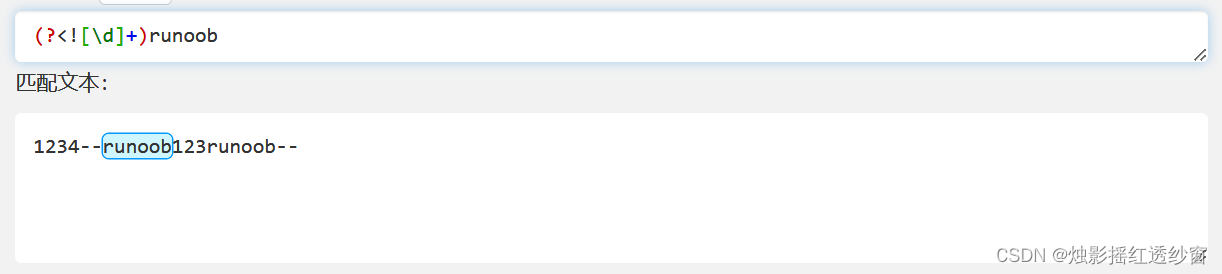
(?<![\d]+)runoobmatches "runoob" only when NOT preceded by one or more digits.
4. Backreferences
Text matched by a capturing group ( ) is stored in a buffer by the regex engine. These buffers are numbered from 1 to 99. You can reference the content of a previous buffer using \n, where n is the buffer number (e.g., \1 for the first buffer).
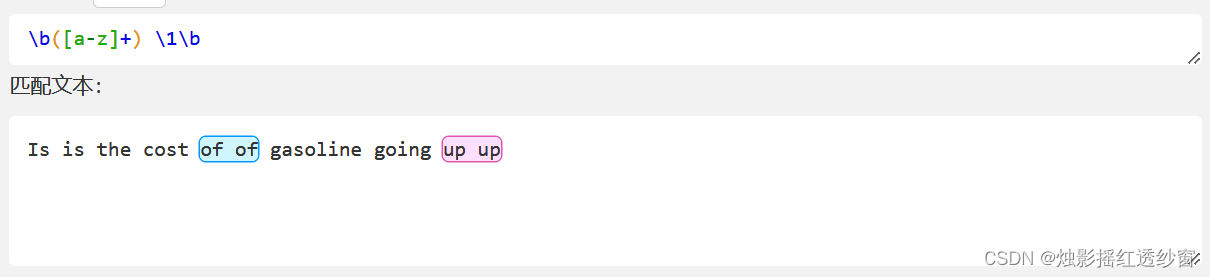
A classic use of backreferences is to find consecutive, identical words in text.
Example: Find repeated consecutive words in the string: 'Is is the cost of of gasoline going up up'.
Advanced Example: Using regex to check if a number is prime.
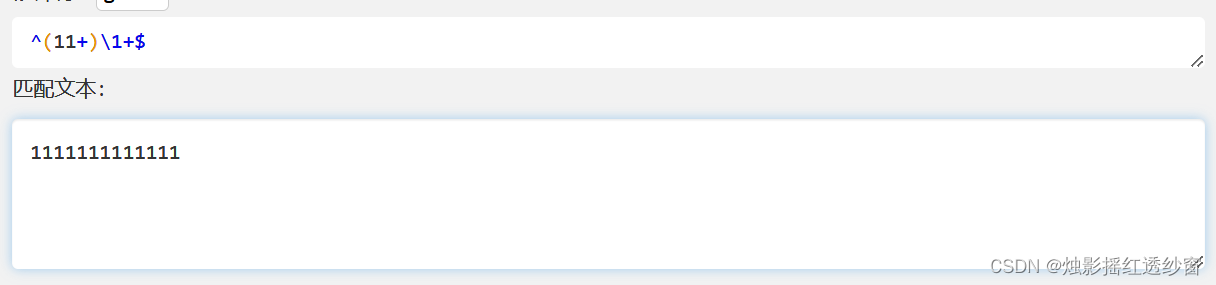
The idea is to represent an integer n as a string of n ones (e.g., 13 becomes "1111111111111").
1+matches one or more '1's.(11+)captures a sequence of two or more '1's.\1is a backreference to the captured sequence.- Therefore,
(11+)\1+matches sequences that can be divided evenly by a number greater than 1, indicating a non-prime length.
5. Regular Expressions in Shell Scripts
5.1 Using grep and perl
While grep -E supports extended regex for matching, it's not ideal for extracting captured groups. sed has limitations with lazy matching. perl -pe is often a better choice for extraction.
# Extract the value of the 'oaid' parameter from lines where the URL parameter is 'aaa' or 'bbb' and an 'oaid' parameter exists.
# perl -pe extracts the first captured group (\1).
# grep -v '^$' removes empty lines.
oaid=`hdfs dfs -text $fileName | grep -E 'url=(aaa|bbb).*&oaid=(.*?)&.*' | perl -pe 's/.*&oaid=(.*?)&.*/\1/g' | grep -v '^$' | head -1`
echo "oaid: $oaid"
5.2 grep Regex Engines
- Default (Basic Regex): Uses a simpler syntax (e.g.,
.,*,[]). -E(Extended Regex): Enables additional metacharacters like+,?,|,().-P(Perl-Compatible Regex - PCRE): Offers the most powerful and flexible syntax, supporting\w,\d,\s, lookarounds, etc.
# Count lines starting with an IPv4 address followed by " -"
cat aaa.log | grep -P "^(\d+\.){3}\d+ -" | wc -l

# Count lines starting with an IPv6 address followed by " -"
cat aaa.log | grep -P "^(\w{0,4}:){1,7}\w{0,4} -" | wc -l
6. Java's find() vs matches() Methods
find(): Searches for the next occurrence of the pattern within the input string. Used for iterative matching of substrings.matches(): Attempts to match the entire input string against the pattern. Used for one-time validation of the whole string.
import java.util.*;
import java.util.regex.*;

public class RegexDemo {
    /**
     * Extracts named group definitions (e.g., `(?<name>...)`) from a regex pattern using `matches()`.
     * Note: `matches()` requires a pattern that matches the *entire* input string.
     * This method is less flexible as it requires knowing the maximum number of groups in advance.
     */
    public static List<String> extractGroupsWithMatches(String regexPattern) {
        Set<String> groupNames = new LinkedHashSet<>();
        // Pattern to match named group syntax: `(?<groupName>`
        // The regex must account for the entire input string.
        // `.*?` enables lazy (non-greedy) matching to find the earliest occurrences.
        String groupExtractorPattern = ".*?\\(\\?<([a-zA-Z]*)>.*?\\(\\?<([a-zA-Z]*)>.*?\\(\\?<([a-zA-Z]*)>.*?\\(\\?<([a-zA-Z]*)>.*";
        Matcher matcher = Pattern.compile(groupExtractorPattern).matcher(regexPattern);

        if (matcher.matches()) { // `matches()` checks the whole string
            // Access captured group names (up to 4 in this hardcoded example)
            System.out.println(matcher.group(1));
            System.out.println(matcher.group(2));
            System.out.println(matcher.group(3));
            System.out.println(matcher.group(4));
        }
        return new ArrayList<>(groupNames);
    }

    /**
     * Extracts named group definitions using `find()`.
     * More flexible as it iteratively finds all occurrences of the subpattern.
     */
    public static List<String> extractGroupsWithFind(String regexPattern) {
        Set<String> groupNames = new LinkedHashSet<>();
        // Pattern to find the named group syntax as a substring
        String groupNamePattern = "\\(\\?<([a-zA-Z]*)>";
        Matcher matcher = Pattern.compile(groupNamePattern).matcher(regexPattern);

        // `find()` iterates through the string, finding each match
        while (matcher.find()) {
            groupNames.add(matcher.group(1)); // group(1) is the captured name
        }
        return new ArrayList<>(groupNames);
    }

    public static void main(String[] args) {
        // Example log parsing regex with named groups
        String sampleLog = "127.0.0.1 - xxx.com.cn [08/Jul/2024:08:00:00 +0800] \"GET /xx.gif?name=zhang&age=30 HTTP/1.1\" 204 0 \"SohuVideoMobile/9.9.23 (Platform/6)\"";
        String logRegex = "(?<ip>(?:\\d+\\.){3}\\d+|(?:\\w{0,4}:){1,7}\\w{0,4}) \\S* (?<domain>[^ ]*?) \[(?<ctime>.*?)\\] \".*\\s\\/mvv\\.gif\\?(?<param>.*?)? HTTP\\/1\\.\\d+\" \\d{3} .*?";

        List<String> groups = extractGroupsWithFind(logRegex); // Or use extractGroupsWithMatches
        System.out.println("Extracted named groups: " + groups);
    }
}
